Humanize AI
Transform AI text into natural human-like writing effortlessly
What is Humanize AI? Complete Overview
Humanize AI is a free AI humanization tool that transforms text generated by ChatGPT, Gemini, Grok, DeepSeek, Meta AI, and other AI text generators into natural, human-like writing. It solves the problem of AI-generated content sounding robotic or artificial by rewriting it with natural flow and tone while bypassing AI detectors like ZeroGPT, Quillbot, GPTZero, Grammarly, Copyleaks, Undetectable AI, and Writer. The tool serves a wide range of users including content writers, bloggers, copywriters, students, journalists, and HR professionals who need authentic-sounding content. With multiple humanization modes and multilingual support, Humanize AI helps users create engaging, plagiarism-free content that maintains original meaning while sounding completely human-written.
Humanize AI Interface & Screenshots
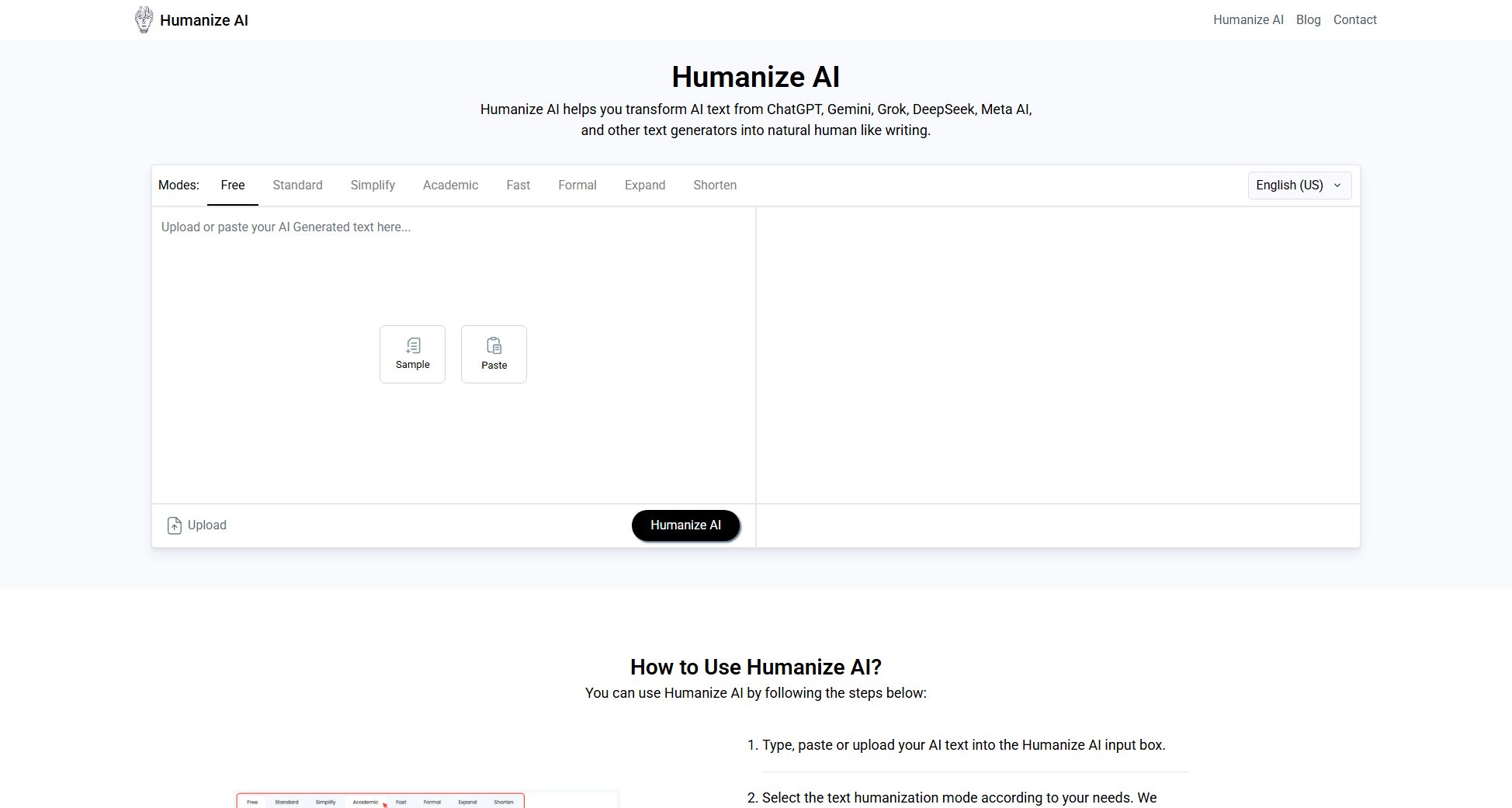
Humanize AI Official screenshot of the tool interface
What Can Humanize AI Do? Key Features
Free AI Text Humanization
Humanize AI offers completely free text humanization without requiring sign-ups or paid subscriptions, making advanced AI rewriting accessible to everyone.
AI Detection Bypass
The tool effectively bypasses leading AI detectors including Turnitin, ZeroGPT, GPTZero, Quillbot, Copyleaks, Grammarly, and Writer by producing content that closely matches human writing patterns.
Plagiarism Removal
Beyond humanizing text, the tool eliminates plagiarism by thoroughly rephrasing AI-generated content to ensure 100% unique output while preserving the original meaning.
Multiple Humanization Modes
Users can choose from various modes including Free, Standard, Simplify, Academic, Fast, Formal, Expand, and Shorten to tailor the output to specific writing styles and needs.
Natural Language Processing
Utilizing ML and NLP technologies, Humanize AI analyzes AI writing patterns and converts them into smooth, conversational tones that feel authentically human.
Multilingual Support
Supports multiple languages including English (US/UK/AU/CA), Spanish, French, Portuguese, German, and Italian, catering to global users.
SEO Optimization
Humanized content maintains SEO value by preserving user intent and semantic structure, helping improve search engine rankings.
Context Preservation
Advanced algorithms ensure contextual coherence by analyzing overall content meaning while restructuring sentences naturally.
Best Humanize AI Use Cases & Applications
Academic Writing
Students can use Humanize AI to refine essays, assignments, and research papers, eliminating AI detection risks while improving flow and readability.
Content Marketing
Bloggers and content marketers can create SEO-friendly articles that engage readers with natural language while maintaining keyword optimization.
Professional Communications
HR professionals and business writers can polish reports, emails, and documents into clear, confident professional language.
Creative Writing
Authors and journalists can transform AI-assisted drafts into polished stories with consistent voice and natural narrative flow.
Multilingual Content Creation
Global teams can humanize AI-generated text across multiple languages while preserving cultural nuance and local tone.
How to Use Humanize AI: Step-by-Step Guide
Type, paste or upload your AI-generated text into the Humanize AI input box.
Select your preferred humanization mode from options like Free, Standard, Simplify, Academic, Fast, Formal, Expand, or Shorten based on your desired output style.
Click the 'Humanize AI' button to begin the transformation process.
Review the humanized results and make any necessary edits to perfect the output.
Copy or download the final humanized text for your use.
Humanize AI Pros and Cons: Honest Review
Pros
Considerations
Is Humanize AI Worth It? FAQ & Reviews
Yes, Humanize AI is completely free with no sign-up required. You can humanize unlimited text without any hidden fees or charges.
Absolutely. Humanize AI effectively bypasses major detectors like ZeroGPT, Quillbot, GPTZero, Turnitin, and Grammarly by producing natural human-like writing.
It uses machine learning and NLP to rewrite content by removing AI patterns, rephrasing robotic language, and enhancing clarity while preserving meaning.
Yes, Humanize AI works with English variants, Spanish, French, Portuguese, German, Italian and maintains context across languages.
Content writers, bloggers, students, journalists, copywriters, and HR professionals can all enhance their AI-assisted content.
Yes, the tool preserves user intent and semantic structure while improving readability, helping maintain or improve SEO performance.