FlexWork
Remote, Hybrid & On-Site Jobs Worldwide - Pay-as-you-go hiring
What is FlexWork? Complete Overview
FlexWork is a modern hiring platform designed to simplify the recruitment process for companies and job seekers alike. It replaces the chaos of inboxes, lost emails, spreadsheets, and recruiter back-and-forth with a structured, pay-as-you-go hiring engine. FlexWork is ideal for lean teams that need an efficient, transparent, and affordable hiring solution without the burden of long-term contracts or expensive ATS subscriptions. The platform caters to employers, hiring managers, and in-house teams looking to streamline their hiring process, as well as job seekers who want clarity and respect in their job search. FlexWork focuses on privacy, consent-based contact, and real-world readiness signals to ensure a professional and efficient hiring experience for all parties involved.
FlexWork Interface & Screenshots
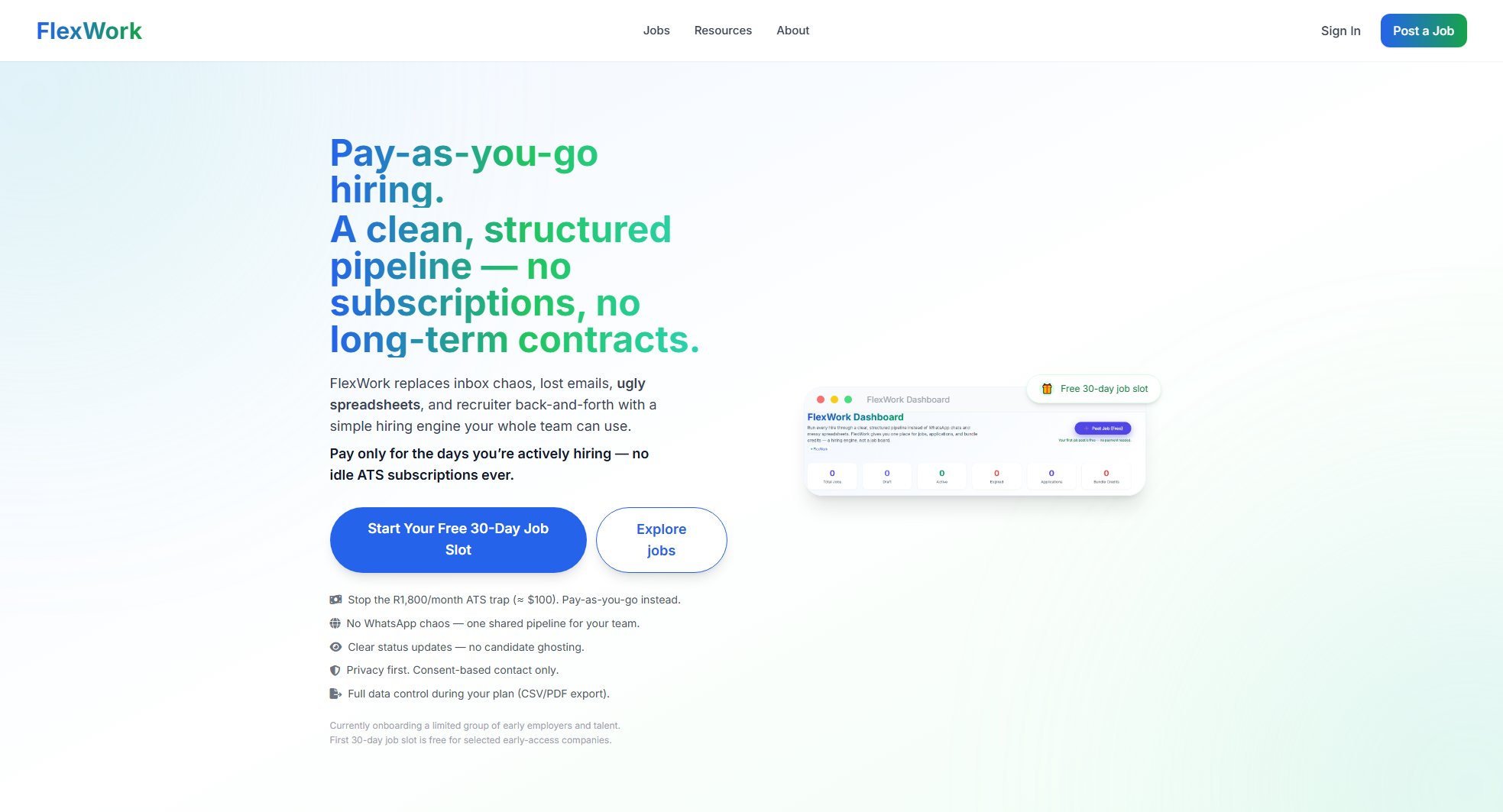
FlexWork Official screenshot of the tool interface
What Can FlexWork Do? Key Features
Pay-as-you-go hiring
FlexWork eliminates the need for expensive monthly ATS subscriptions by offering a pay-as-you-go model. Employers only pay for the days they are actively hiring, with options for 30, 45, or 60-day access windows per role. This ensures cost efficiency and eliminates idle subscription costs.
Structured hiring pipeline
The platform provides a clean, shared dashboard where employers can manage candidates through a clear pipeline: Applied → Shortlisted → Interview → Hired. This replaces the chaos of WhatsApp threads, email overload, and spreadsheets, ensuring a streamlined and organized hiring process.
Privacy-first approach
FlexWork prioritizes privacy and consent. Contact details are hidden by default, and employers must request access, which candidates can approve. Every unlock is audit-logged, aligning with POPIA and modern data protection standards to ensure professional and respectful outreach.
Real-world readiness signals
Employers can view candidates' skills, CV, portfolio work, availability, region/time-zone fit, and visa/work-rights status before reaching out. This ensures that time is spent only on candidates who are true fits for the role.
Candidate visibility
Job seekers can track their application status in real time, seeing when they’ve been viewed, shortlisted, or moved to interview. This eliminates ghosting and provides transparency throughout the hiring process.
Remote, hybrid, and on-site support
FlexWork caters to all work modes—remote, hybrid, and on-site. It highlights candidates' location, time-zone alignment, and work rights upfront, ensuring employers can find the right fit for their specific needs.
No agency commissions
Employers can hire directly without paying 20% agency commissions. FlexWork acts as a hiring engine, not a middleman, saving companies significant costs in the recruitment process.
Full data control
Employers retain full control over their data during the hiring window, with the ability to export candidate information in CSV or PDF formats. This ensures flexibility and data portability.
Best FlexWork Use Cases & Applications
Startup hiring remote developers
A tech startup needs to hire remote developers for a new project. Using FlexWork, they post the job with a 45-day access window. They review applicants' skills, portfolios, and time-zone alignment, shortlisting only the best fits. The structured pipeline ensures no candidates are lost in email threads, and the pay-as-you-go model saves them from a costly ATS subscription.
Job seeker tracking application status
A job seeker applies for multiple hybrid roles on FlexWork. They can see in real time when their applications are viewed, shortlisted, or moved to interview. This transparency eliminates the frustration of ghosting and helps them focus on opportunities where they are actively being considered.
Enterprise scaling a local team
An enterprise needs to scale its on-site call center team. FlexWork highlights candidates in the right region with the correct work rights, ensuring the hiring team doesn’t waste time on applicants who can’t work locally. The shared pipeline replaces chaotic WhatsApp screenshots and email forwards.
How to Use FlexWork: Step-by-Step Guide
Sign up for FlexWork and create an account as either an employer or a job seeker. Employers can start by registering their company details, while job seekers can build a profile with their skills, CV, portfolio links, and work preferences.
For employers, post a job role by specifying the job details, work mode (remote, hybrid, or on-site), and the desired access window (30, 45, or 60 days). FlexWork provides a clean, structured dashboard to manage the hiring process.
Candidates apply for jobs through FlexWork, and their profiles are added to the employer’s pipeline. Employers can review applicants' skills, availability, and work-rights status before deciding to shortlist or interview them.
Move candidates through the hiring pipeline stages (Applied → Shortlisted → Interview → Hired) using the shared dashboard. Candidates receive real-time updates on their application status, ensuring transparency.
Employers can request access to candidates' contact details, which candidates must approve. All interactions are audit-logged to maintain privacy and professionalism.
Once a candidate is hired, employers can close the job slot. FlexWork provides CSV/PDF export options for retaining candidate data during the access window.
FlexWork Pros and Cons: Honest Review
Pros
Considerations
Is FlexWork Worth It? FAQ & Reviews
FlexWork charges employers only for the days they are actively hiring, with options for 30, 45, or 60-day access windows per role. There are no long-term contracts or idle subscription costs.
Yes, selected early-access companies can start with a free 30-day job slot to experience the platform before committing to a paid plan.
Contact details are hidden by default. Employers must request access, which candidates can approve. Every unlock is audit-logged to ensure compliance with data protection standards like POPIA.
Yes, employers can export candidate information in CSV or PDF formats during their access window, ensuring full data control.
Yes, FlexWork is designed for all work modes. Employers can specify the work mode for each role, and the platform highlights candidates' location, time-zone alignment, and work rights upfront.