ArduinoMap
Free, open-source Arduino curriculum for beginners
What is ArduinoMap? Complete Overview
ArduinoMap is a free, open-source Arduino curriculum designed to help beginners build strong foundations and develop good practices from day one. Created to address the overwhelming experience of learning Arduino, ArduinoMap provides a clear, practical roadmap for beginners and hobbyists. The curriculum is organized into weekly modules, each focusing on software (programming) followed by hardware lessons. By the end of the course, users will be able to work with various modules, including sensors, displays, and motors, to build unique and valuable projects. ArduinoMap emphasizes learning by doing, providing schematics, documentation links, and assignments to reinforce concepts. The course is ideal for anyone looking to explore the world of Arduino in a structured and supportive way.
ArduinoMap Interface & Screenshots
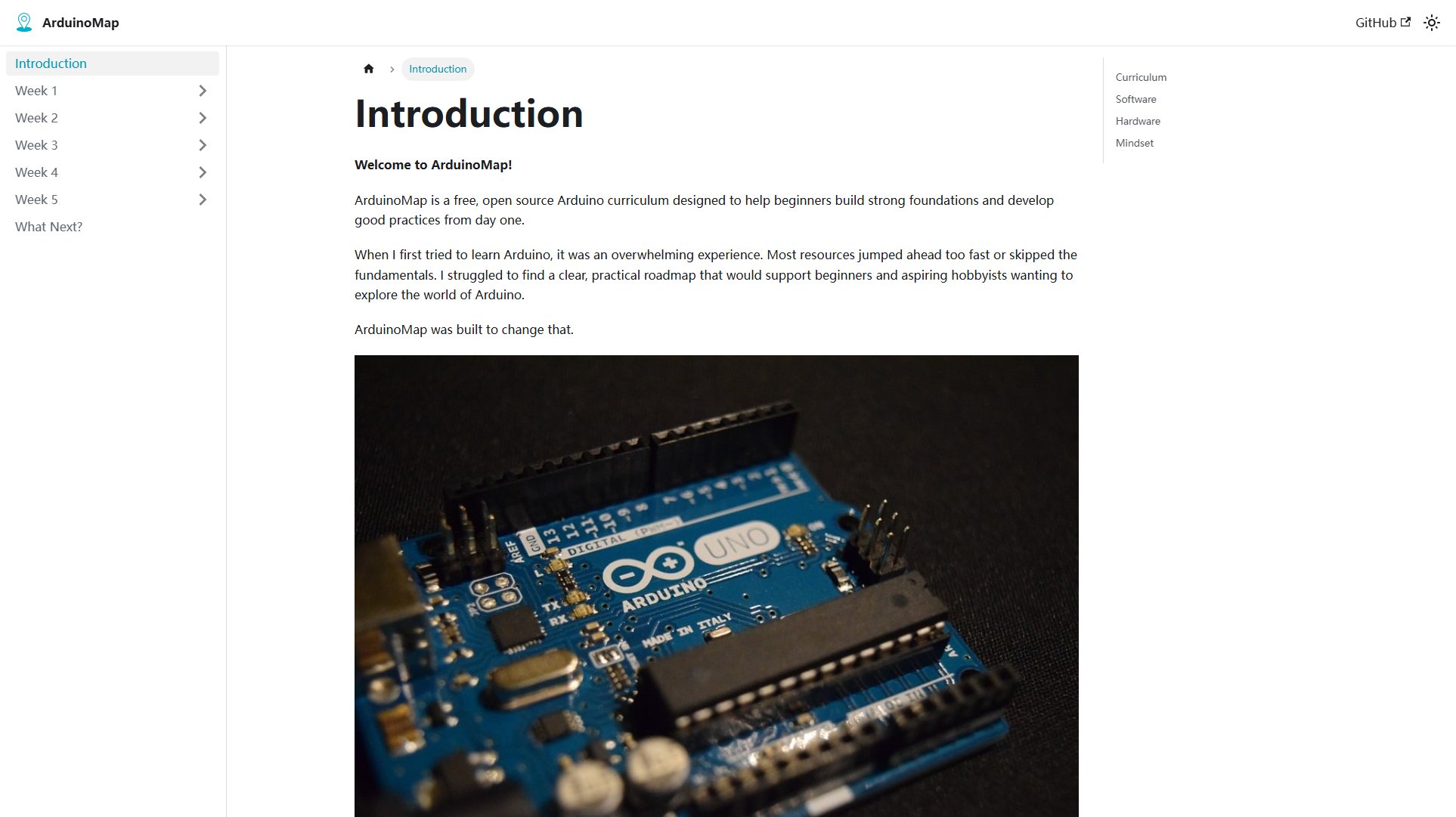
ArduinoMap Official screenshot of the tool interface
What Can ArduinoMap Do? Key Features
Structured Curriculum
ArduinoMap offers a well-organized curriculum divided into weekly modules, each focusing on software and hardware. This structured approach ensures beginners can build a strong foundation step by step.
Learning by Doing
The course encourages active learning through hands-on projects, schematics, and assignments. This approach helps users apply theoretical knowledge practically, reinforcing their understanding.
Comprehensive Resources
Each lesson includes introductions, detailed instructions, and assignments. Users also get access to valuable resources like documentation links and schematics to explore concepts in depth.
Hardware and Software Integration
The curriculum covers both software (programming with Arduino IDE) and hardware (using sensors, displays, and motors), providing a holistic learning experience.
Community Support
ArduinoMap directs users to friendly communities like the Arduino Forum and Discord Server, where they can seek help and share their progress.
Best ArduinoMap Use Cases & Applications
Learning Arduino from Scratch
Beginners can use ArduinoMap to learn Arduino programming and hardware integration systematically, building projects like LED displays, sensor-based systems, and motor controls.
Hobbyist Projects
Hobbyists can follow the curriculum to create unique projects, such as home automation systems, weather stations, or interactive art installations, using the provided resources.
Educational Tool
Educators can incorporate ArduinoMap into their teaching to provide students with a structured, hands-on approach to learning electronics and programming.
How to Use ArduinoMap: Step-by-Step Guide
Download the Arduino IDE from the official website to program your microcontroller and upload code examples provided in the course.
Purchase an Arduino kit (recommended: Official Arduino Start Kit or ELEGOO's Super Starter Kit) or use a free Arduino simulator like Tinkercad or Wokwi if on a budget.
Follow the weekly modules, starting with software lessons and moving to hardware projects. Each module includes introductions, lessons, and assignments.
Complete the assignments to apply the knowledge gained. Use the provided schematics and documentation links for deeper exploration.
Engage with the Arduino community through forums or Discord if you encounter challenges or want to share your progress.
ArduinoMap Pros and Cons: Honest Review
Pros
Considerations
Is ArduinoMap Worth It? FAQ & Reviews
Yes, ArduinoMap is completely free and open-source. You can access all the curriculum materials without any cost.
While purchasing an Arduino kit is recommended for hands-on experience, you can also use free Arduino simulators like Tinkercad or Wokwi if you're on a budget.
The curriculum is organized into weekly modules, but the duration depends on your pace. Typically, it takes a few months to complete all modules thoroughly.
Absolutely! ArduinoMap is a great resource for educators looking to provide a structured, hands-on Arduino learning experience to their students.
You can reach out to the Arduino community through the Arduino Forum or Discord Server for support and guidance.