YTScribe
AI-powered YouTube transcription for effortless content conversion
What is YTScribe? Complete Overview
YTScribe is an AI-powered tool designed to transcribe YouTube videos quickly and accurately. With over 104,304 videos already transcribed, it serves content creators, researchers, journalists, and anyone who needs to convert video content into text. The tool addresses the pain point of manually transcribing videos, saving users hours of work. It's particularly useful for professionals who need accurate transcripts for content repurposing, accessibility, or research purposes. The platform demonstrates its capabilities by showcasing recent transcriptions of popular YouTube content across various genres including interviews, educational content, and entertainment.
YTScribe Interface & Screenshots
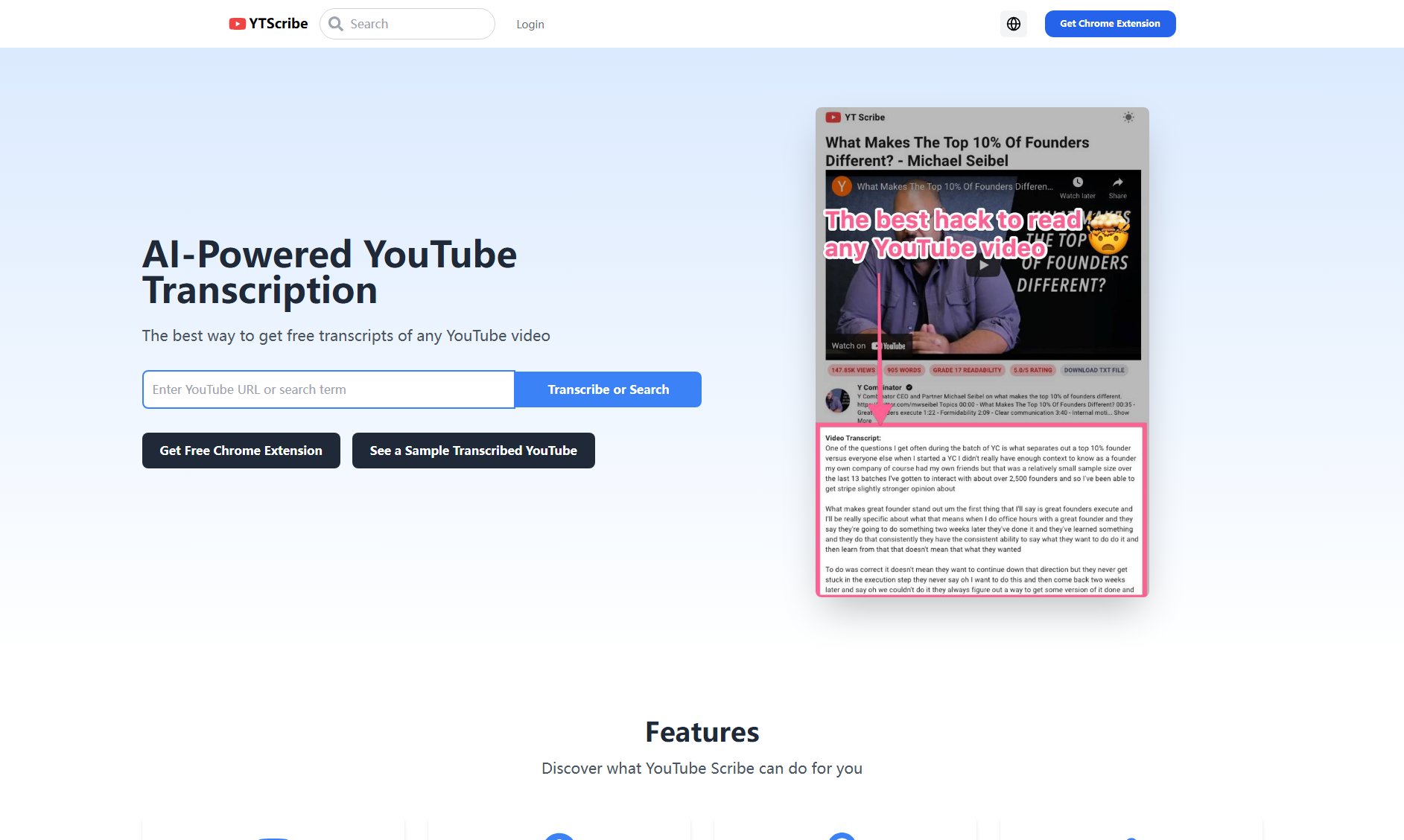
YTScribe Official screenshot of the tool interface
What Can YTScribe Do? Key Features
AI-Powered Transcription
YTScribe uses advanced artificial intelligence to deliver accurate transcriptions of YouTube videos. The AI understands natural speech patterns, accents, and contextual cues to produce high-quality text output.
Massive Processing Capacity
With over 104,304 videos already processed, the platform demonstrates its ability to handle large volumes of transcription requests efficiently and reliably.
Diverse Content Handling
The tool successfully transcribes various content types including interviews (like JRE podcasts), educational content, news segments, and entertainment videos in multiple languages.
Chrome Extension Availability
YTScribe offers a Chrome extension for easy access, allowing users to transcribe videos directly from their browser without needing to visit external sites.
Best YTScribe Use Cases & Applications
Content Repurposing
Bloggers and content creators can transcribe their YouTube videos to create blog posts, social media content, or newsletters, maximizing their content's reach across platforms.
Academic Research
Researchers can transcribe educational or interview content from YouTube for citation and analysis in their papers or studies, saving hours of manual transcription work.
Accessibility Enhancement
Video producers can generate captions and transcripts to make their content accessible to hearing-impaired audiences or non-native speakers.
Media Monitoring
Journalists and PR professionals can quickly transcribe news segments or interviews for fact-checking and reference purposes.
How to Use YTScribe: Step-by-Step Guide
Install the YTScribe Chrome extension from the Chrome Web Store or navigate to the YTScribe website.
Copy the URL of the YouTube video you want to transcribe or use the extension while watching the video.
Paste the URL into YTScribe or click the extension button to initiate transcription.
Wait for the AI to process the video and generate the transcription (processing time varies based on video length).
Review, edit if necessary, and download or copy the transcription for your use.
YTScribe Pros and Cons: Honest Review
Pros
Considerations
Is YTScribe Worth It? FAQ & Reviews
YTScribe uses advanced AI to deliver highly accurate transcriptions, though accuracy may vary based on audio quality and speaker clarity. Users can edit the output as needed.
Yes, the platform demonstrates capability with multiple languages, as shown by its successful transcription of Hindi content from Live VNS.
While the free version may have length limitations, the platform has successfully processed long-form content like JRE podcasts which often exceed 2-3 hours.
Transcriptions can be accessed through the website interface or via the Chrome extension, with options to download or copy the text directly.
Yes, YTScribe offers a Chrome extension available in the Chrome Web Store for convenient access to the transcription service.