VEO 3 Video Generator
Create cinematic AI videos with native audio in seconds
What is VEO 3 Video Generator? Complete Overview
VEO 3 Video Generator is an advanced AI-powered video creation tool developed by Google, available through Google AI Studio. It transforms text descriptions into high-quality, 8-second cinematic videos with integrated audio generation. The tool is designed for creators, marketers, and businesses who need quick, professional video content without complex editing software. VEO 3 stands out with its ability to generate synchronized audio (sound effects, ambient noises, and dialogue) directly within the video, a feature lacking in most AI video tools. The platform uses Google's VEO 3 model for superior prompt understanding and cinematic output quality, making it ideal for social media content, advertisements, presentations, and creative projects.
VEO 3 Video Generator Interface & Screenshots
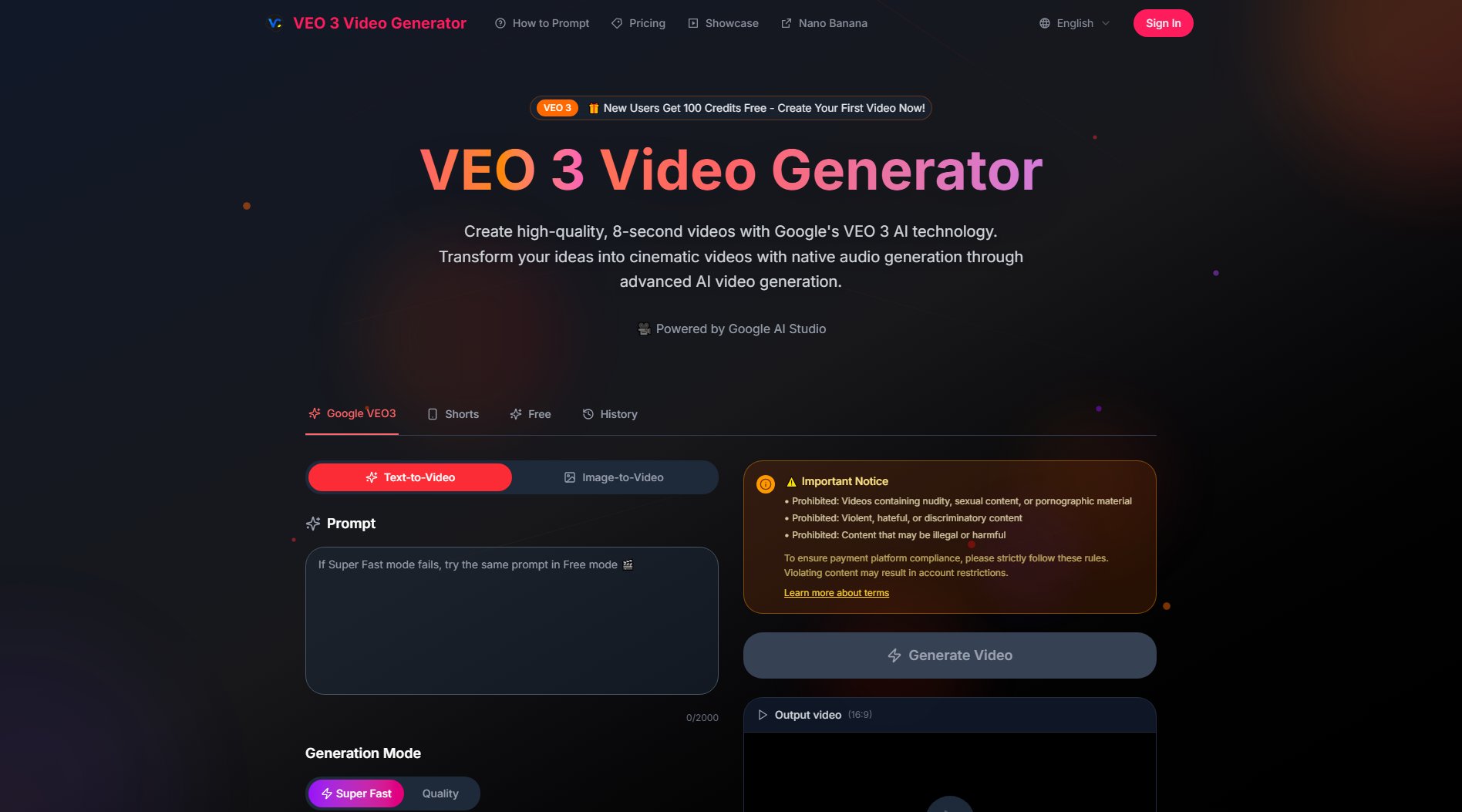
VEO 3 Video Generator Official screenshot of the tool interface
What Can VEO 3 Video Generator Do? Key Features
Native Audio Generation
VEO 3 automatically creates and integrates audio elements like sound effects, ambient noises, and character dialogue with perfect lip-syncing. This eliminates the need for separate audio editing, making videos more immersive and realistic.
Advanced Prompt Understanding
The AI can interpret complex, narrative-driven text prompts with high accuracy. Users can describe detailed scenes, character actions, and story elements in everyday language, and the model translates these into cohesive video clips.
Cinematic Quality Output
Videos feature professional-grade cinematography with realistic physics, proper lighting, and smooth camera movements. The 1080p resolution and 16:9 aspect ratio ensure broadcast-quality output suitable for professional use.
Google AI Studio Integration
Leverages Google's powerful AI infrastructure for fast processing and high-quality results. The platform handles all technical aspects, allowing users to focus on creative input rather than technical parameters.
Commercial Usage Rights
Pro plan subscribers receive full commercial rights to all generated content, with no watermarks. This makes VEO 3 suitable for professional content creators and businesses needing copyright-free video assets.
Best VEO 3 Video Generator Use Cases & Applications
Social Media Content Creation
Ideal for influencers and marketers needing quick, engaging short-form video content for platforms like Instagram, TikTok, and YouTube Shorts. The 8-second format is perfect for attention-grabbing posts and ads.
Prototype Visualization
Designers and product developers can quickly visualize concepts by describing them in text, creating professional video prototypes without expensive production equipment.
Educational Content
Teachers and trainers can generate illustrative videos to explain complex concepts, with the AI bringing abstract ideas to life through visual storytelling.
Advertising Production
Small businesses can create professional-quality promotional videos without the cost of traditional video production, complete with synchronized audio elements.
How to Use VEO 3 Video Generator: Step-by-Step Guide
Sign up for a free account to receive 100 credits and access the video generation interface.
Enter your text prompt describing the video scene you want to create. Be as detailed as possible for best results.
Select your preferred generation mode (Super Fast for quick results or Quality for enhanced output) and video ratio (16:9 standard).
Click 'Generate Video' and wait while the AI processes your request. Generation typically takes under a minute.
Preview your 8-second video with integrated audio. You can regenerate if needed or proceed to download the final product.
VEO 3 Video Generator Pros and Cons: Honest Review
Pros
Considerations
Is VEO 3 Video Generator Worth It? FAQ & Reviews
All plans currently support a maximum of 8-second videos. This optimized duration ensures high quality while keeping generation times reasonable.
The 100-credit free trial is a one-time offer for new users. After exhausting these credits, you'll need to subscribe to a paid plan for continued access.
VEO 3 accepts major credit cards and PayPal. Enterprise customers may inquire about invoice-based billing options.
Each video generation consumes credits based on length and quality settings. The Basic plan's 5,000 credits typically allow for approximately 100-125 video generations per month.
Currently VEO 3 is web-based and accessible through browsers on both desktop and mobile devices. A dedicated mobile app may be developed in the future.