WordLimit
AI-powered text reduction for exact word and character counts
What is WordLimit? Complete Overview
WordLimit is the world's first intelligent and precise word and character count reduction tool. It is designed to help users effortlessly adjust their text's word count while preserving essential elements, unique voice, and human authenticity. The tool is ideal for academic, professional, and any writing where concise yet accurate content is crucial. WordLimit's advanced model prioritizes key facts, names, citations, and central arguments, intelligently balancing information retention with word count reduction. It ensures that your writing remains authentic and won't be flagged by AI content detectors. WordLimit is perfect for users who need to meet strict word or character limits without losing the essence of their content.
WordLimit Interface & Screenshots
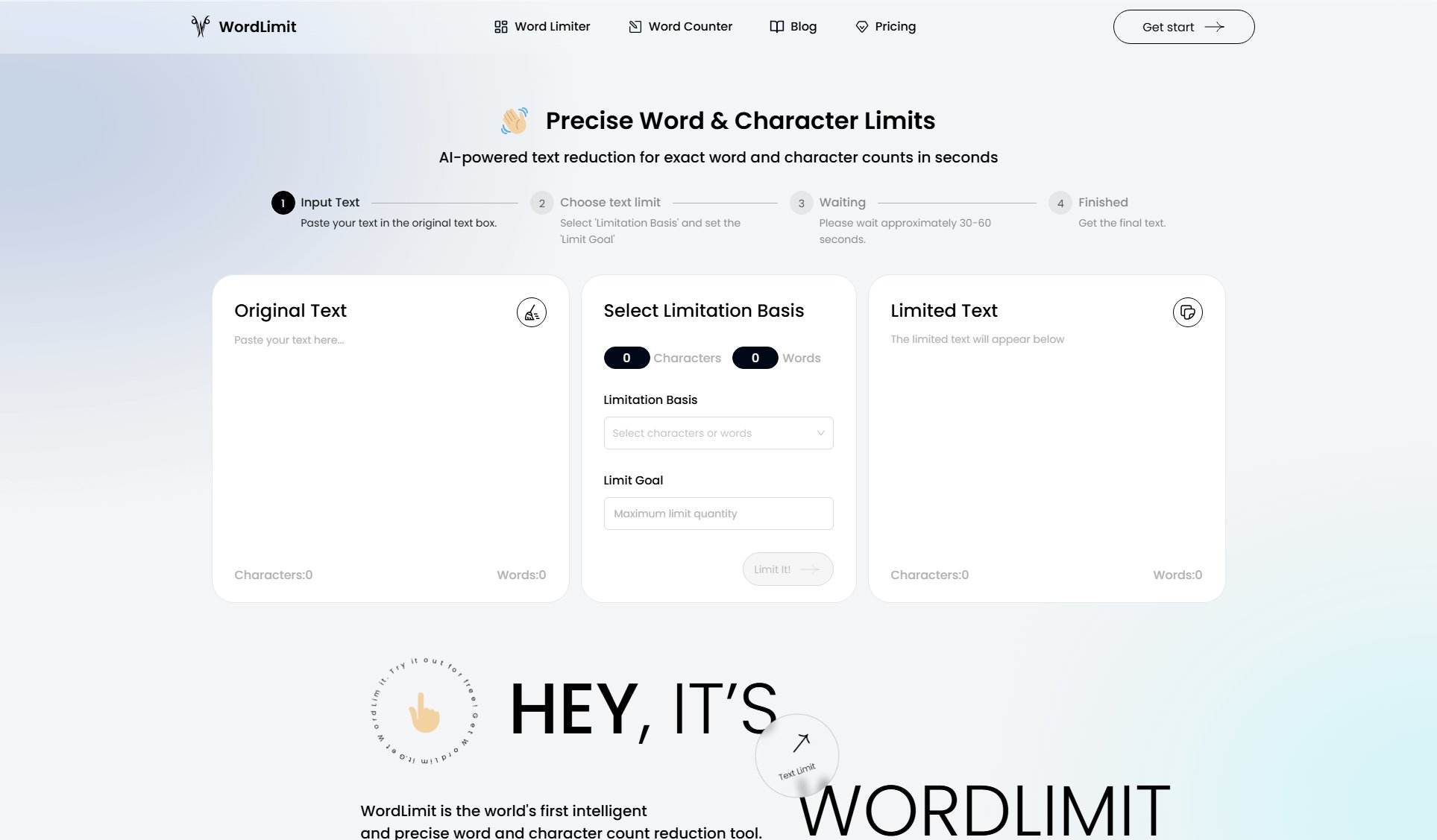
WordLimit Official screenshot of the tool interface
What Can WordLimit Do? Key Features
Precise Word & Character Limits
WordLimit provides exact word and character count reduction in seconds. Users can paste their text, select the limitation basis (characters or words), and set the limit goal. The tool processes the text in approximately 30-60 seconds, delivering a final version that meets the specified count while preserving the core meaning.
Core Information Preservation
WordLimit's advanced model focuses on preserving essential elements as you shorten your text. It prioritizes key facts, names, citations, and central arguments, intelligently balancing information retention with word count reduction. This makes it ideal for academic and professional writing where accuracy is crucial.
Preserve Your Unique Voice
Effortlessly adjust your text's word count while maintaining your distinctive writing style. WordLimit keeps your unique voice intact, ensuring your personal flair, tone, and word choices shine through, regardless of the target length.
Maintain Human Authenticity
WordLimit carefully adjusts your content's length without introducing any AI-generated text. This means your writing remains authentic and won't be flagged by AI content detectors like GPTZero, Originality.ai, or Turnitin.
Best WordLimit Use Cases & Applications
Academic Writing
Students and researchers can use WordLimit to condense their essays, research papers, and dissertations to meet strict word limits without losing critical arguments or citations.
Professional Communication
Professionals can streamline reports, emails, and presentations to fit within character or word constraints, ensuring clarity and brevity while maintaining key information.
Social Media Posts
Users can adjust their social media posts to meet platform-specific character limits while preserving the original sentiment and style.
Personal Statements
Applicants can refine their personal statements and cover letters to fit required word counts without sacrificing the depth and nuance of their experiences.
How to Use WordLimit: Step-by-Step Guide
Paste your text in the original text box. The tool will display the current character and word count.
Select 'Limitation Basis' (characters or words) and set the 'Limit Goal' to your desired count.
Click 'Limit It!' and wait approximately 30-60 seconds for the tool to process your text.
Receive the final text that meets your specified word or character limit while preserving the core meaning and style.
WordLimit Pros and Cons: Honest Review
Pros
Considerations
Is WordLimit Worth It? FAQ & Reviews
WordLimit intelligently adjusts your text's length while maintaining your distinctive writing style, ensuring your personal flair, tone, and word choices remain intact.
No, WordLimit carefully adjusts your content without introducing AI-generated text, so your writing remains authentic and won't be flagged by detectors like GPTZero or Turnitin.
WordLimit typically processes your text in approximately 30-60 seconds, depending on the length and complexity.
Yes, WordLimit is ideal for academic writing as it preserves key facts, names, citations, and central arguments while reducing word count.
Yes, WordLimit offers a free version with basic word and character count reduction features. A Pro version with advanced features is also available.