Video Compress
Free online video compressor with advanced algorithms
What is Video Compress? Complete Overview
Video Compress is a free online tool designed to reduce video file sizes while maintaining high visual quality. Utilizing advanced H.265/HEVC encoding technology, it achieves compression rates of up to 80%. The tool is ideal for content creators, social media marketers, and anyone needing to optimize videos for web sharing or storage. With features like format conversion, quality presets, and real-time previews, Video Compress offers a comprehensive solution for video optimization without requiring technical expertise or local software installation.
Video Compress Interface & Screenshots
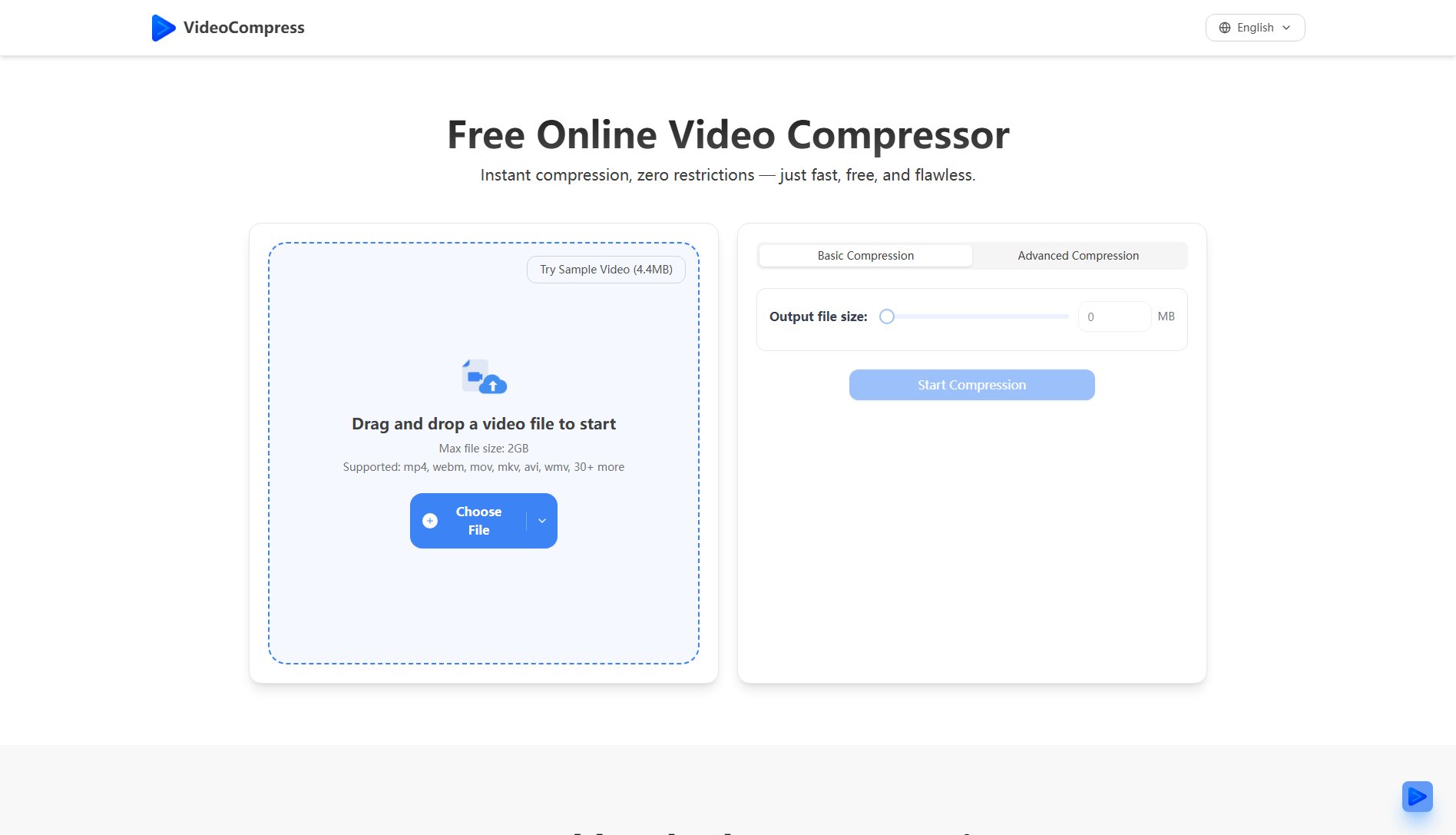
Video Compress Official screenshot of the tool interface
What Can Video Compress Do? Key Features
Advanced Compression Algorithm
Utilizes H.265/HEVC encoding technology to reduce file sizes by up to 80% while preserving visual quality, making it ideal for web sharing and storage optimization.
Secure Encryption
Implements end-to-end encryption for all video files during upload, processing, and storage, ensuring complete privacy and security of your content.
Format Conversion
Supports conversion between popular video formats including MP4, AVI, MOV, and WMV, making it versatile for different platform requirements.
Quality Presets
Offers multiple preset options tailored for specific needs such as web sharing, storage optimization, and high-definition preservation, simplifying the compression process.
Real-time Preview
Allows users to compare original and compressed videos in real-time, ensuring the output meets quality expectations before finalizing the process.
Cloud Processing
Leverages powerful cloud servers to handle compression tasks efficiently, even for 4K videos, without taxing local system resources.
Best Video Compress Use Cases & Applications
Social Media Content Creation
Content creators can compress high-quality videos for platforms like Instagram or TikTok without losing visual appeal, ensuring faster upload times and better performance.
Email Attachments
Professionals can reduce video file sizes to meet email attachment limits while maintaining clarity, making it easier to share presentations or demos.
Website Optimization
Web developers can compress videos for faster loading times on websites, improving user experience and SEO rankings.
How to Use Video Compress: Step-by-Step Guide
Visit the Video Compress website and upload your video file directly from your device or via a URL.
Select your desired compression settings or choose from the available presets based on your needs (e.g., web sharing, storage optimization).
Use the real-time preview feature to compare the original and compressed versions, adjusting settings if necessary.
Initiate the compression process and wait for the cloud servers to process your video (processing time varies based on file size and quality settings).
Download the compressed video file to your device once processing is complete.
Video Compress Pros and Cons: Honest Review
Pros
Considerations
Is Video Compress Worth It? FAQ & Reviews
Yes, Video Compress offers all its core features for free, including advanced compression, format conversion, and cloud processing.
The tool supports popular formats like MP4, AVI, MOV, and WMV, allowing for versatile conversion options.
Video Compress uses end-to-end encryption to protect your files during upload, processing, and storage, ensuring complete privacy.
Yes, the cloud processing capability allows for efficient compression of 4K videos without requiring high local system resources.
While the tool handles most standard video sizes efficiently, extremely large files may require more processing time.