UXSnaps
Actionable UI/UX breakdowns from top apps for designers & developers
What is UXSnaps? Complete Overview
UXSnaps provides detailed UI/UX breakdowns of popular apps, highlighting key design elements and interactions. The platform helps designers and developers learn from real-world examples by analyzing microinteractions, information architecture, clarity, and other UX principles. With new breakdowns added weekly, UXSnaps serves as a valuable resource for professionals looking to improve their design skills and stay updated with industry trends. The target audience includes UI/UX designers, product managers, front-end developers, and anyone interested in learning about effective digital product design through practical examples.
UXSnaps Interface & Screenshots
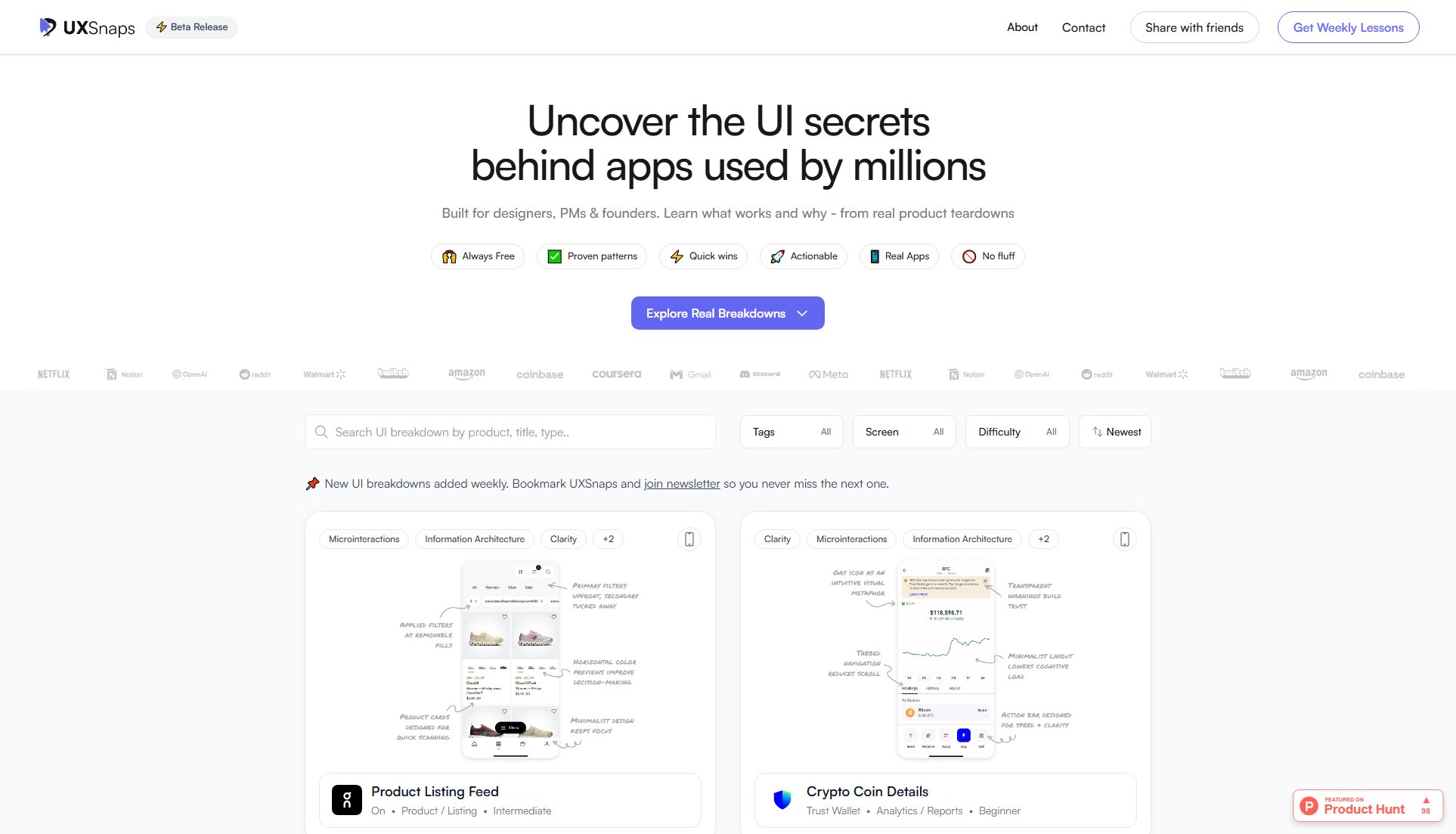
UXSnaps Official screenshot of the tool interface
What Can UXSnaps Do? Key Features
Weekly UI/UX Breakdowns
UXSnaps publishes new, in-depth UI/UX analyses of popular apps every week. Each breakdown highlights 3-5 key design principles with visual examples, covering aspects like microinteractions, visual hierarchy, and user control.
Multiple Difficulty Levels
Breakdowns are categorized by difficulty (beginner, intermediate, advanced), making the content accessible to designers at all skill levels while still offering valuable insights for experienced professionals.
Diverse App Categories
The platform covers a wide range of app categories including e-commerce, finance, productivity, social media, and more, ensuring relevance across different design specialties and industries.
Practical Design Principles
Each breakdown focuses on practical UX principles like Hick's Law, progressive disclosure, affordance, and contextual design, showing how they're implemented in successful products.
Visual Learning Format
The visual-heavy format with annotated screenshots makes complex design concepts easy to understand and apply in real projects, perfect for visual learners.
Best UXSnaps Use Cases & Applications
Design Inspiration
Designers can use UXSnaps to find inspiration for solving specific UI challenges by seeing how top apps handle similar problems, saving research time and improving design quality.
Team Learning Resource
Product teams can use selected breakdowns during design sprints or critiques to discuss and learn from industry best practices, fostering shared understanding of UX principles.
Portfolio Development
Junior designers can study the analyses to better understand and articulate design decisions, improving their ability to create compelling case studies for their portfolios.
Design System Enhancement
Teams building or refining design systems can identify effective patterns from multiple apps to inform their component library and interaction guidelines.
How to Use UXSnaps: Step-by-Step Guide
Browse the collection of UI/UX breakdowns by category, difficulty level, or app type using the filtering options available on the homepage.
Select a breakdown that matches your interests or current design challenges to view detailed analysis of the app's UI/UX elements.
Study the annotated screenshots and explanations highlighting key design principles and interactions in the selected app.
Apply the insights to your own projects by implementing similar effective design patterns or solving analogous UX challenges.
Subscribe to the newsletter or follow on social media to receive new breakdowns as they're published weekly.
UXSnaps Pros and Cons: Honest Review
Pros
Considerations
Is UXSnaps Worth It? FAQ & Reviews
UXSnaps adds new UI/UX breakdowns every week, covering a variety of apps and design challenges to keep the content fresh and relevant.
While there's no formal request system, the UXSnaps team welcomes suggestions through their social media channels and considers user interest when planning future breakdowns.
Currently UXSnaps is only available as a website, but the responsive design works well on mobile browsers for on-the-go learning.
The screenshots are for educational purposes only. For commercial use or republishing, you should contact the original app developers for permission.
Difficulty levels (beginner, intermediate, advanced) are based on the complexity of the design concepts being highlighted in each breakdown.