Tizo
Simplifying time zones for everyone
What is Tizo? Complete Overview
Tizo is a user-friendly tool designed to simplify time zone conversions for individuals and teams. It helps users effortlessly convert times between different time zones, making it ideal for travelers, remote workers, and global teams. The tool addresses the common pain points of managing meetings across time zones and understanding local times for different locations. With a clean interface, Tizo provides quick and accurate conversions, ensuring users never miss an appointment or call due to time zone confusion. It's particularly useful for professionals working with international clients, event planners, and anyone coordinating across multiple regions.
Tizo Interface & Screenshots
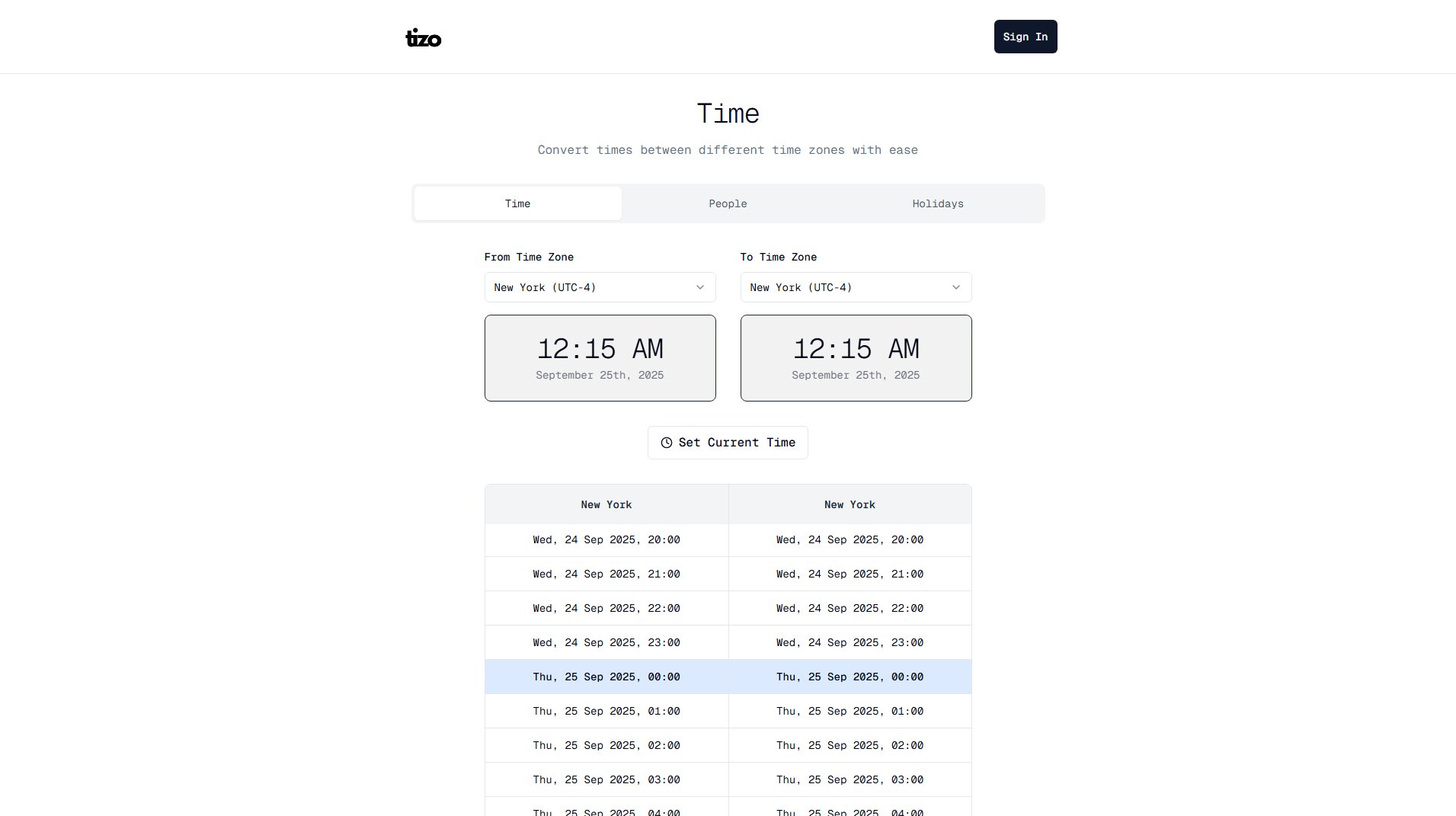
Tizo Official screenshot of the tool interface
What Can Tizo Do? Key Features
Time Zone Conversion
Tizo allows users to convert times between any two time zones instantly. Simply select the 'From' and 'To' time zones, and the tool displays the corresponding time, eliminating the hassle of manual calculations.
Current Time Display
The tool can display the current time in any selected time zone, making it easy to check what time it is in different parts of the world without needing to perform a conversion.
User-Friendly Interface
Tizo boasts a simple and intuitive interface that requires no prior experience to use. The design focuses on clarity, ensuring users can perform conversions quickly and accurately.
Date and Time Formats
Supports multiple date and time formats, catering to different regional preferences. Users can view times in various layouts, such as 'Wed, 24 Sep 2025, 12:00' or 'Wed, 24/09, 12:00'.
Real-Time Updates
Tizo updates in real-time, ensuring that all displayed times are accurate and reflect any changes due to daylight saving time or other adjustments.
Best Tizo Use Cases & Applications
Scheduling International Meetings
Professionals can use Tizo to schedule meetings with colleagues or clients in different time zones, ensuring everyone knows the correct local time for the call.
Travel Planning
Travelers can check the local time of their destination to plan flights, hotel check-ins, and activities without confusion.
Remote Team Coordination
Remote teams spread across the globe can use Tizo to coordinate work hours and deadlines, maintaining productivity across different regions.
How to Use Tizo: Step-by-Step Guide
Visit the Tizo website at https://usetizo.com.
Select the 'From' time zone from the dropdown menu. This is the time zone you are converting from.
Select the 'To' time zone from the dropdown menu. This is the time zone you want to convert to.
View the converted time displayed on the screen. The tool will show the corresponding time in the selected 'To' time zone.
Optionally, click 'Set Current Time' to use the current time as the starting point for conversion.
Tizo Pros and Cons: Honest Review
Pros
Considerations
Is Tizo Worth It? FAQ & Reviews
Yes, Tizo is completely free to use with no hidden charges. You can access all its features without any cost.
Yes, Tizo automatically adjusts for daylight saving time, ensuring all time conversions are accurate throughout the year.
Yes, Tizo is accessible on any device with a web browser, including smartphones and tablets.