UniConvert
Common conversion tools in one clean interface
What is UniConvert? Complete Overview
UniConvert is an all-in-one conversion tool that simplifies everyday calculations by providing a clean, unified interface for converting files, units, colors, and code. Designed for students, professionals, travelers, and anyone needing quick conversions, it eliminates the hassle of searching for scattered tools online. All conversions happen instantly in your browser with no data storage or tracking, ensuring complete privacy. The tool supports various conversion types including length, temperature, and time zones, making it ideal for shopping, cooking, travel planning, and professional work.
UniConvert Interface & Screenshots
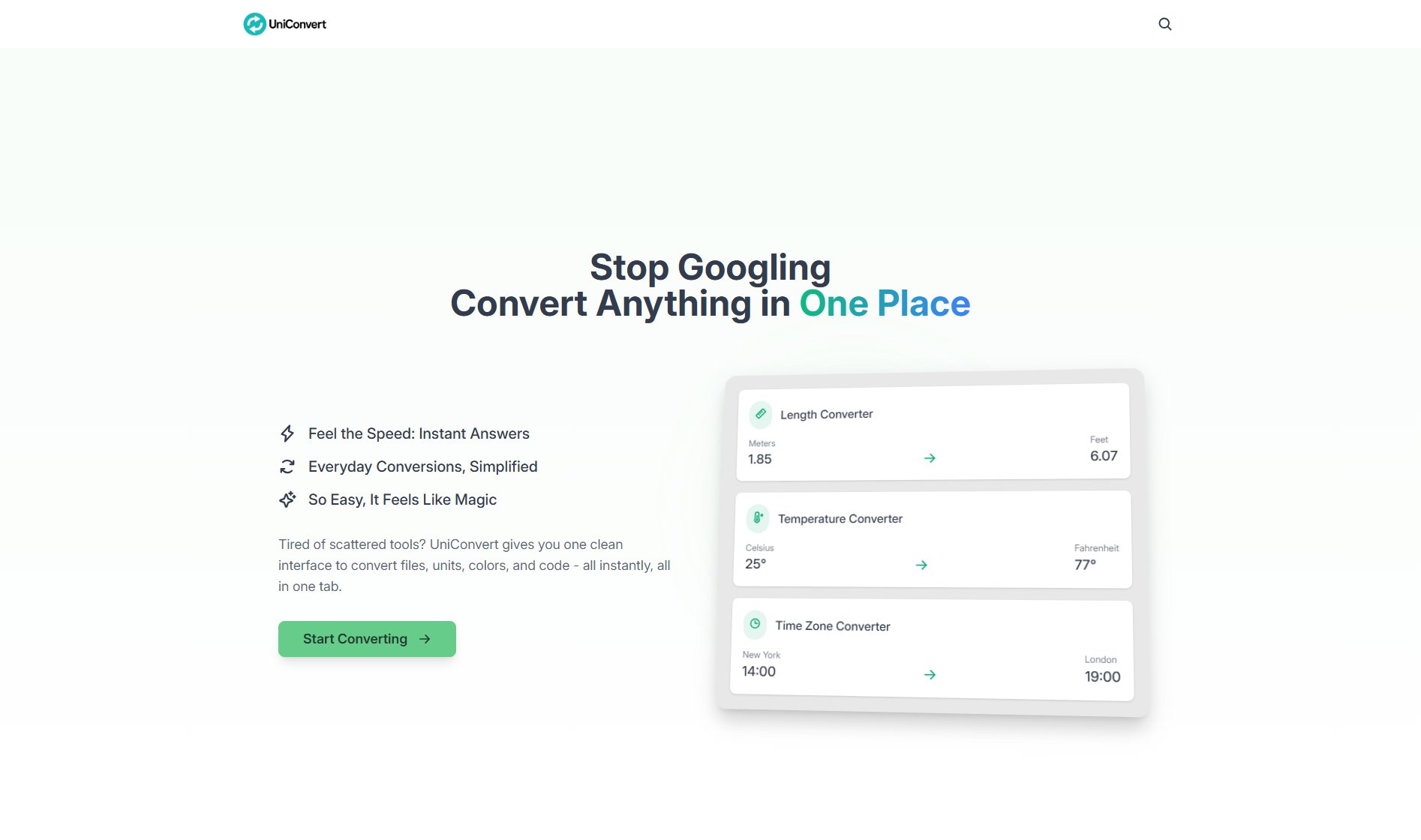
UniConvert Official screenshot of the tool interface
What Can UniConvert Do? Key Features
Instant Conversion
UniConvert provides immediate results without any loading times. Whether you're converting meters to feet or Celsius to Fahrenheit, the tool processes inputs in real-time, delivering accurate results instantly.
Multiple Conversion Types
From length and temperature to time zones and more, UniConvert supports a wide range of conversion categories, all neatly organized for easy access. This eliminates the need to switch between different tools for different types of conversions.
Privacy-Focused
All conversions are processed directly in your browser, ensuring that no data is sent to external servers. This guarantees complete privacy and security, with no tracking or storage of your inputs or results.
Cross-Device Compatibility
UniConvert is designed to work seamlessly across all devices, including phones, tablets, and laptops. The responsive interface ensures a smooth experience regardless of the device you're using.
No Sign-Up Required
The tool is completely free to use with no need for account creation or subscriptions. Users can start converting immediately without any barriers or paywalls.
Best UniConvert Use Cases & Applications
Travel Planning
Convert time zones to schedule meetings or flights accurately, and switch between metric and imperial units for luggage or distance measurements.
Cooking and Recipes
Easily convert temperatures for baking or adjust ingredient quantities between different measurement systems.
Academic and Professional Work
Quickly convert units for scientific calculations, engineering projects, or homework assignments without manual calculations.
How to Use UniConvert: Step-by-Step Guide
Select the type of converter you need from the available categories, such as length, temperature, or time zones.
Input the value you wish to convert in the provided field. For example, enter '25' for Celsius if you're converting to Fahrenheit.
Choose the units you want to convert from and to. The tool will automatically display the converted result as you type.
Copy or note the result. There's no need to save or log in—just use the converted value as needed.
UniConvert Pros and Cons: Honest Review
Pros
Considerations
Is UniConvert Worth It? FAQ & Reviews
Extremely accurate. UniConvert uses the latest international standards and verified formulas, ensuring precision down to four decimal places for most conversions.
Each converter employs tried-and-true mathematical formulas based on global measurement systems, ensuring consistent and reliable results.
Yes, all processing happens directly on your device. UniConvert does not collect or send any data to external servers, guaranteeing full privacy.
You can copy results with a single click, but there's no built-in storage. Results are meant for immediate use.
Yes, it's completely free with no sign-ups or paywalls. All tools are accessible to everyone without any cost.