TurboScribe AI
Blazing fast 99% accurate audio/video transcription
What is TurboScribe AI? Complete Overview
TurboScribe AI is the world's fastest and most accurate AI-powered transcription service that converts audio and video files to text with 99% accuracy in seconds. It supports 98+ languages and offers unlimited usage for professionals and businesses. Designed for content creators, journalists, researchers, legal professionals, and anyone needing reliable transcriptions, TurboScribe AI solves the pain points of slow, inaccurate, and expensive manual transcription services. Powered by Gemini 3 Pro, it handles various accents, technical terms, and speaking styles with exceptional precision while processing files up to 100x faster than traditional methods. Users can start with 4 free daily transcripts without credit card requirements before upgrading to unlimited plans.
TurboScribe AI Interface & Screenshots
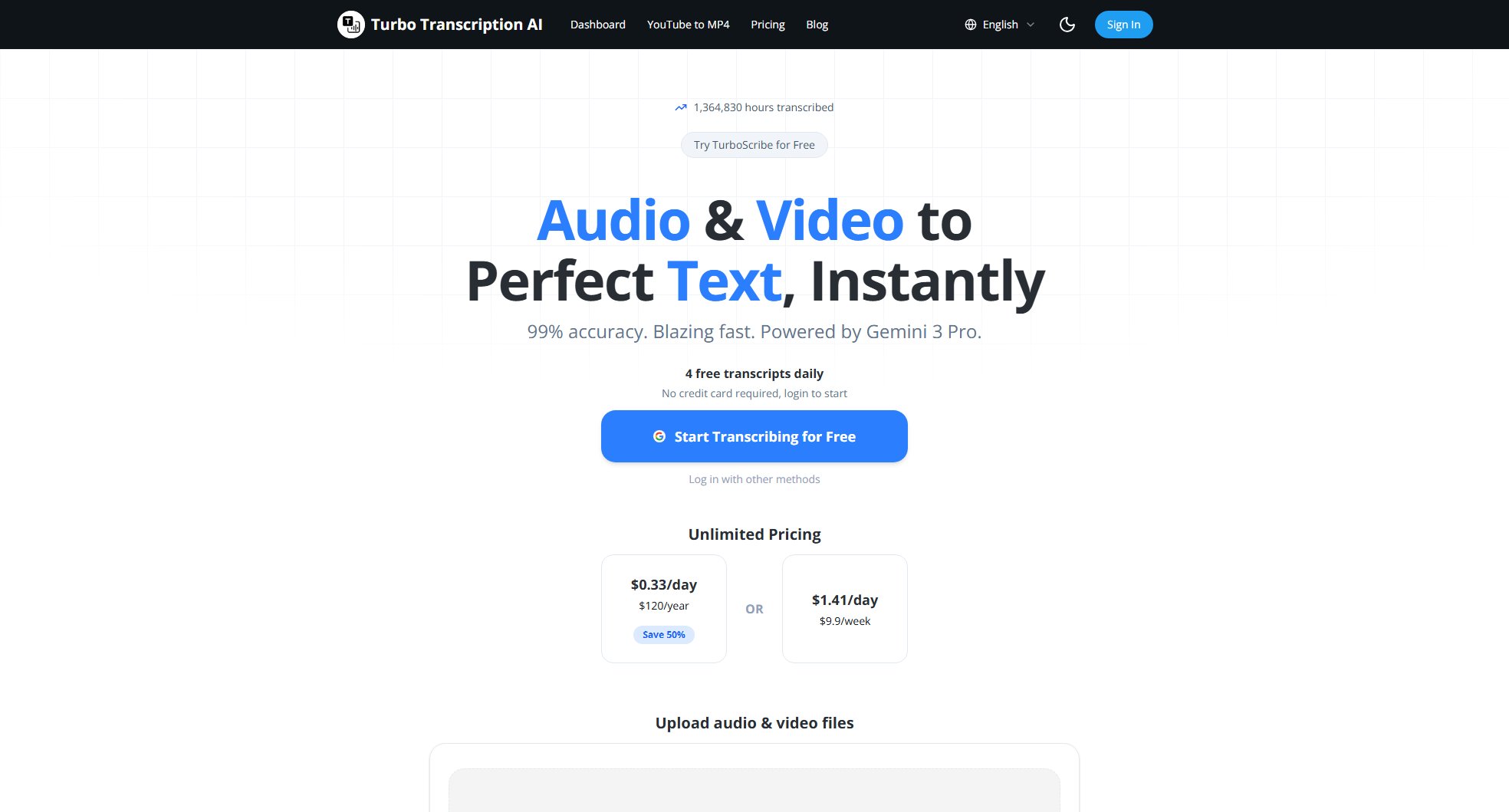
TurboScribe AI Official screenshot of the tool interface
What Can TurboScribe AI Do? Key Features
Lightning-Fast Transcription
TurboScribe AI processes files in seconds, not minutes. A 1-hour audio file typically takes less than 30 seconds to transcribe, making it one of the fastest services available. This incredible speed is powered by advanced AI models and optimized cloud infrastructure that handles large workloads efficiently.
99% Accuracy Guarantee
Achieving industry-leading 99% accuracy, TurboScribe AI outperforms most competitors in transcription quality. The system is trained on diverse datasets to handle various accents, technical terms, and speaking styles. Special attention is given to proper nouns, industry jargon, and contextual understanding for professional-grade results.
98+ Language Support
Supporting 98+ languages including English, Spanish, French, German, Chinese, Japanese, Korean, and Arabic, TurboScribe AI is ideal for international users. Each language model is trained on native speaker data for optimal accuracy, with continuous improvements based on user feedback and new linguistic research.
Unlimited File Length & Size
Unlike many competitors that impose file length or size limits, TurboScribe AI accepts files of any duration without restrictions. Users can transcribe hour-long lectures, full-day conferences, or extensive interviews without worrying about splitting files or additional costs.
Multi-Format Export Options
Download transcripts in PDF, DOCX, TXT, or SRT (subtitle) formats to suit various professional needs. The exported files maintain perfect formatting for direct use in documentation, subtitling, content creation, or archival purposes. Special features include timestamp options and speaker identification.
Commercial Use License
All TurboScribe AI plans include full commercial rights, making it perfect for businesses, media outlets, legal firms, and professional content creators. There are no hidden fees or restrictions on how you use the transcripts, whether for client work, publications, or enterprise documentation.
Best TurboScribe AI Use Cases & Applications
Podcast Production
Podcast hosts and producers use TurboScribe AI to instantly convert episodes into accurate transcripts for show notes, SEO optimization, and accessibility compliance. The 99% accuracy ensures professional-quality output without tedious manual corrections.
Academic Research
Researchers and students transcribe interviews, focus groups, and lectures with perfect technical term recognition. The unlimited length feature is particularly valuable for qualitative research involving hours of recordings.
Legal Documentation
Law firms and legal professionals rely on TurboScribe AI for accurate transcription of depositions, court recordings, and client meetings. The commercial license and high accuracy make it legally viable for sensitive documentation.
Video Subtitling
Video creators and agencies use the SRT export feature to generate perfect subtitles in minutes. The time-coded output integrates seamlessly with editing software, drastically reducing post-production time.
Journalistic Workflows
Journalists covering international stories benefit from the 98+ language support to quickly transcribe foreign-language interviews. The speed allows same-day turnaround for time-sensitive reporting.
How to Use TurboScribe AI: Step-by-Step Guide
Create your free account by signing up with email or using social login options. No credit card is required for the free tier, which includes 4 daily transcriptions to test the service.
Upload your audio or video file directly from your device or paste a URL from supported platforms. TurboScribe AI accepts all major formats including MP3, MP4, WAV, AVI, MOV, and MPEG without file size restrictions.
Select the original content language from 98+ supported options. For multilingual content, the AI automatically detects language changes, though you can specify primary languages for optimal accuracy.
Wait just seconds (typically under 30 seconds per hour of audio) while TurboScribe AI processes your file with 99% accuracy. You'll receive a notification when your transcript is ready.
Review and edit your transcript if needed using the built-in editor. The interface highlights potential uncertainties and allows easy corrections while maintaining timestamp synchronization.
Download your perfect transcript in preferred format (PDF, DOCX, TXT, or SRT) or copy text directly. Premium users can access batch processing and API integrations for workflow automation.
TurboScribe AI Pros and Cons: Honest Review
Pros
Considerations
Is TurboScribe AI Worth It? FAQ & Reviews
Our AI models are trained on millions of hours of diverse audio data, incorporating advanced noise reduction and context understanding algorithms. The system continuously learns from corrections to improve performance across accents and domains.
Yes, TurboScribe AI handles phone recordings effectively, with special optimizations for varying call quality. For best results, we recommend using the clearest available recording source.
All files are processed with enterprise-grade encryption and automatically deleted after transcription unless saved to your account. We never use your content to train our models without explicit permission.
Yes, our premium plans include advanced speaker diarization that distinguishes between different speakers in conversations, ideal for interviews and meetings with multiple participants.
The free plan offers 4 daily transcriptions with basic features, while paid plans provide unlimited usage, priority processing, commercial rights, and advanced export options. All plans maintain the same 99% accuracy.
Yes, all plans can be canceled immediately with no hidden fees. Annual subscribers receive prorated refunds for unused months upon cancellation.