TextToHuman
Unlimited Free AI Humanizer to Bypass AI Detectors
What is TextToHuman? Complete Overview
TextToHuman is an AI humanizer tool designed to transform AI-generated text from sources like ChatGPT, Gemini, Claude, and Jasper into natural, human-like writing. It helps users bypass AI detectors while maintaining the original meaning and context. The tool is ideal for content creators, marketers, students, professionals, and writers who need polished, authentic content. TextToHuman is free, easy to use, and supports over 25 languages, making it accessible to a global audience. With features like Autopilot mode and smart alternatives, it ensures high-quality, undetectable output.
TextToHuman Interface & Screenshots
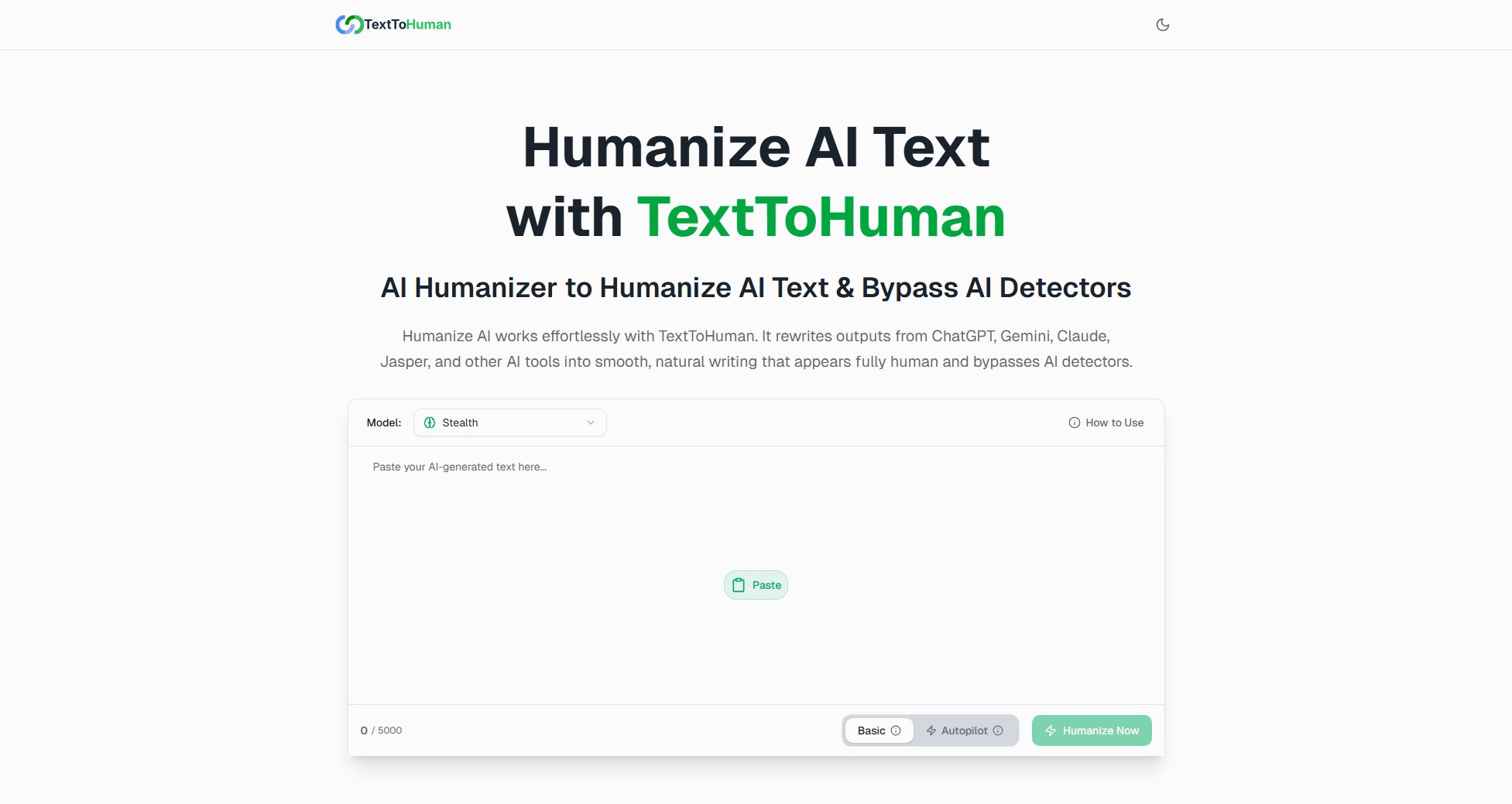
TextToHuman Official screenshot of the tool interface
What Can TextToHuman Do? Key Features
Super Easy to Use
TextToHuman requires no technical knowledge. Simply paste your AI-generated text, and the tool instantly converts it into natural, human-like writing. The Autopilot mode handles the entire process automatically for a hands-off experience.
Supports 25+ Languages
TextToHuman works with multiple languages, including English, Chinese, Russian, Arabic, Japanese, and Spanish. It adapts to your language and produces natural-sounding content, making it versatile for global users.
Compatible Everywhere
The tool works seamlessly on all modern browsers like Chrome, Firefox, Safari, and Edge. It requires no setup—just open the website and start converting AI content into human-like writing.
100% Free Forever
TextToHuman is completely free with no hidden fees, limits, or subscriptions. Users can humanize AI text as much as they want without any restrictions.
Works on Any Device
Whether you're using a desktop, laptop, tablet, or mobile device, TextToHuman delivers fast, high-quality results. Transform AI content into human-like writing anytime, anywhere.
No Sign-Up Required
Start humanizing AI text instantly without any registration or email requirements. Just paste your text and get human-like output immediately.
Unlimited Usage
TextToHuman allows unlimited conversions of AI-generated content with no word count caps or daily limits, making it ideal for heavy users.
Privacy First
Your text remains private and secure. TextToHuman processes content in real time without storing, logging, or sharing any data.
Understands Meaning & Context
The tool interprets your message, preserving context, tone, and clarity. It ensures the rewritten content maintains the original intent and style.
Lightning-Fast Results
TextToHuman delivers polished, human-like output in seconds without compromising quality or accuracy, saving users valuable time.
Best TextToHuman Use Cases & Applications
Content Creators
Bloggers, YouTubers, and social media influencers can use TextToHuman to make AI-generated scripts, captions, or articles sound authentic and aligned with their personal voice.
Marketers
Email marketers and copywriters can rely on TextToHuman to produce polished, human-sounding text that boosts conversions, engagement, and customer trust.
Students & Professionals
Students and professionals can refine AI-generated essays, assignments, presentations, or business reports to achieve a clean, natural, and professional writing style.
Writers & Storytellers
Authors and scriptwriters can use TextToHuman to enhance AI-generated dialogue, narrative flow, and character expression, making their stories more realistic and engaging.
How to Use TextToHuman: Step-by-Step Guide
Paste Your AI Text: Copy and paste your AI-generated content from ChatGPT, Gemini, Claude, Jasper, or any other AI writing tool into the TextToHuman text box.
Choose Your Model & Mode: Select the desired model (e.g., Stealth) and mode (Basic or Autopilot) to customize the humanization process.
Review AI Detection Results: Check the AI detection scores and click highlighted sentences to see alternative versions. Fine-tune the text until it sounds perfectly human.
Copy & Publish: Copy your humanized text and use it anywhere. The content is now undetectable and ready for publication.
TextToHuman Pros and Cons: Honest Review
Pros
Considerations
Is TextToHuman Worth It? FAQ & Reviews
TextToHuman is an AI humanizer tool that transforms AI-generated text into natural, human-like writing, helping users bypass AI detectors while preserving the original meaning.
The tool rewrites AI-generated content using advanced algorithms trained on human-written datasets, ensuring the output sounds authentic and natural.
Yes, TextToHuman is 100% free with no hidden fees, limits, or subscriptions. Users can humanize AI text as much as they want.
No, TextToHuman requires no registration or sign-up. You can start using the tool immediately by pasting your text.
Yes, TextToHuman processes your text in real time without storing, logging, or sharing any data, ensuring complete privacy.
Yes, TextToHuman generates unique, plagiarism-free content by rewriting AI-generated text in a natural, human-like manner.
Yes, TextToHuman's advanced technology ensures the output bypasses major AI detectors like GPTZero, Turnitin, and detecting-ai.com.
Yes, the tool is compatible with all modern browsers (Chrome, Firefox, Safari, Edge) and works on desktops, laptops, tablets, and mobile devices.
No, TextToHuman offers unlimited usage with no word count caps or daily limits.