Online Microphone Tester
Test your microphone with real-time audio analysis in your browser
What is Online Microphone Tester? Complete Overview
The Online Microphone Tester is a privacy-focused tool that allows users to quickly test their microphone's performance directly in their browser. It provides real-time visualization of audio waveforms and key quality metrics such as volume, clarity, background noise, and latency. The tool is designed for anyone who needs to verify their microphone's functionality, including remote workers, content creators, gamers, and general users. All processing happens locally in the browser, ensuring no audio data is ever uploaded to external servers. The tester supports most modern browsers and requires no installation or registration.
Online Microphone Tester Interface & Screenshots
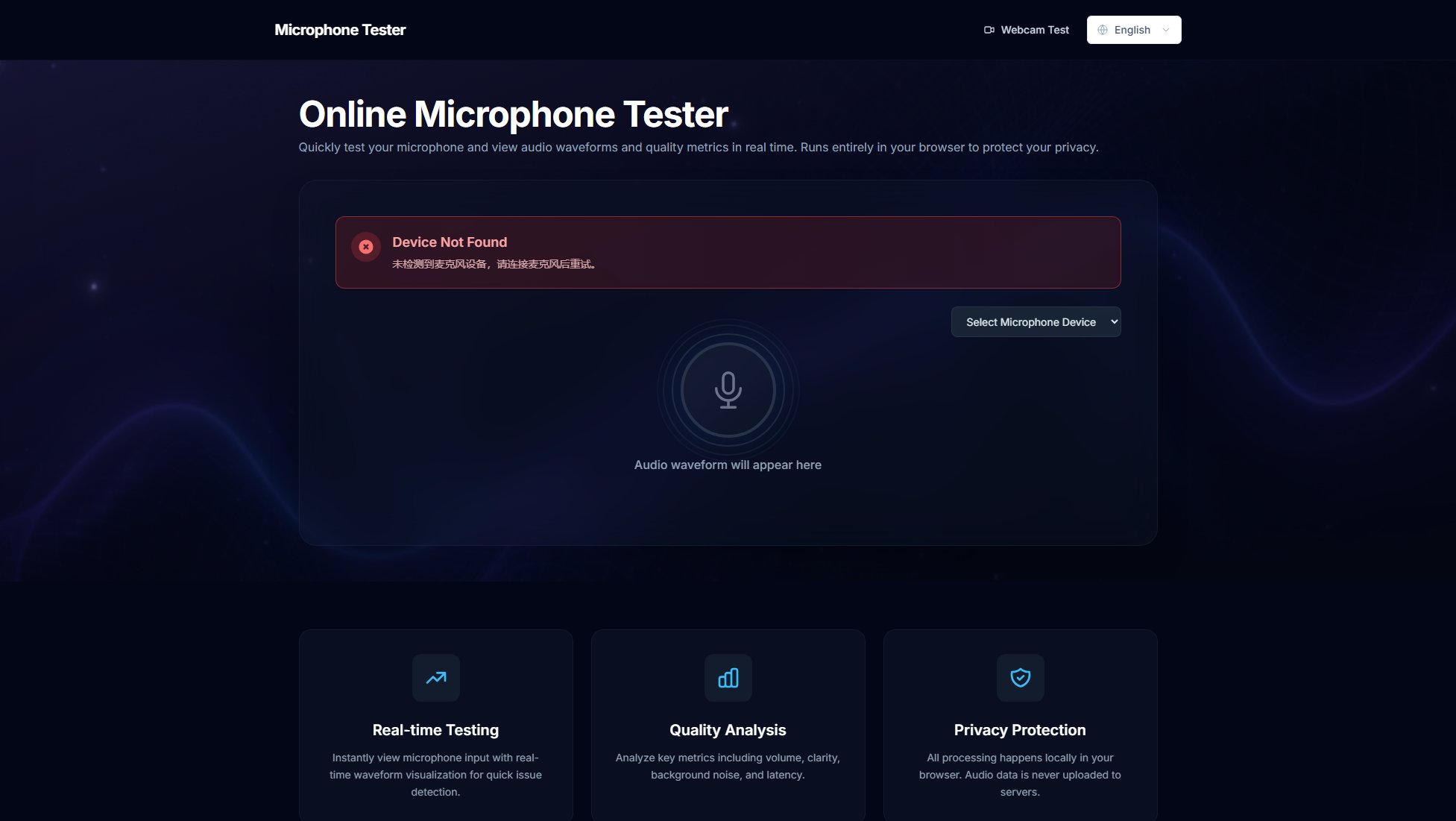
Online Microphone Tester Official screenshot of the tool interface
What Can Online Microphone Tester Do? Key Features
Real-time Waveform Visualization
The tool displays a live waveform of your microphone input, allowing you to instantly see if your microphone is working properly and how it responds to different sound levels. The visualization updates in real-time as you speak or make sounds into the microphone.
Comprehensive Audio Metrics
Analyze multiple aspects of your microphone's performance including volume levels, clarity of recording, background noise detection, and latency measurements. These metrics help you identify potential issues with your audio setup.
Browser-based Privacy Protection
All audio processing occurs locally in your web browser. The tool never uploads or stores your audio data on external servers, ensuring complete privacy and security for your microphone tests.
Device Selection
Supports testing of multiple microphone devices. Users can select which connected microphone to test from a dropdown menu, making it easy to compare different devices or troubleshoot specific hardware.
No Installation Required
As a web-based tool, it requires no software installation or downloads. Simply visit the website in your browser and start testing your microphone immediately.
Best Online Microphone Tester Use Cases & Applications
Remote Work Setup
Before an important video conference, use the tester to verify your microphone is working properly and delivering clear audio. Identify and eliminate background noise issues that might distract from your professional presence.
Content Creation
Podcasters and video creators can test different microphones and positions to find the optimal setup. The waveform visualization helps identify clipping, distortion, or inconsistent volume levels that could affect production quality.
Troubleshooting
When experiencing audio issues during calls or recordings, quickly determine if the problem lies with your microphone hardware or other system components by isolating and testing the microphone independently.
Gaming Setup
Gamers can test their microphone quality before joining voice chats to ensure clear communication with teammates. The tool helps adjust microphone sensitivity to avoid picking up keyboard or background noise.
How to Use Online Microphone Tester: Step-by-Step Guide
Connect your microphone to your computer if it's not already connected. For built-in microphones (like those in laptops), ensure they're enabled in your system settings.
Visit the Online Microphone Tester website and select your microphone device from the dropdown menu if multiple options are available.
Click the 'Start Test' button and grant microphone access when your browser prompts for permission. This is required for the tool to receive audio input.
Speak or make sounds into your microphone. Watch the real-time waveform visualization and observe the audio quality metrics that appear on screen.
Analyze the results to determine if your microphone is functioning properly. Check for consistent waveform patterns, appropriate volume levels, and minimal background noise.
Online Microphone Tester Pros and Cons: Honest Review
Pros
Considerations
Is Online Microphone Tester Worth It? FAQ & Reviews
Testing your microphone helps ensure clear audio quality for calls, recordings, and streaming. It can identify issues like low volume, background noise, or hardware problems before they affect important communications.
No, all audio processing happens locally in your browser. The tool never uploads or stores your microphone data on any servers, ensuring complete privacy.
Browser security requires explicit permission to access your microphone. Ensure you click 'Allow' when prompted, and check your browser settings if the prompt doesn't appear.
The tool works on most modern browsers including Chrome, Firefox, Edge, and Safari. It requires browser support for the Web Audio API.
Use the device dropdown menu to select a different microphone. You may need to stop the current test before switching devices.