Sync UI
React Component Library for Design Engineers
What is Sync UI? Complete Overview
Sync UI is an open-source React component library featuring 125+ beautifully designed components and 3 premium templates. Designed specifically for design engineers, it provides powerful, flexible components to help build better user interfaces faster. The library includes modern UI components ranging from loading skeletons and time pickers to advanced interactive elements like magnetic pointers and animated backgrounds. Sync UI components are handcrafted, responsive, and designed to elevate projects with professional-grade interactions and animations. The library is trusted by top developers and offers complete customization capabilities, allowing developers to start with the provided components and make them their own.
Sync UI Interface & Screenshots
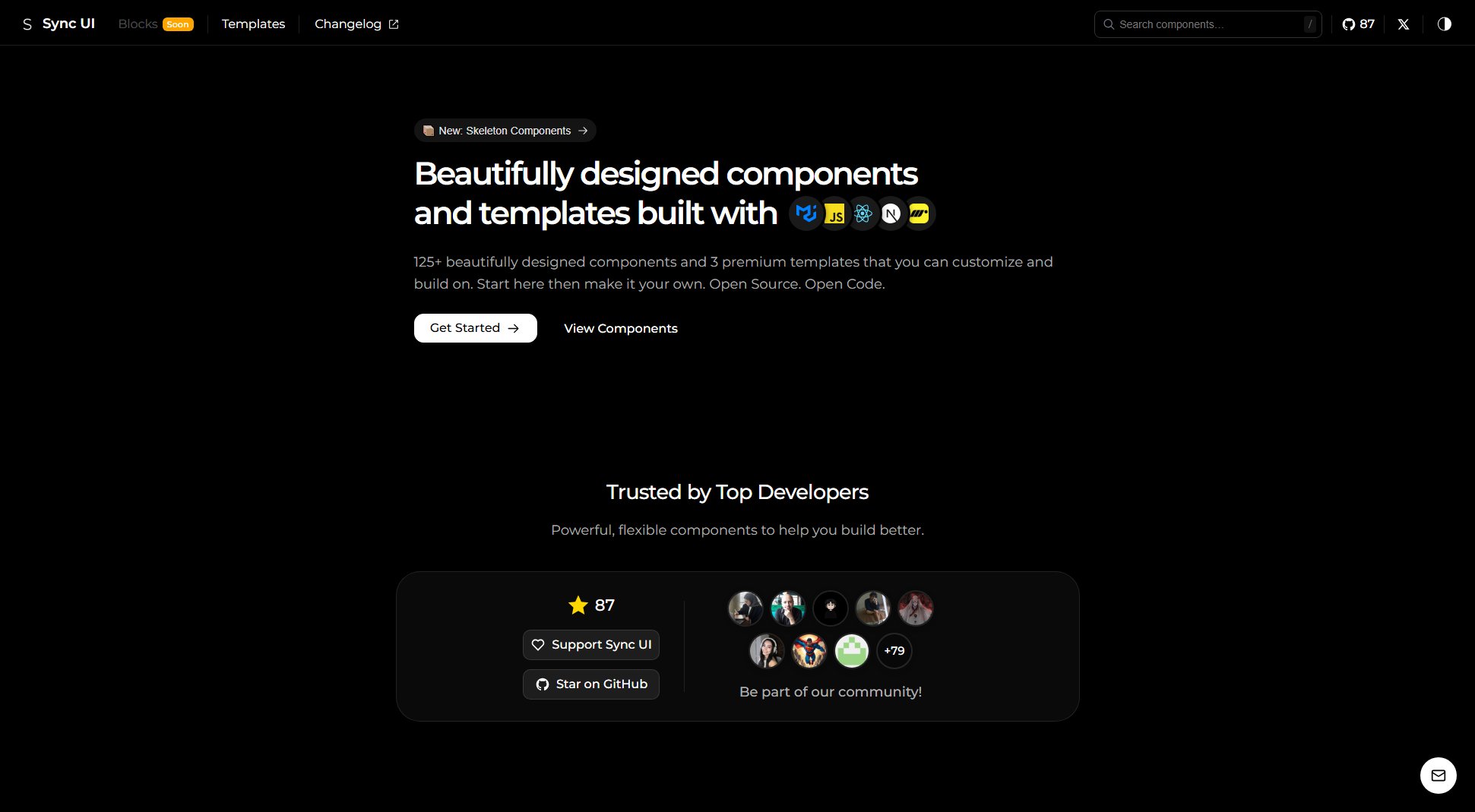
Sync UI Official screenshot of the tool interface
What Can Sync UI Do? Key Features
Modern UI Components
Sync UI offers 125+ professionally designed components including loading skeletons (shimmer, pulse, wave), card layouts, text lines, and list items. Each component is optimized for performance and aesthetics, providing developers with production-ready building blocks.
Interactive Elements
The library includes advanced interactive components like magnetic pointers (glowing dot, following ring, magnetic arrow), navigation docks, and animated typography effects. These elements add sophisticated micro-interactions to enhance user experience.
Form Components
Comprehensive form solutions including adaptive multi-step forms, smart autocomplete with real-time filtering, OTP inputs, and various pickers (time, date, date range). All form components are fully accessible and customizable.
Dynamic Cards & Layouts
Specialized card components with dynamic interactions like hover-triggered animations, meteor shower effects, and rotating gradient borders. Includes responsive grid layouts (masonry, bento, glassmorphism) for modern page structures.
Animated Components
Collection of loading animations (pulsating dots, morphing cube, orbital spin) and animated backgrounds (gemini wave, gradient mesh, moving shapes) to create engaging interfaces with smooth performance.
Navigation Systems
Various navigation patterns including tabbed navigation with sliding underline effects, page navigation components (numbered pagination, compact pagination), and content carousels with parallax and fade effects.
Best Sync UI Use Cases & Applications
Building a Modern Dashboard
Use Sync UI's data tables, responsive grids, and dynamic cards to create an admin dashboard with interactive elements and smooth animations. The masonry grid and bento layouts help organize complex information visually.
Creating an Engaging Landing Page
Leverage animated backgrounds, magnetic pointers, and interactive buttons to build a memorable landing page. The neon glow typography effects and visual dividers add polish to marketing content.
Developing Complex Forms
Implement multi-step adaptive forms with Sync UI's form components. The smart autocomplete with async loading and grouped options simplifies data input, while the OTP input handles verification flows.
Designing Mobile-First Applications
Use the responsive components and navigation docks optimized for mobile interactions. The sliding dialogs and compact pagination components work particularly well on smaller screens.
How to Use Sync UI: Step-by-Step Guide
Install Sync UI via npm or yarn by running the package manager command in your React project directory. The library requires React as a peer dependency.
Browse the component library on the Sync UI website to find the components you need. Each component has a dedicated page with usage examples and customization options.
Import the desired component into your React project. Sync UI components are modular, so you only import what you need to keep your bundle size optimized.
Customize the component using the provided props and styling options. All components support theming and can be adapted to match your design system.
Implement the component in your application. Sync UI components are designed to work seamlessly with popular React frameworks like Next.js.
Sync UI Pros and Cons: Honest Review
Pros
Considerations
Is Sync UI Worth It? FAQ & Reviews
Yes, Sync UI works seamlessly with Next.js and other React frameworks. The components are designed to support server-side rendering and static site generation.
Absolutely. Sync UI is MIT licensed, allowing free use in commercial projects. The premium templates require a one-time purchase for commercial use.
The library receives regular updates with new components and improvements. Major updates are typically released quarterly, with minor patches and bug fixes more frequently.
Yes, all components support theming and can be easily adapted for dark mode implementations. The library includes built-in support for CSS variables theming.
Contributions are welcome through GitHub. You can submit pull requests, report issues, or sponsor the project to support its development.