SubtitleGen
AI-powered subtitle generator for transcription and translation
What is SubtitleGen? Complete Overview
SubtitleGen is an online platform that leverages advanced AI technology to transcribe audio and video files into text, generate accurate subtitles, and translate them into multiple languages. It is designed to simplify the process of creating subtitles for content creators, educators, businesses, and individuals who need to make their videos more accessible. SubtitleGen supports a wide range of audio and video formats, ensuring compatibility with most media files. The platform offers high accuracy in transcriptions, with rates up to 99.8%, and provides tools for editing subtitles to ensure they perfectly match the content. SubtitleGen is ideal for anyone looking to enhance their videos with subtitles quickly and efficiently.
SubtitleGen Interface & Screenshots
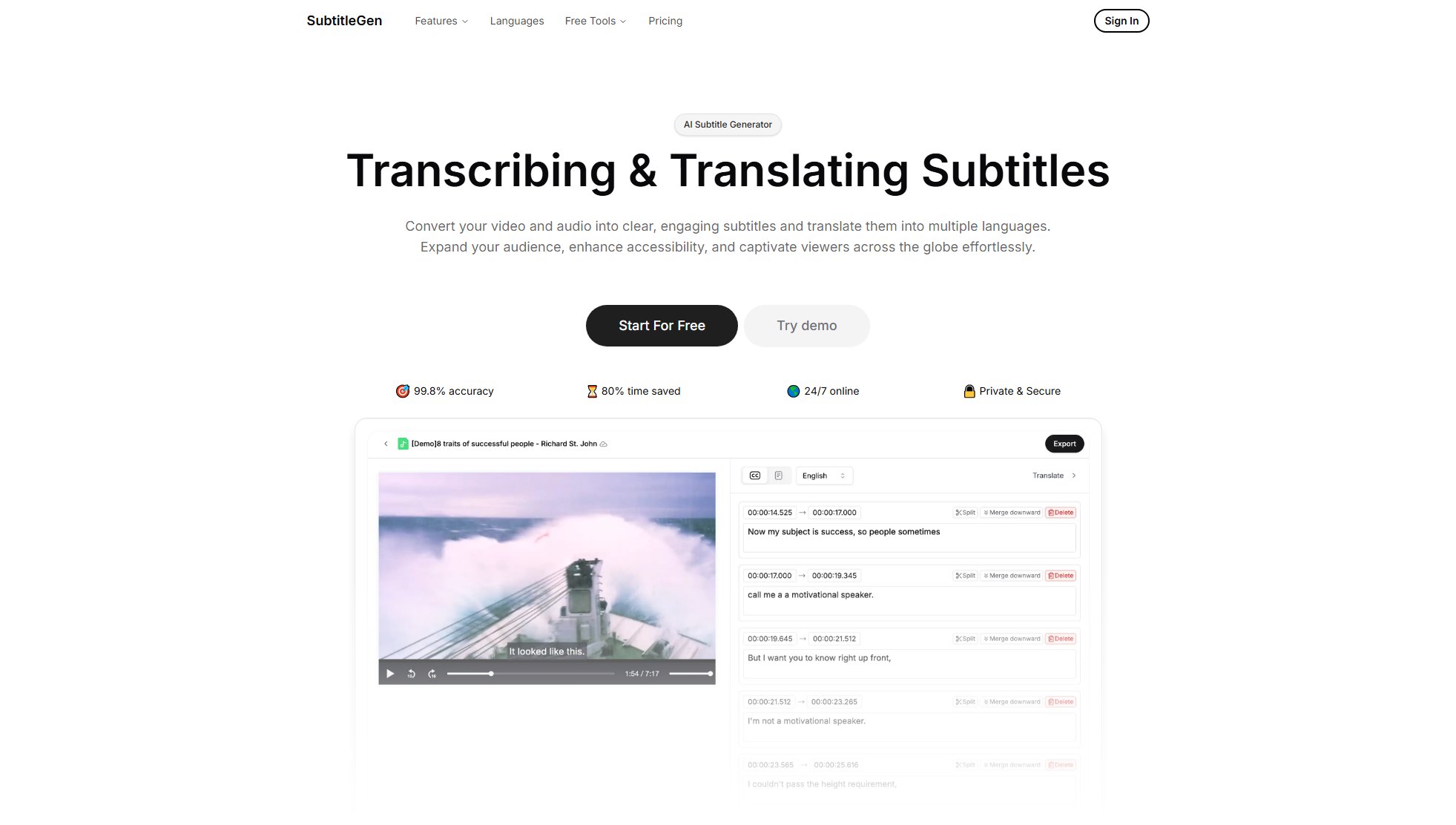
SubtitleGen Official screenshot of the tool interface
What Can SubtitleGen Do? Key Features
AI Transcription
SubtitleGen uses advanced AI to transcribe audio and video files into text with high accuracy (up to 99.8%). This feature supports multiple file formats, including MP3, MP4, AAC, WAV, FLAC, M4A, OGG, and WEBM, making it versatile for various media types.
AI Translation
The platform can automatically translate subtitles into multiple languages, helping content creators reach a global audience. This feature is included in all paid plans and is available for free in the Starter plan.
Automatic Subtitles
SubtitleGen generates subtitles automatically from transcribed text, saving time and effort. Users can then edit these subtitles to ensure they match the content perfectly.
Enhanced Subtitle Editing
The platform provides tools for editing subtitles, allowing users to adjust timing, correct errors, and customize the appearance of subtitles to fit their needs.
Multiple Export Formats
SubtitleGen supports exporting subtitles in various formats, including SRT, VTT, ASS, and TXT, ensuring compatibility with different video players and platforms.
Best SubtitleGen Use Cases & Applications
Content Creation
Content creators can use SubtitleGen to add subtitles to their videos, making them more accessible to a wider audience, including non-native speakers and hearing-impaired viewers.
Education
Educators can transcribe and subtitle their lectures and educational videos, helping students better understand the material and making it accessible to non-native speakers.
Business
Businesses can use SubtitleGen to subtitle their training videos, presentations, and marketing content, ensuring clear communication with employees and customers worldwide.
How to Use SubtitleGen: Step-by-Step Guide
Upload your audio or video file to SubtitleGen. The platform supports a wide range of formats, including MP3, MP4, AAC, WAV, FLAC, M4A, OGG, and WEBM.
Choose the language of your file and select whether you want to transcribe, generate subtitles, or translate the subtitles into another language.
Wait for the AI to process your file. The processing time depends on the file size and length, but it typically takes seconds to minutes.
Edit the generated subtitles if necessary. SubtitleGen provides tools for adjusting timing, correcting errors, and customizing the appearance of subtitles.
Export your subtitles in your preferred format (SRT, VTT, ASS, or TXT) and download them to your device.
SubtitleGen Pros and Cons: Honest Review
Pros
Considerations
Is SubtitleGen Worth It? FAQ & Reviews
SubtitleGen is an online subtitle generator platform that helps you transcribe audio or video into text, create accurate subtitles, and translate them into multiple languages quickly and easily.
SubtitleGen supports all major audio and video formats, including MP3, MP4, AAC, WAV, FLAC, M4A, OGG, WEBM and more.
SubtitleGen uses advanced AI technology to provide highly accurate transcriptions and subtitles, with an accuracy rate of up to 99.8%.
Yes, SubtitleGen offers a free usage quota when you start, so you can try it before subscribing.
SubtitleGen processes files in a matter of seconds to minutes, depending on the file size and length.
Yes, SubtitleGen can translate subtitles into multiple languages automatically.
Yes, you can edit the subtitles generated by SubtitleGen to ensure they perfectly match your content.