SECURITYSCROLL
Real-time cybersecurity dashboard with threat intelligence and tech updates
What is SECURITYSCROLL? Complete Overview
SECURITYSCROLL is a comprehensive cybersecurity dashboard that aggregates real-time threat intelligence from CISA, NVD, and 15+ security sources including BleepingComputer, KrebsOnSecurity, SANS-ISC, and TheHackerNews. Designed for SOC analysts and security professionals, it provides instant access to critical security data without requiring logins or accounts. The platform features an auto-dashboard mode that intelligently scrolls and switches between threat categories, offering a hands-free monitoring experience. SECURITYSCROLL helps security teams stay ahead of emerging threats by delivering curated news about vulnerabilities, attacks, and security advisories in a single, streamlined interface.
SECURITYSCROLL Interface & Screenshots
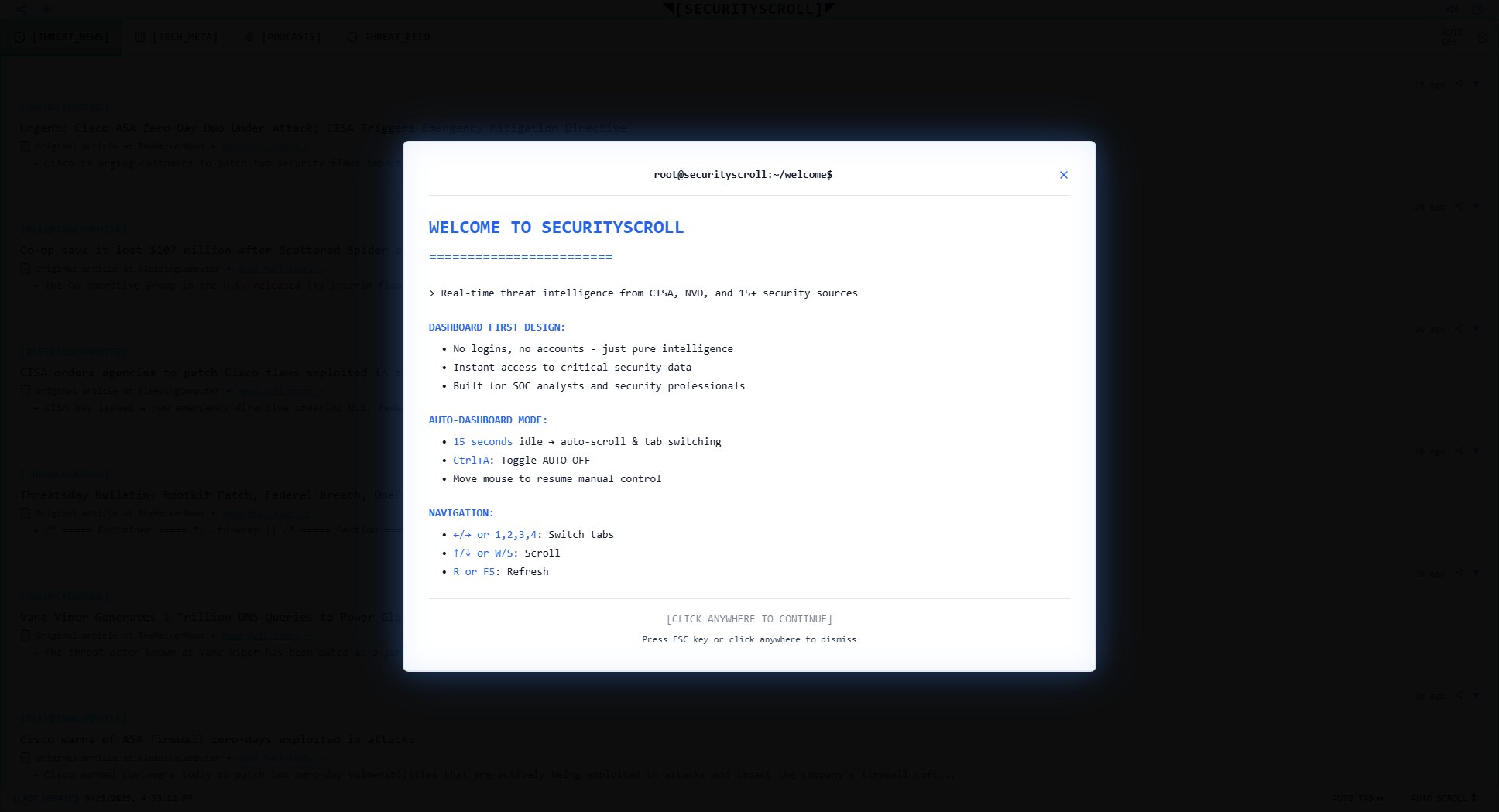
SECURITYSCROLL Official screenshot of the tool interface
What Can SECURITYSCROLL Do? Key Features
Multi-Source Threat Intelligence
Aggregates security news and alerts from 15+ authoritative sources including CISA, NVD, BleepingComputer, KrebsOnSecurity, and TheHackerNews. Provides comprehensive coverage of emerging threats without requiring users to monitor multiple sources individually.
Real-time Threat Feed
Delivers up-to-the-minute security updates with timestamps showing how recently each threat was reported. The platform maintains a constant connection to sources, displaying updates as soon as they're published by cybersecurity organizations.
Auto-Dashboard Mode
Intelligently scrolls through threats and switches between categories (THREAT, TECH, AUDIO) automatically. The system can run hands-free, perfect for security operations centers, while still allowing manual control when needed.
CVE Tracking
Highlights critical Common Vulnerabilities and Exposures (CVEs) with detailed information about affected systems, exploitability, and mitigation recommendations. Helps prioritize patching efforts based on real-world attack data.
Minimalist Interface
Designed for efficiency with a terminal-like interface that prioritizes content over flashy graphics. The clean layout allows security professionals to quickly scan and digest critical information without distractions.
Best SECURITYSCROLL Use Cases & Applications
SOC Monitoring
Security Operations Center teams can run SECURITYSCROLL on wall-mounted displays to maintain constant awareness of emerging threats. The auto-scrolling feature ensures comprehensive coverage even during shift changes.
Vulnerability Management
IT security teams use the dashboard to identify newly disclosed vulnerabilities affecting their systems. The CVE tracking and threat prioritization helps them quickly assess which patches to deploy first.
Security Research
Researchers leverage the aggregated news feed to track threat actor activity patterns, emerging attack techniques, and new malware families across multiple reputable sources in one place.
Executive Briefing
CISOs and security leaders use the concise threat summaries to stay informed about significant incidents that might impact their organizations, without needing to sift through multiple security blogs.
How to Use SECURITYSCROLL: Step-by-Step Guide
Navigate to securityscroll.com in your browser. No installation or login required - the dashboard loads immediately with the latest threat intelligence.
Browse threats using keyboard shortcuts (←/→ or 1,2,3,4 to switch tabs, ↑/↓ to scroll) or mouse. The interface organizes content into THREAT, TECH, and AUDIO categories for easy navigation.
Enable Auto-Dashboard mode by pressing Ctrl+A or letting the system idle for 15 seconds. The system will automatically scroll through content and switch between threat categories.
Click on any article to view the full story or visit the original source. All content includes attribution links to maintain ethical standards and support cybersecurity journalism.
Use the refresh function (R or F5) to update the dashboard with the latest threats. The system shows the last sync time so you know how current the information is.
SECURITYSCROLL Pros and Cons: Honest Review
Pros
Considerations
Is SECURITYSCROLL Worth It? FAQ & Reviews
Yes, SECURITYSCROLL is completely free with no hidden costs or premium tiers. All features are available to all users without registration.
The dashboard shows when each item was last updated (e.g., '2h ago'). The system maintains a continuous connection to sources and typically displays updates within minutes of publication.
While optimized for desktop use, the responsive design works on tablets. Some keyboard shortcuts may be less convenient on mobile browsers.
SECURITYSCROLL provides curated, security-specific content in a unified interface with auto-scrolling and categorization - more efficient than managing multiple RSS feeds from different sources.
No, you can use SECURITYSCROLL as much as you need without hitting paywalls or article limits that some individual security news sites impose.