Safe Password Generator
Create unhackable passwords instantly with client-side security
What is Safe Password Generator? Complete Overview
Safe Password Generator is a free, privacy-focused tool designed to create secure and unhackable passwords instantly. It operates entirely client-side, ensuring that no data is ever sent to or stored on external servers. The tool is available both as a Chrome extension and a web application, making it accessible across different platforms. It uses the Web Crypto API's crypto.getRandomValues() for cryptographically secure randomness, eliminating the risks associated with pseudo-random number generators. The tool is open-source, allowing users to audit the code for transparency and trust. Ideal for individuals, developers, and enterprises, Safe Password Generator addresses the critical need for strong, unique passwords without compromising privacy.
Safe Password Generator Interface & Screenshots
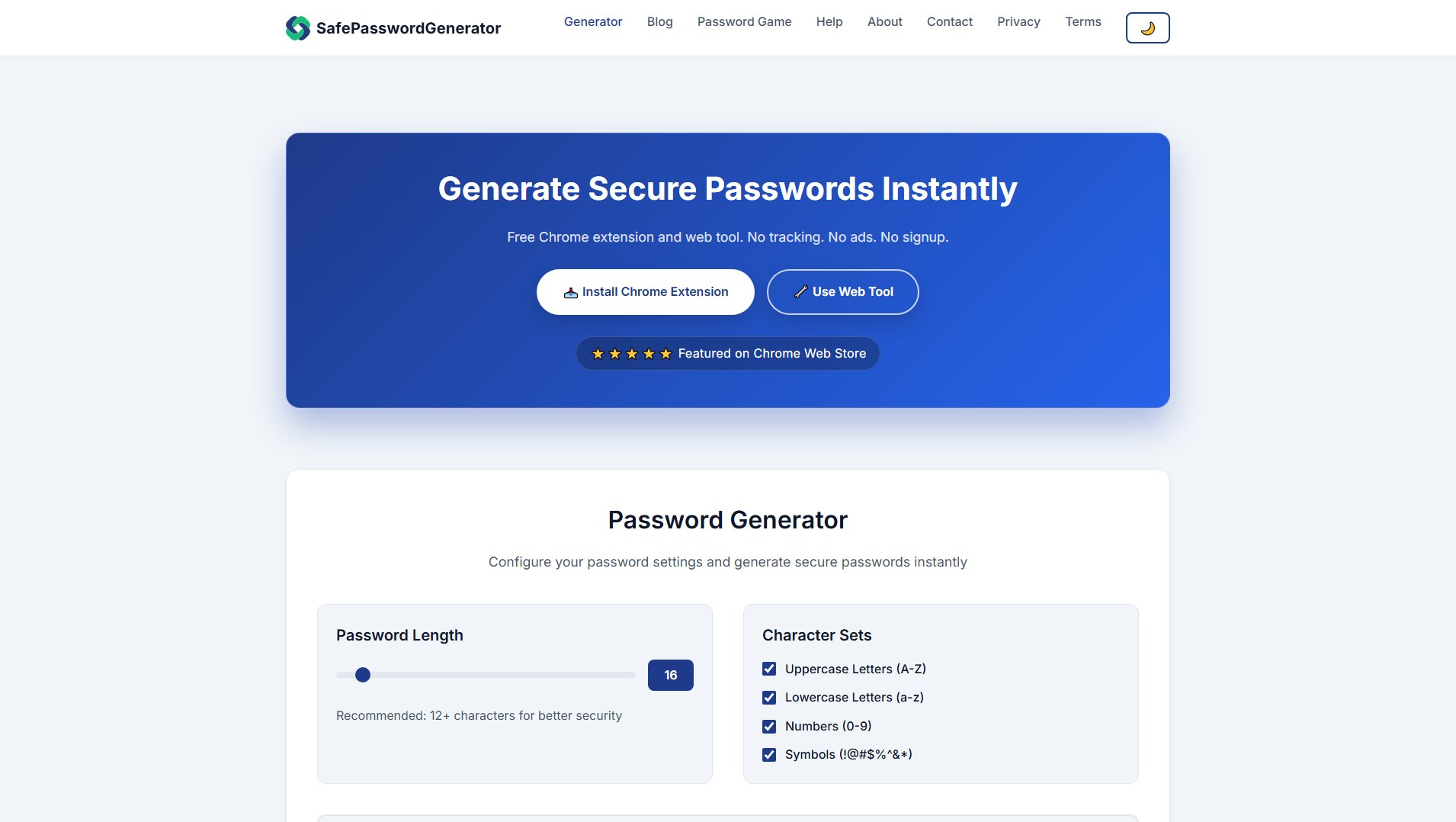
Safe Password Generator Official screenshot of the tool interface
What Can Safe Password Generator Do? Key Features
Cryptographically Secure Passwords
Utilizes the Web Crypto API's crypto.getRandomValues() to generate truly random passwords, ensuring maximum security against brute-force attacks.
Client-Side Generation
All password generation occurs locally in your browser, meaning no data is ever transmitted to or stored on external servers, guaranteeing complete privacy.
Customizable Password Settings
Users can configure password length (recommended 12+ characters) and include/exclude character sets such as uppercase letters, lowercase letters, numbers, and symbols.
Open Source Transparency
The entire codebase is open-source and available on GitHub, allowing users to audit the code for security and transparency.
No Tracking or Ads
The tool is completely free, with no tracking, no ads, and no signup required, ensuring a seamless and private user experience.
Best Safe Password Generator Use Cases & Applications
Personal Password Management
Individuals can generate strong, unique passwords for their online accounts, reducing the risk of breaches due to weak or reused passwords.
Developer Security Practices
Developers can use the tool to create secure passwords for application credentials, API keys, and other sensitive data, ensuring robust security practices.
Enterprise Security Compliance
Enterprises can integrate the tool into their security protocols to enforce strong password policies across the organization, mitigating risks of cyber attacks.
How to Use Safe Password Generator: Step-by-Step Guide
Visit the Safe Password Generator website or install the Chrome extension from the Chrome Web Store.
Configure your password settings by selecting the desired length (minimum 12 characters recommended) and character sets (uppercase, lowercase, numbers, symbols).
Click the 'Generate Password' button to create a secure password instantly.
Use the 'Copy to Clipboard' button to easily copy the generated password to your clipboard for immediate use.
For repeated use, install the Chrome extension for quick access directly from your browser.
Safe Password Generator Pros and Cons: Honest Review
Pros
Considerations
Is Safe Password Generator Worth It? FAQ & Reviews
Yes, the tool is completely free to use with no hidden costs, tracking, or ads.
The tool uses the Web Crypto API's crypto.getRandomValues() for cryptographically secure randomness, ensuring passwords are truly random and secure.
No, all password generation happens client-side in your browser, and no data is ever sent to or stored on external servers.
Yes, the tool is open-source, and the code is available on GitHub for anyone to review and audit.
The tool is available as a web application and a Chrome extension, making it accessible on most modern browsers and devices.