Nano Banana Pro
Free AI Image Editor for 4K visuals in seconds
What is Nano Banana Pro? Complete Overview
Nano Banana Pro is a cutting-edge AI-powered image editor designed to create lossless 4K visuals in just 10 seconds. It integrates advanced AI planning with precise image editing capabilities, making it ideal for creative teams, agencies, and enterprises. The tool supports transparent PNGs, high bit-depth gradients, and exports files between 15-20MB, ensuring production-ready quality. Nano Banana Pro is built for nanobanana 2 AI workflows, offering features like precise image editing, text-to-image, text-to-video, and video editing. It caters to professionals who need consistent, high-quality visual outputs for campaigns, apps, and media decks.
Nano Banana Pro Interface & Screenshots
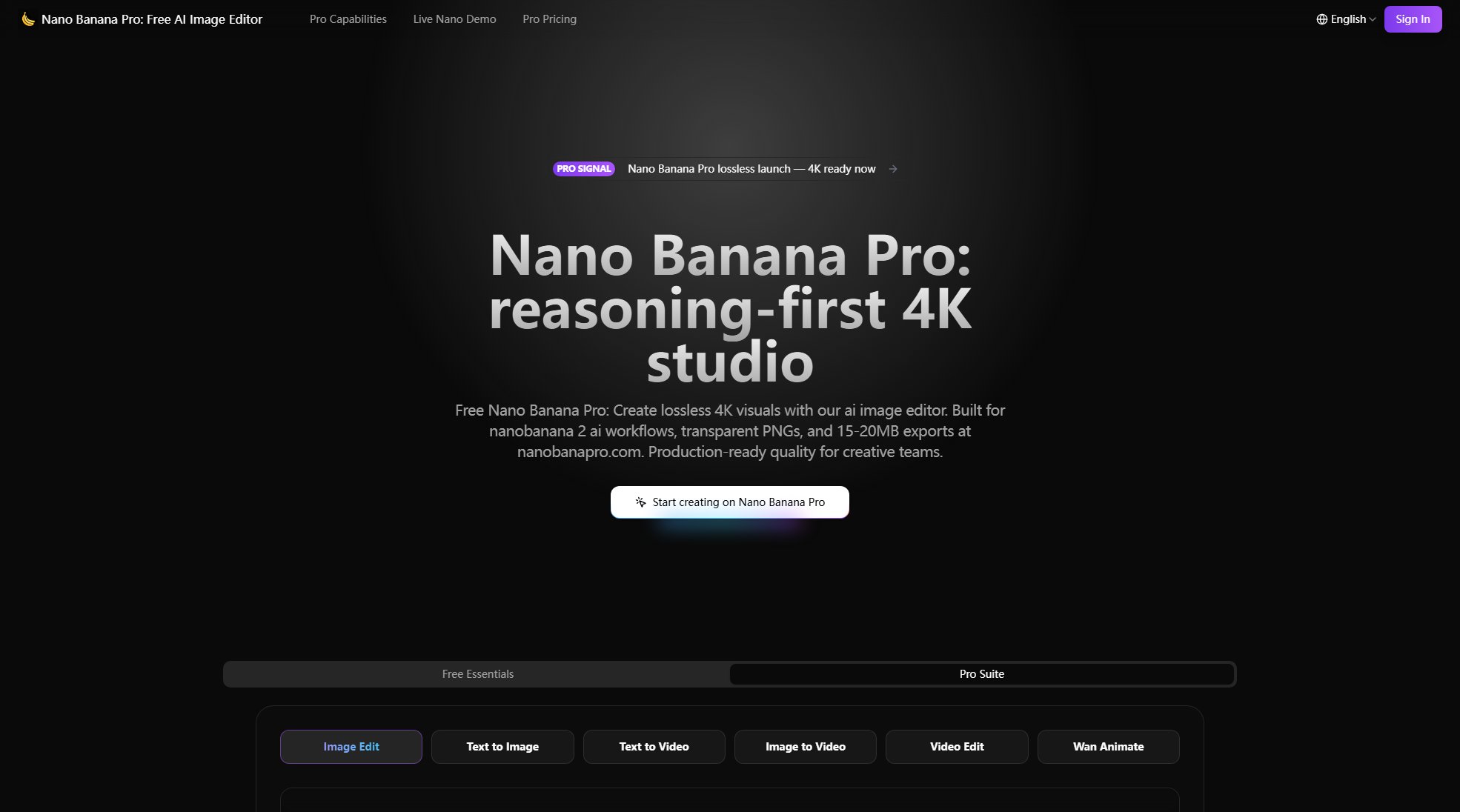
Nano Banana Pro Official screenshot of the tool interface
What Can Nano Banana Pro Do? Key Features
Lossless 4K Birth
Generate native 2K images with automatic 4K uplift, maintaining file sizes between 15MB and 20MB for flawless print and product visuals. The AI image editor ensures transparency across formats, optimizing gradients without compromising detail.
Transparent PNG Pass
Export cutouts with zero halo, perfect for commerce and UI shots. The AI ensures edge quality is maintained, making it ideal for professional use cases.
Prompt Fidelity Engine
Nano Banana Pro parses lens metadata, light cues, and branded colors to ensure every creative direction translates into pixel-perfect execution. Advanced prompt interpretation powered by AI guarantees precise results.
Typographic Accuracy
Render legible text on curved packaging and UI panels with geometric precision. The AI validates typography through advanced reasoning, ensuring professional-grade outputs.
Consistency Choreographer
Maintain consistency across multiple outputs by tracking characters, props, and lighting directions. The AI ensures scene memory across sessions, making it perfect for batch production.
Translation + OCR Lab
Convert multilingual packaging and screenshots with OCR-grade precision. The AI reconstructs text layouts without breaking design integrity, ideal for global campaigns.
Smart Crop Intelligence
Automatically generate adaptive crops based on intent, respecting composition rules and priority subjects. The AI identifies key elements like logos and faces for optimal cropping.
Self-Correcting Pipeline
Each render undergoes plan, generate, review, and improve loops to fix issues like hands, signage, and physics before export. Built-in quality checks ensure production-ready assets.
Batch Collaboration Hub
Invite team members to annotate frames in real time and sync prompts across sprints. The AI coordinates version histories, making collaboration seamless.
Speed + Rate Limit Shield
Deliver results in under 10 seconds with smart caching and load balancing. The AI optimizes GPU routes to avoid rate limits, ensuring smooth workflows.
Best Nano Banana Pro Use Cases & Applications
Commerce Imagery
Retail organizations can replace full-day photoshoots by using Nano Banana Pro to remix SKUs, backgrounds, and regional labels with a single AI pass. Teams report 6x faster asset generation.
Campaign Storyboards
Studios rely on Nano Banana Pro to craft cinematic storyboards that adhere to scripts, exporting layered PSDs for directors. The AI maintains scene consistency across dozens of frames.
Product + UX Mockups
Designers iterate seamlessly by swapping devices, UI panels, and signage while keeping typography precise. Nano Banana Pro delivers pixel-perfect mockups with AI-powered perspective calculations.
Education & Research
Publishers convert lecture notes into diagrams with flawless accuracy. Academic teams trust Nano Banana Pro for technical precision in reconstructing tables, math, and lab layouts.
How to Use Nano Banana Pro: Step-by-Step Guide
Upload your image by clicking the upload button or dragging and dropping files into the editor. Supported formats include PNG, JPEG, and more.
Enter a detailed prompt describing the subject, style, lighting, mood, and composition. The more specific you are, the better the results.
Adjust image dimensions and advanced settings as needed. Default options are optimized for most use cases, but customization is available.
Click 'Generate' to let Nano Banana Pro process your request. The AI will create a high-quality 4K visual in seconds.
Review the output and make any necessary adjustments using the built-in editing tools. Export the final image in your preferred format.
Nano Banana Pro Pros and Cons: Honest Review
Pros
Considerations
Is Nano Banana Pro Worth It? FAQ & Reviews
Nano Banana Pro combines Gemini 3 Pro reasoning, a self-correcting pipeline, and AI lightbox tools to guarantee transparent PNGs, precise text, and predictable credits. It delivers unmatched consistency and production-grade quality control.
Yes. nanobanana 2 AI is the planning core, while Nano Banana Pro automates exports, batching, and compliance. Together, they create a unified creative OS for enterprise-ready results.
Every render can scale to 4K with 15–20MB files, making it suitable for magazines, packaging, and billboards. The AI maintains detail across upscaling passes.
Most jobs finish under 10 seconds due to AI caching and optimized GPU routes. The infrastructure balances speed with quality at scale.
Yes. The Batch Collaboration Hub allows real-time annotations and version syncing, making teamwork seamless.
Yes. Files remain yours, and Nano Banana Pro only embeds SynthID provenance for compliance. The AI never trains on your uploads.
Nano Banana Pro balances creative freedom with policy compliance, offering contextual warnings instead of hard stops for sensitive prompts.