Markdown Converters
AI-Optimized Conversion of Files to Markdown for LLM Applications
What is Markdown Converters? Complete Overview
Markdown Converters is a powerful tool designed to transform various file formats into AI-ready Markdown, optimized for large language models (LLMs). It solves the pain points of inefficient token usage and unstructured data by converting files into clean, structured Markdown that reduces token consumption by up to 70%. This tool is ideal for developers, data scientists, and enterprises working with AI applications, retrieval-augmented generation (RAG) systems, and agent workflows. With support for over 12 file formats, including DOCX, PDF, CSV, and JSON, Markdown Converters ensures seamless integration into your AI pipelines without any installation friction.
Markdown Converters Interface & Screenshots
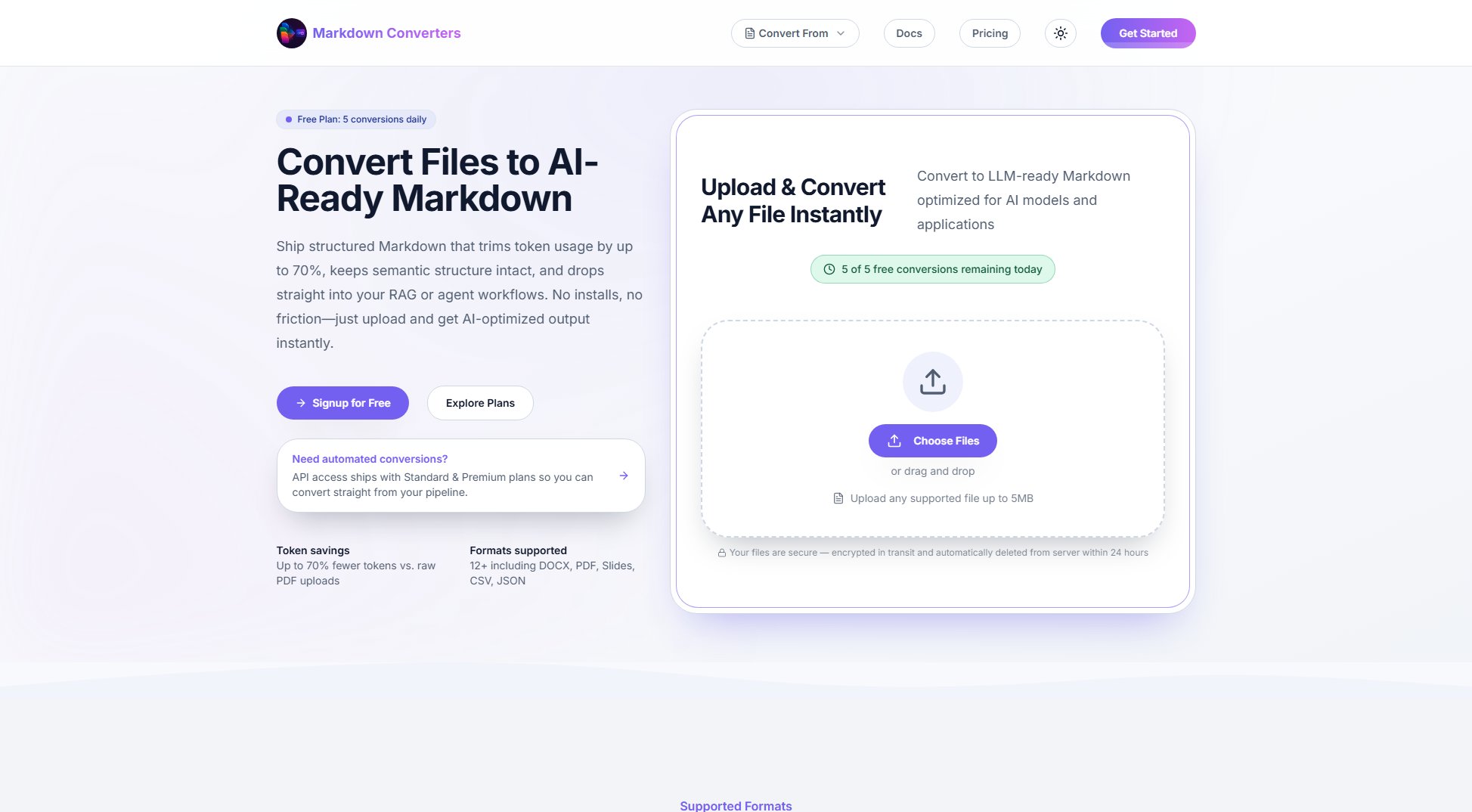
Markdown Converters Official screenshot of the tool interface
What Can Markdown Converters Do? Key Features
Token Smart Conversions
Markdown Converters delivers up to 70% token savings compared to raw PDF or HTML uploads. This optimization ensures your AI prompts remain lean and efficient, fitting more content within context windows while maintaining semantic structure.
LLM Native Structure
The tool preserves headings, tables, lists, and callouts in the converted Markdown, providing clean anchors for retrieval pipelines and keeping AI models grounded in the document's structure.
Secure by Default
Every file upload is encrypted in transit and automatically purged from servers within 24 hours. This ensures your data remains secure and private, with no residual storage risks.
All Formats, One Pipeline
Supporting PDF, DOCX, PPTX, XLSX, CSV, JSON, images, and ZIP files, Markdown Converters processes all formats through a single interface or API call, simplifying your workflow.
Built for RAG
The outputs are designed to slot straight into chunkers and vector stores, with optional metadata for document provenance, making it ideal for retrieval-augmented generation systems.
API & Workflow Ready
Automate conversions within agent loops, ETL jobs, or internal dashboards using the same engine that powers the web app, ensuring seamless integration into existing workflows.
Best Markdown Converters Use Cases & Applications
AI Chatbot Development
Convert support documents, FAQs, and knowledge bases into Markdown to enhance chatbot interactions with structured, token-efficient responses.
RAG Systems
Integrate converted Markdown files into retrieval-augmented generation systems, ensuring clean chunking and efficient vector storage for improved AI performance.
Training Data Management
Create uniform datasets for AI training by converting diverse file formats into consistent Markdown, simplifying version control and preprocessing pipelines.
How to Use Markdown Converters: Step-by-Step Guide
Sign up for a free account or log in to your existing account on the Markdown Converters website.
Upload your file by clicking 'Choose Files' or dragging and dropping the file into the designated area. Supported files include DOCX, PDF, CSV, JSON, and more, up to 5MB for free users.
The tool will automatically convert your file into AI-optimized Markdown, preserving the structure and reducing token usage by up to 70%.
Download the converted Markdown file or use the API to integrate the output directly into your AI workflows, RAG systems, or agent pipelines.
Markdown Converters Pros and Cons: Honest Review
Pros
Considerations
Is Markdown Converters Worth It? FAQ & Reviews
Yes! You can change your plan at any time. Changes take effect immediately and we'll prorate any billing differences. No long-term contracts or cancellation fees.
If you exceed your daily conversion limit, you'll be notified and can either wait until the next day or upgrade to a higher plan. We never charge overage fees without your consent.
Yes! All paid plans come with a 7-day free trial. Just sign up and begin converting immediately.
We support 50+ file formats including PDF, Word (.docx), Excel (.xlsx), PowerPoint (.pptx), HTML, Images (PNG, JPG, GIF), Audio (MP3, WAV), CSV, JSON, XML, ZIP archives, and many more.
Absolutely. We use enterprise-grade encryption, process files in secure isolated environments, and automatically delete files after conversion. Your data never leaves our secure infrastructure.