ManagePrompt
Build AI-powered apps in minutes, not months
What is ManagePrompt? Complete Overview
ManagePrompt is a powerful platform designed to streamline the development and deployment of AI-powered applications. It offers seamless integration with top AI models, including OpenAI, Meta, Google, Mixtral, and Anthropic, allowing developers to focus on creating innovative workflows without worrying about infrastructure. ManagePrompt handles essential backend functionalities such as testing, authentication, analytics, caching, and rate-limiting, enabling rapid iteration and deployment. The platform is ideal for developers, startups, and enterprises looking to leverage AI capabilities efficiently. With features like instant deployment, prompt tweaking, and security controls, ManagePrompt empowers users to build and scale AI applications with ease.
ManagePrompt Interface & Screenshots
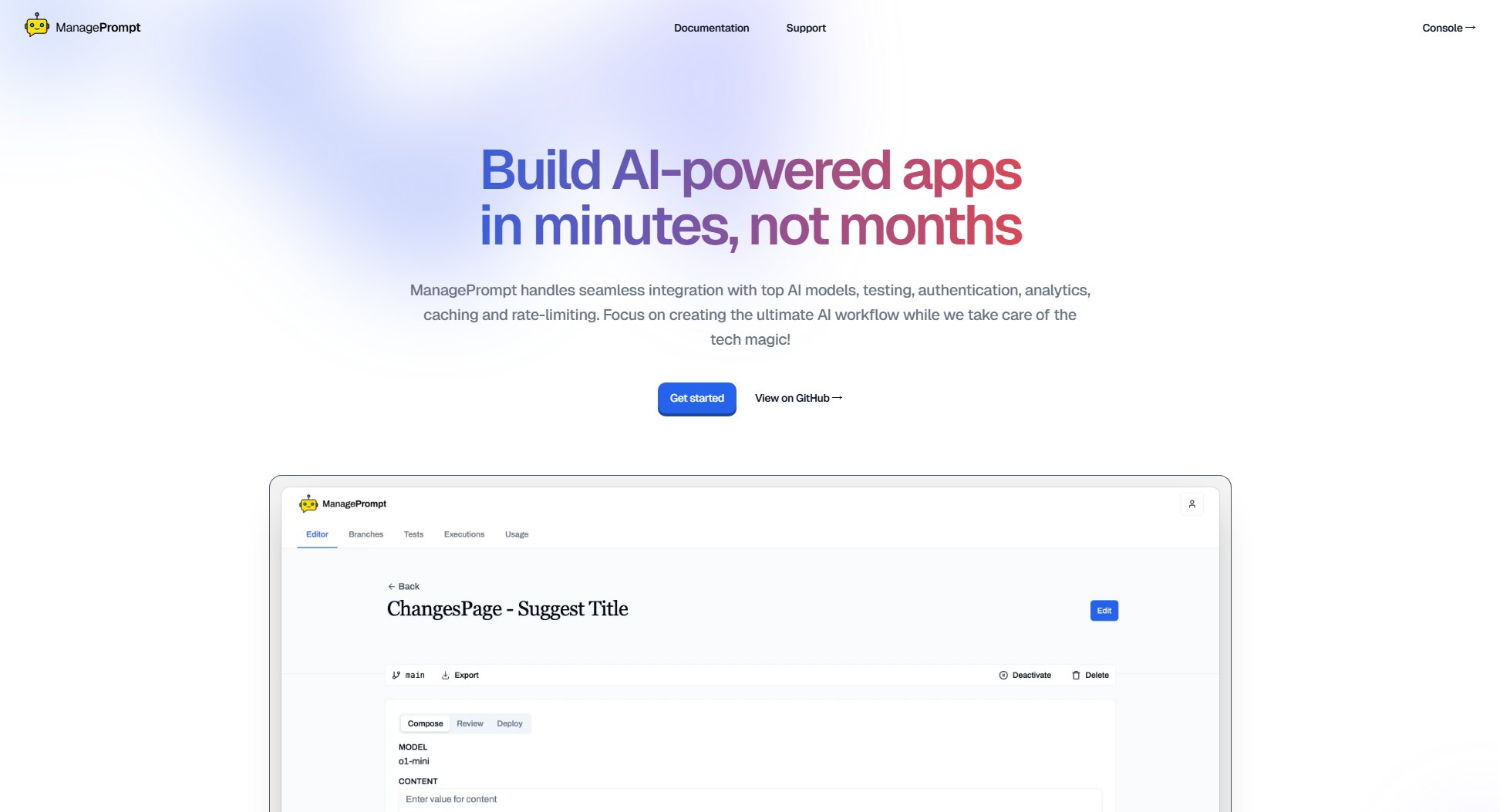
ManagePrompt Official screenshot of the tool interface
What Can ManagePrompt Do? Key Features
Seamless AI Model Integration
ManagePrompt supports integration with multiple AI models, including OpenAI, Meta, Google, Mixtral, and Anthropic. This allows developers to switch between models effortlessly using the same API, ensuring flexibility and adaptability in their projects.
Instant Deployment
With ManagePrompt, you can deploy changes to your AI applications instantly. Update prompts, switch models, or tweak configurations without downtime, ensuring your users always have access to the latest improvements.
Rapid Iteration
The platform supports branches and tests, enabling developers to evaluate multiple variants of prompts and models simultaneously. This feature accelerates the development cycle and helps in identifying the most effective configurations quickly.
Security Controls
ManagePrompt includes robust security features such as single-use tokens and rate-limiting to filter and control malicious requests. These measures help protect your applications from abuse and ensure reliable performance.
Infrastructure Management
ManagePrompt takes care of the underlying infrastructure, including authentication, analytics, caching, and rate-limiting. This allows developers to focus on building innovative AI workflows without worrying about backend complexities.
Best ManagePrompt Use Cases & Applications
Content Generation
Developers can use ManagePrompt to build applications that generate high-quality content, such as articles, summaries, or marketing copy, by leveraging multiple AI models and iterating on prompts for better results.
Customer Support Automation
Businesses can deploy AI-powered chatbots or support systems that handle customer inquiries efficiently, with the ability to update responses and models in real-time based on user feedback.
Data Analysis
Researchers and analysts can use ManagePrompt to create workflows that process and analyze large datasets, extracting insights quickly and accurately using AI models tailored to their needs.
How to Use ManagePrompt: Step-by-Step Guide
Sign up for an account on ManagePrompt and access the console to start building your AI-powered application.
Integrate your preferred AI models (OpenAI, Meta, Google, etc.) using the provided API endpoints.
Use the platform's tools to design and test your prompts, leveraging branches to evaluate different variants.
Deploy your application instantly, making updates to prompts or models as needed without downtime.
Monitor performance and security using ManagePrompt's analytics and rate-limiting features to ensure optimal operation.
ManagePrompt Pros and Cons: Honest Review
Pros
Considerations
Is ManagePrompt Worth It? FAQ & Reviews
ManagePrompt supports integration with multiple AI models, including OpenAI, Meta, Google, Mixtral, and Anthropic, allowing you to switch between models seamlessly.
Yes, ManagePrompt allows you to deploy updates to prompts, models, or configurations instantly, ensuring your users always have access to the latest improvements.
Yes, ManagePrompt offers a free plan with basic features, including limited AI model integration and community support. For advanced features, you can upgrade to the Pro plan.
Support is available through community forums for free users, while Pro users receive priority support for faster resolution of issues.