Kaze AI
AI-powered image editing for effortless creativity
What is Kaze AI? Complete Overview
Kaze AI is a powerful AI image editor and generator that simplifies the photo editing process. The platform offers a wide range of tools for both creative and practical image modifications, from basic edits to advanced transformations. Kaze AI solves the pain points of complex editing software by providing intuitive, AI-powered tools that require no technical expertise. Its target audience includes social media users, content creators, photographers, and anyone looking to enhance their images without professional editing skills.
Kaze AI Interface & Screenshots
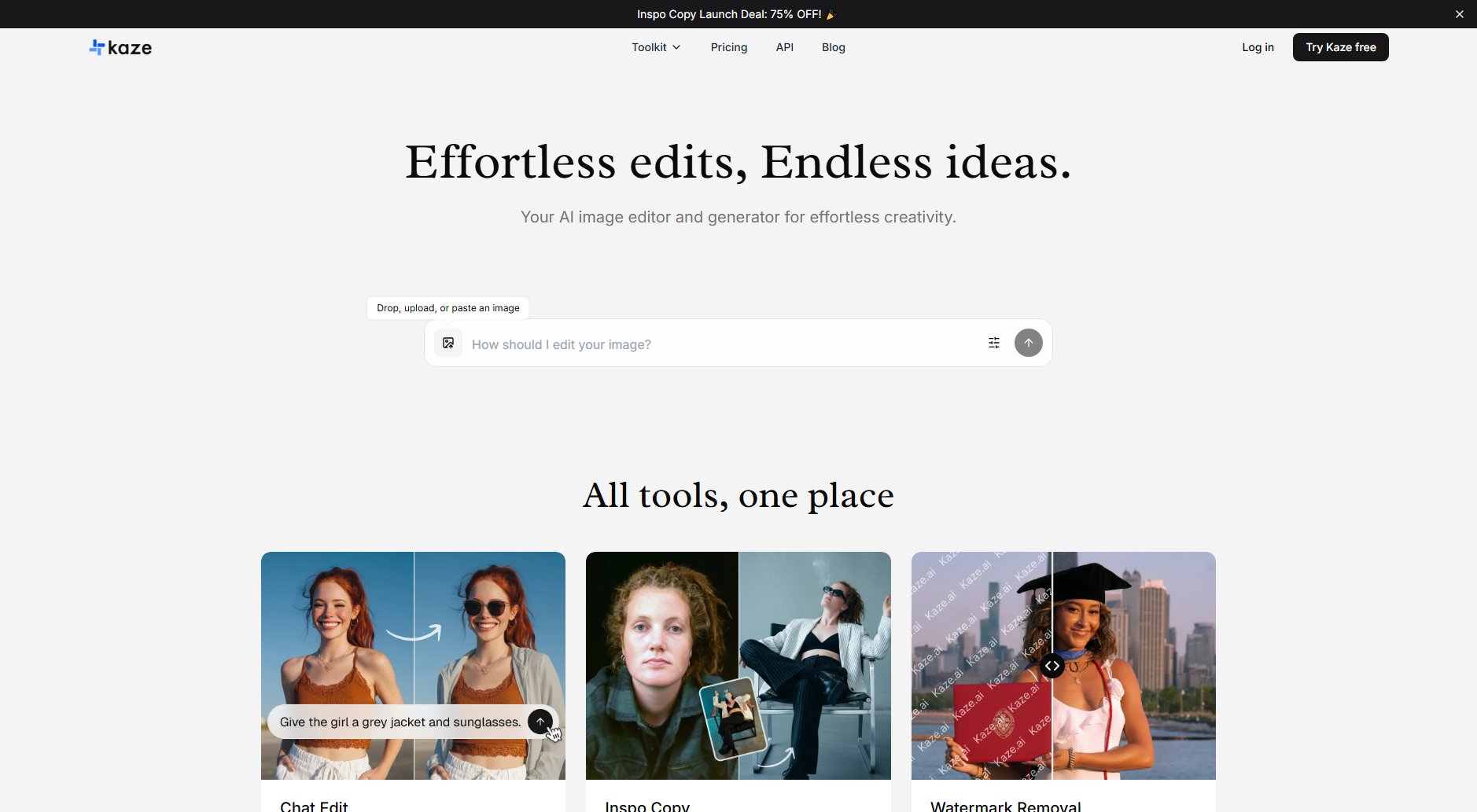
Kaze AI Official screenshot of the tool interface
What Can Kaze AI Do? Key Features
Chat Edit
Edit any image with simple text prompts. The AI understands your vision and applies professional-grade edits, making complex adjustments as easy as having a conversation.
Inspo Copy
Upload a reference image and apply its style to your own photos in seconds. Perfect for creating consistent aesthetics across your images or matching influencer styles.
Watermark Removal
Cleanly remove unwanted watermarks from images without leaving traces. The AI analyzes the surrounding pixels to perfectly reconstruct the underlying image.
Photo Restoration
Revive old, damaged photos by automatically repairing scratches, restoring colors, and enhancing details. Breathe new life into precious memories with AI-powered restoration.
Body Editor
Reshape body photos with natural-looking results. Adjust proportions subtly or significantly while maintaining realistic anatomy and proportions.
AI Clothing Changer
Instantly swap outfits in photos, from casual wear to formal attire. The technology preserves body shape and lighting for realistic virtual try-ons.
Best Kaze AI Use Cases & Applications
Social Media Enhancement
Creators can quickly edit photos for Instagram, TikTok, or other platforms - removing backgrounds, adjusting body proportions, or applying trendy filters with just a few clicks.
E-commerce Product Images
Online sellers can remove watermarks from supplier images, change clothing colors/styles for product variations, or create consistent backgrounds for their catalog.
Personal Photo Restoration
Individuals can repair and colorize old family photos, remove scratches and stains from cherished memories, or enhance low-quality images for framing.
How to Use Kaze AI: Step-by-Step Guide
Upload your image by dragging and dropping, pasting, or browsing files from your device.
Select the desired tool from the comprehensive menu based on your editing needs.
For tools like Chat Edit, enter your instructions in natural language. For style-based tools, upload reference images if needed.
Adjust any available parameters or settings to fine-tune the effect.
Preview the changes and download the final edited image in your preferred format.
Kaze AI Pros and Cons: Honest Review
Pros
Considerations
Is Kaze AI Worth It? FAQ & Reviews
Kaze AI offers both free and premium features. Basic editing tools are available for free, while advanced features may require a subscription.
Kaze AI supports common image formats including JPG, PNG, and WebP for both input and output.
The AI analyzes image context, lighting, and proportions to maintain natural-looking results, especially for body and clothing edits.
Commercial use depends on your subscription plan. Check the licensing terms for specific commercial usage rights.
Free accounts may have resolution limits, while premium accounts typically support higher resolution images.