IncidentHub
Monitor all your cloud and SaaS status pages in one place
What is IncidentHub? Complete Overview
IncidentHub is a centralized monitoring tool designed to track the status pages of all your third-party cloud and SaaS services. It helps businesses and professionals stay informed about vendor outages and maintenance activities through real-time alerts and a unified dashboard. The tool supports hundreds of services and allows users to customize notifications to reduce alert fatigue. IncidentHub is ideal for teams that rely on multiple cloud services and need a streamlined way to monitor their dependencies. Key features include outage alerts, component filtering, integration with popular communication tools, and a unified status page with historical trends.
IncidentHub Interface & Screenshots
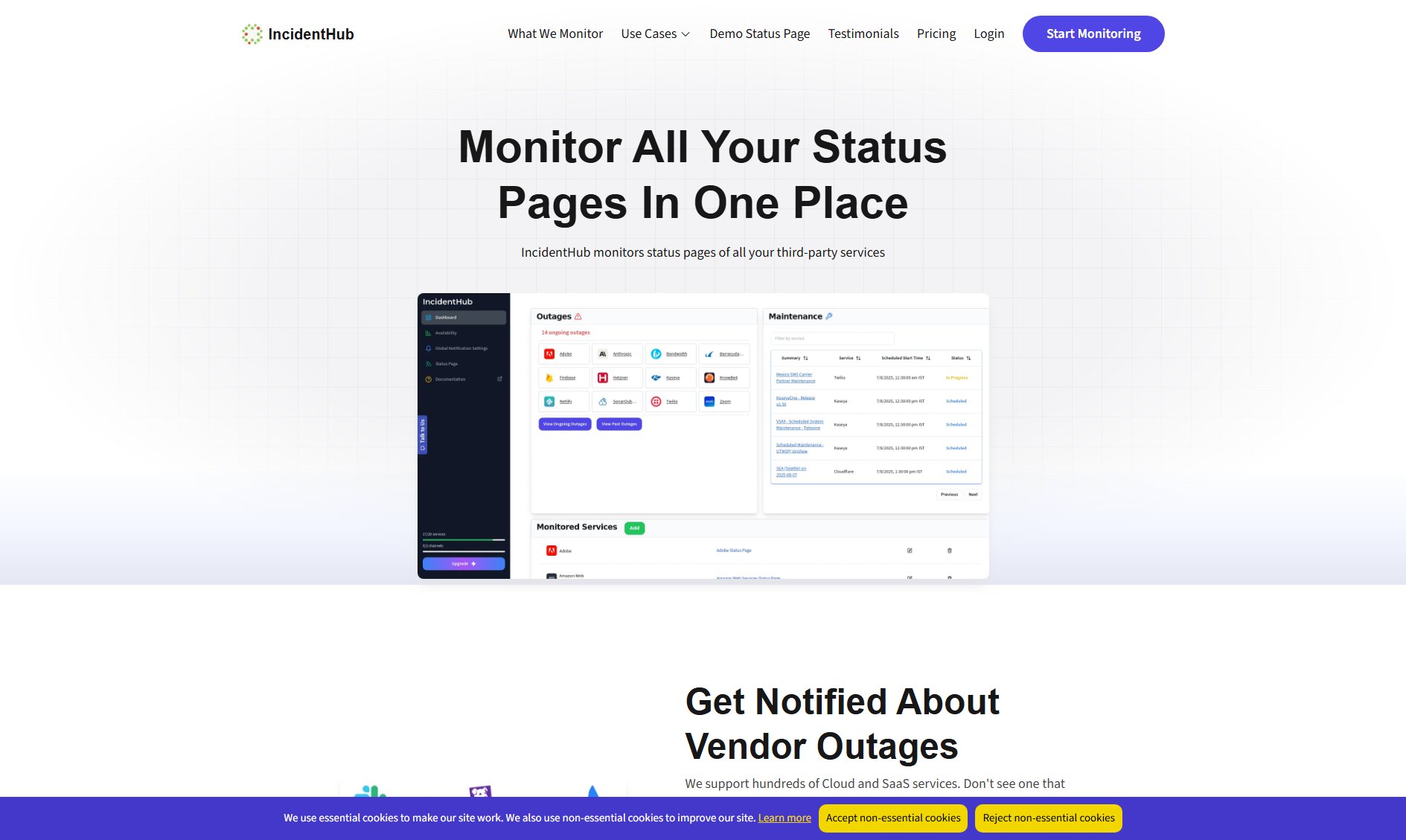
IncidentHub Official screenshot of the tool interface
What Can IncidentHub Do? Key Features
Get Notified About Vendor Outages
IncidentHub monitors hundreds of Cloud and SaaS services, providing immediate alerts when outages occur. If a service you depend on isn't listed, you can request its addition.
Track All Services You Depend On
With IncidentHub, you can consolidate outage alerts and maintenance reminders from all your third-party services into a single, easy-to-manage platform.
View Active Incidents at a Glance
The dashboard provides a quick overview of all active incidents across your monitored services, allowing you to identify issues without sifting through multiple status pages.
Stop Alert Fatigue
Customize your notifications to receive only the alerts that matter. You can fine-tune settings for each service to avoid unnecessary noise.
Get Alerts in Tools You Already Use
IncidentHub integrates seamlessly with Email, Discord, Slack, PagerDuty, and more, ensuring alerts reach your team in their preferred workflow tools.
Get a Unified Status Page
Create a dedicated status page that summarizes the health of all your third-party services, complete with historical trends and affected component details.
Whitelabel Your Status Page
Add your own branding and host the status page on your domain, providing a professional look tailored to your organization.
API Integration
Build custom integrations using IncidentHub's API, allowing you to connect with any internal tools or systems.
Best IncidentHub Use Cases & Applications
IT Operations Team
An IT team uses IncidentHub to monitor all their cloud service providers. They receive Slack alerts for critical outages, allowing them to quickly address issues before they impact internal systems.
SaaS Company
A SaaS company relies on IncidentHub to track dependencies like AWS, Stripe, and Twilio. Their unified status page, hosted on their domain, keeps customers informed during third-party outages.
Development Team
A development team uses IncidentHub's API to integrate outage alerts into their internal monitoring dashboard, ensuring they are aware of issues affecting their build pipelines.
How to Use IncidentHub: Step-by-Step Guide
Sign up for an IncidentHub account and log in to the dashboard.
Add the cloud and SaaS services you depend on by searching or requesting additions for unlisted services.
Configure your notification preferences, choosing which alerts to receive and which communication tools to integrate (e.g., Slack, Email, Discord).
Customize your unified status page by adding your branding, setting a password, or hosting it on your domain.
Monitor active incidents and historical trends from the dashboard, and receive real-time alerts when issues arise.
IncidentHub Pros and Cons: Honest Review
Pros
Considerations
Is IncidentHub Worth It? FAQ & Reviews
Yes, IncidentHub offers a free plan with basic features, including monitoring for up to 10 services and unlimited notifications.
IncidentHub continuously checks the status pages of supported services and aggregates the data into a unified dashboard, providing real-time updates and alerts.
IncidentHub prioritizes data security and ensures that your information is protected. You can also password-protect your status page for added security.
You can request the addition of a service by contacting IncidentHub's support team, and they will work to include it in their monitoring list.
After the trial, you can choose to continue with a paid plan or downgrade to the free plan, depending on your needs.