Habox
Transfer and share large files up to 300GB effortlessly
What is Habox? Complete Overview
Habox is a cutting-edge file transfer and sharing platform designed to handle large files seamlessly. It enables users to transfer files up to 300GB in size, making it ideal for professionals, enterprises, and individuals who need to share large datasets, videos, or other bulky files across borders. Habox simplifies the process with intuitive drag-and-drop functionality and innovative sharing features. Whether you're sending files to colleagues, clients, or friends, Habox ensures quick, reliable, and hassle-free transfers.
Habox Interface & Screenshots
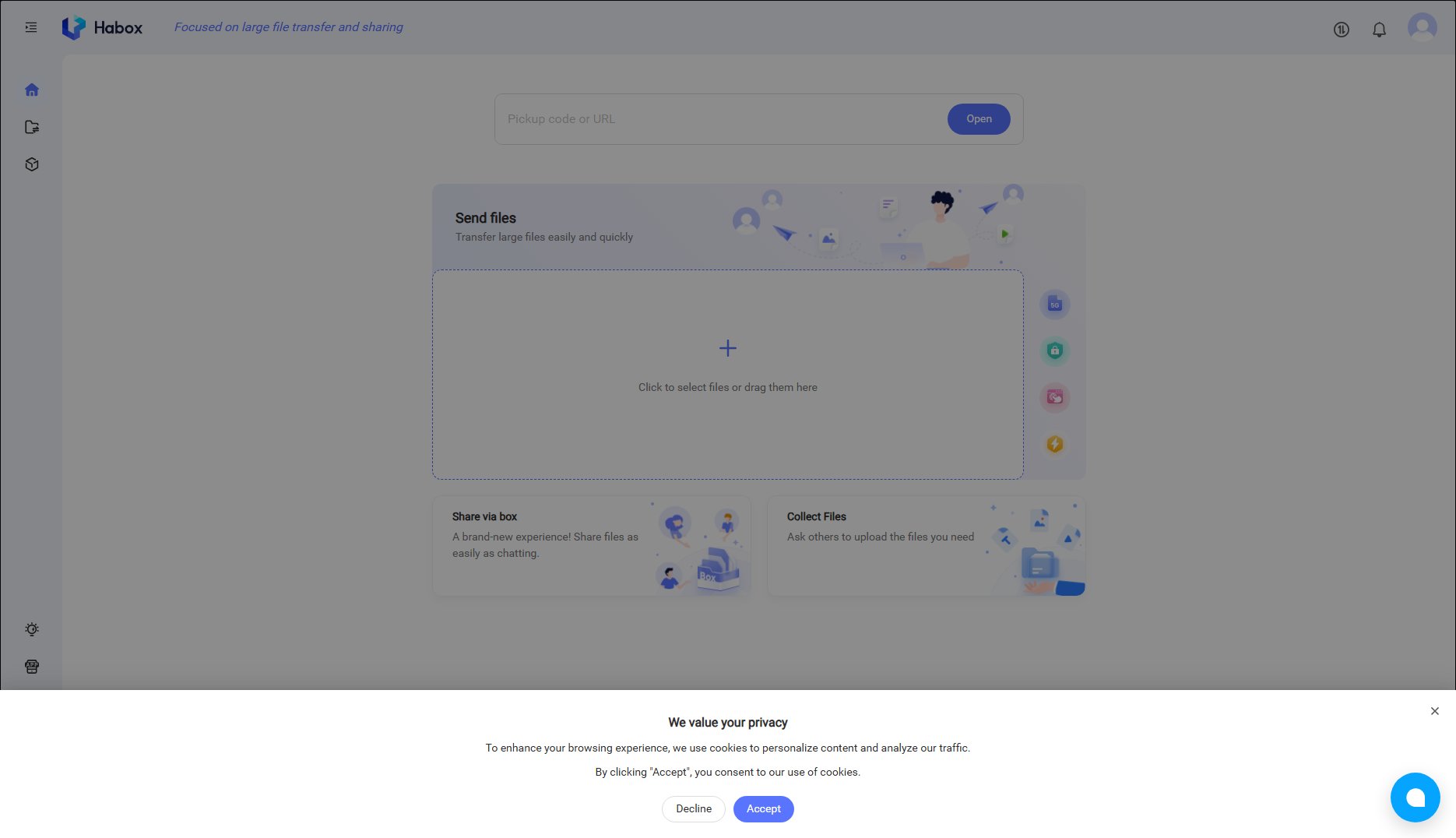
Habox Official screenshot of the tool interface
What Can Habox Do? Key Features
Large File Transfers
Habox supports file transfers up to 300GB, eliminating the need for splitting files or using multiple services. This feature is perfect for professionals dealing with high-resolution videos, large datasets, or complex design files.
Drag-and-Drop Interface
The platform offers a user-friendly interface where you can simply drag and drop files to initiate transfers. This intuitive design ensures a smooth experience even for first-time users.
Share via Box
Habox introduces a unique 'Share via Box' feature, allowing users to share files as easily as chatting. This innovative approach makes file sharing more interactive and convenient.
Collect Files
With the 'Collect Files' feature, users can request others to upload files directly to their Habox account. This is particularly useful for collaborative projects or when gathering materials from multiple sources.
Batch File Transfer
Habox supports batch file transfers, enabling users to send multiple files simultaneously. This saves time and effort, especially when dealing with numerous large files.
Best Habox Use Cases & Applications
Video Production Teams
Video production teams can use Habox to share high-resolution footage and project files with editors and clients worldwide, ensuring quick turnaround times without compromising quality.
Enterprise Data Sharing
Businesses can leverage Habox to transfer large datasets, reports, and presentations between offices or with external partners, enhancing collaboration and efficiency.
Creative Professionals
Designers, photographers, and other creative professionals can easily share large portfolios, design files, and high-resolution images with clients and collaborators.
Academic Research
Researchers can use Habox to share large datasets, research papers, and multimedia presentations with colleagues and peers across institutions.
How to Use Habox: Step-by-Step Guide
Visit the Habox website at https://habox.com and click on 'Send files' to start the transfer process.
Select your files by clicking the upload button or simply drag and drop them into the designated area.
Choose your preferred sharing method: direct transfer or 'Share via Box' for a chat-like experience.
Enter the recipient's details or generate a shareable link to send the files.
Monitor the transfer progress and receive notifications once the files are successfully delivered.
Habox Pros and Cons: Honest Review
Pros
Considerations
Is Habox Worth It? FAQ & Reviews
Habox supports file transfers up to 300GB, making it ideal for large files that are difficult to share via email or other traditional methods.
Yes, Habox offers a free plan with basic features. For advanced functionalities and higher limits, you can explore our Pro and Enterprise plans.
Habox employs robust security measures to protect your files during transfer. However, for highly sensitive data, we recommend using our Enterprise plan with additional security features.
Yes, Habox allows you to share files with multiple recipients simultaneously, either through direct transfers or shareable links.
Files are stored temporarily on Habox servers to facilitate transfers. You can configure retention settings based on your plan.