HEIC to JPG Converter
Convert HEIC to JPG securely and for free in your browser
What is HEIC to JPG Converter? Complete Overview
The HEIC to JPG Converter is a free, privacy-focused tool that allows users to convert HEIC and HEIF image files to the widely compatible JPG format directly in their web browser. Unlike other online converters, this tool ensures complete privacy by performing all conversions locally—no files are uploaded to external servers. It supports bulk conversions, has no file size limits, and works offline, making it ideal for users who need to share photos across different platforms and devices. The tool is designed for anyone from casual users to professionals who need a quick, secure, and reliable way to convert Apple's HEIC format to the more universally accepted JPG format.
HEIC to JPG Converter Interface & Screenshots
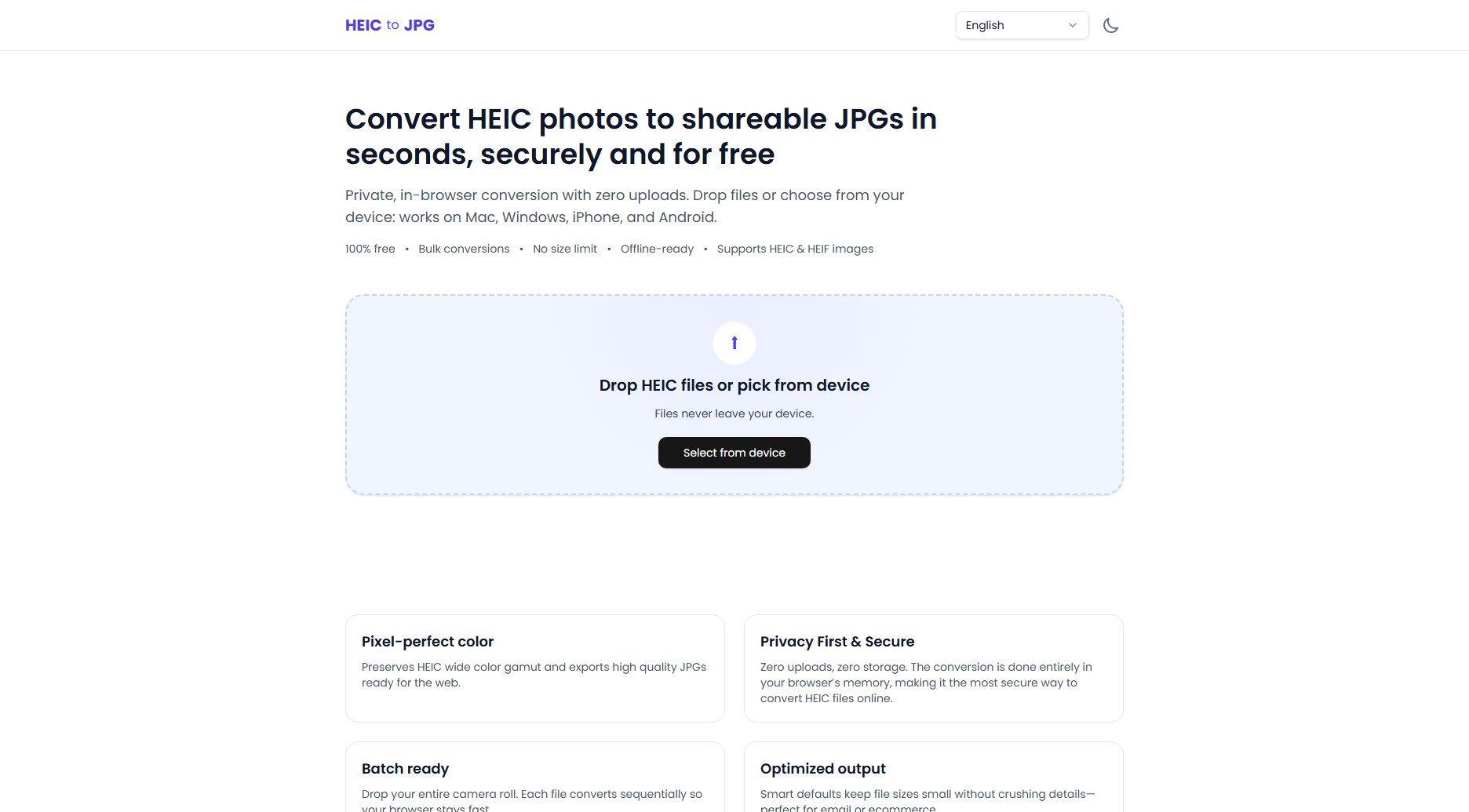
HEIC to JPG Converter Official screenshot of the tool interface
What Can HEIC to JPG Converter Do? Key Features
100% Private Conversion
All conversions happen entirely in your browser using WebAssembly technology. Your HEIC files never leave your device, ensuring maximum privacy and security. This makes it the most secure way to convert HEIC files online.
Bulk Conversions
You can drop multiple HEIC files at once, and the tool will process them sequentially. Each file is converted individually, allowing you to download JPGs as soon as they are ready—perfect for converting entire albums quickly.
No Size Limit
There are no hard file size restrictions. The only constraints are your device's memory and browser capabilities, making it suitable for high-resolution images and large batches.
Offline-Ready
Once loaded in your browser, the converter works without an internet connection. This is ideal for users who need to convert files while traveling or in areas with limited connectivity.
Pixel-Perfect Color Preservation
The tool preserves the wide color gamut of HEIC files and exports high-quality JPGs ready for the web. Smart defaults ensure file sizes remain small without sacrificing detail, making them perfect for email or ecommerce.
Cross-Platform Compatibility
Works on any modern web browser (Chromium-based, Firefox, Safari) across macOS, Windows, Linux, iOS, and Android. If your browser supports drag-and-drop, you can convert your images.
Best HEIC to JPG Converter Use Cases & Applications
Sharing Photos on Social Media
Many social media platforms don't support HEIC files. Convert your iPhone photos to JPG to ensure they upload and display correctly on Facebook, Instagram, or Twitter.
Email Attachments
HEIC files may not open on recipients' devices. Convert them to JPG before attaching to emails to guarantee compatibility with all email clients and operating systems.
Ecommerce Product Listings
Online marketplaces often require JPG images. Quickly convert your product photos from HEIC to JPG to meet platform requirements without losing quality.
Backing Up Photos
While HEIC is great for storage, JPG is more universally compatible. Convert your HEIC photos to JPG for backup purposes to ensure they can be opened on any device in the future.
How to Use HEIC to JPG Converter: Step-by-Step Guide
Visit the HEIC to JPG Converter website (https://fromheictojpg.com) using a modern web browser.
Drag and drop your HEIC files onto the converter interface or click 'Select from device' to choose files manually.
Wait for the tool to process your files. Each file is converted sequentially in your browser, and you'll see progress indicators.
Download the converted JPG files individually or as a batch once the conversion is complete.
HEIC to JPG Converter Pros and Cons: Honest Review
Pros
Considerations
Is HEIC to JPG Converter Worth It? FAQ & Reviews
No, the entire conversion process is performed locally in your web browser using WebAssembly technology. Your HEIC files never leave your device, ensuring maximum privacy and security.
The converter works on any modern web browser (Chromium-based browsers, Firefox, Safari) across macOS, Windows, Linux, iOS, and Android. If your browser supports drag-and-drop, you can convert your images.
There’s no hard size limit. Everything runs locally in your browser, so the only constraints are your device and browser memory.
Yes. You can drop in as many HEIC files as you need. Each file is processed one by one directly in your browser, and you can download each JPG as soon as it is ready.
HEIC is Apple’s default photo format because it saves space, but it isn’t universally supported across apps, websites, or many Windows/Android devices. Converting to JPG ensures your images open everywhere.