FateEngine
Create and explore immersive worlds with AI-powered storytelling
What is FateEngine? Complete Overview
FateEngine is a cutting-edge platform that empowers creators and storytellers to build and explore richly detailed fictional worlds. Powered by advanced AI, it provides a canvas for crafting immersive settings, characters, and narratives across various genres including fantasy, sci-fi, cyberpunk, and post-apocalyptic. The platform serves writers, game designers, tabletop RPG enthusiasts, and worldbuilding hobbyists by offering AI-assisted content generation and visualization tools. FateEngine helps users overcome creative blocks, maintain consistency in their worlds, and share their creations with a community of like-minded storytellers. The showcased worlds demonstrate the platform's versatility in generating atmospheric settings with deep lore, complex conflicts, and compelling themes.
FateEngine Interface & Screenshots
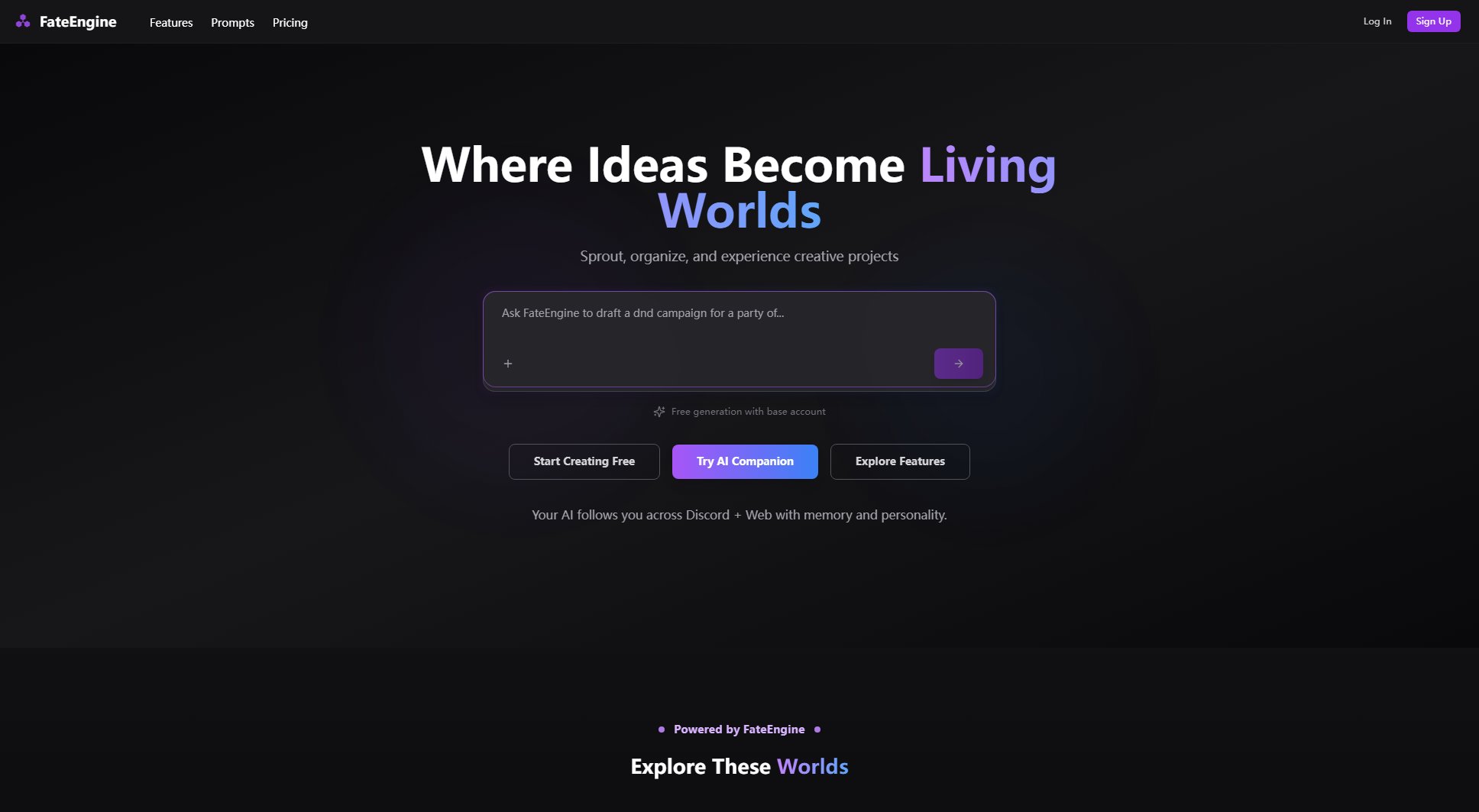
FateEngine Official screenshot of the tool interface
What Can FateEngine Do? Key Features
AI-Powered World Generation
FateEngine's core functionality uses advanced AI to help users generate complete fictional worlds with consistent lore, geography, cultures, and histories. The system can create everything from oceanic realms like Brineward to cyberpunk megacities like Neon Remains, complete with thematic elements and central conflicts.
Genre-Specific Templates
The platform offers specialized templates for various genres including high fantasy (Crown of Embers), hard sci-fi (The Asterion Initiative), cyberpunk (Neon Remains), and post-apocalyptic (Ashfall Wardenlands). Each template provides genre-appropriate elements and narrative structures to jumpstart creation.
Atmospheric Tone Crafting
FateEngine excels at helping users establish and maintain consistent tones for their worlds, from the adventurous-contemplative feel of Brineward to the tense cosmic mystery of The Asterion Initiative or the gritty neon aesthetic of Neon Remains.
Conflict and Theme Development
The platform assists in developing central conflicts and themes that drive narratives, whether it's the political struggles in Crown of Embers, the corporate espionage in Neon Remains, or the survival challenges in Ashfall Wardenlands.
Character and Faction Creation
Users can generate detailed characters and factions that fit organically into their worlds, from the salt-worn crews of Brineward to the noble houses of Crown of Embers or the corporate entities of Neon Remains.
Best FateEngine Use Cases & Applications
Tabletop RPG Campaign Setting
Game masters can use FateEngine to create complete campaign settings like Crown of Embers or Ashfall Wardenlands, with ready-made lore, factions, and conflicts that provide endless adventure hooks for their players.
Novel Worldbuilding
Authors can develop rich, consistent settings for their stories, whether crafting a high-seas adventure in Brineward or a corporate espionage thriller in Neon Remains, with all the supporting world details handled by the platform.
Game Development Backstory
Indie game developers can use FateEngine to create the deep lore and worldbuilding foundations for their games, similar to the intricate settings showcased in the platform's gallery.
Creative Writing Practice
Aspiring writers can use the platform to practice worldbuilding skills by exploring and modifying existing worlds like Sandsong Expanse or creating their own from scratch with AI guidance.
How to Use FateEngine: Step-by-Step Guide
Select a genre or theme for your world from FateEngine's extensive library of templates, or start with a blank canvas for complete creative freedom.
Use the AI-assisted tools to generate the foundational elements of your world - geography, cultures, history, and central conflicts. You can refine these through iterative prompts.
Develop key locations, factions, and characters that will populate your world, using FateEngine's character and organization generators to ensure consistency with your established setting.
Establish the tone and themes of your world, drawing inspiration from the platform's examples like the contemplative adventure of Brineward or the gritty cyberpunk of Neon Remains.
Save and organize your world in the platform's gallery, where you can continue to develop it over time or share it with the FateEngine community for feedback and collaboration.
FateEngine Pros and Cons: Honest Review
Pros
Considerations
Is FateEngine Worth It? FAQ & Reviews
Commercial use requires the Professional plan which includes a commercial license. Free and Creator plan users retain ownership of their creations but cannot use them commercially.
FateEngine uses context-aware generation that maintains consistency by referencing all created elements of your world when generating new content, similar to how the showcased worlds maintain their distinct tones and themes.
Collaboration tools are available on the Professional plan, allowing multiple creators to work on the same world simultaneously with change tracking and version control.
Free users have limits on active worlds, while Creator and Professional plans allow unlimited world creation and storage.
Yes, all plans include export options with varying formats. Professional users get access to advanced export templates and formats.