Ebookany
Turn any web content into your personal ebook library instantly.
What is Ebookany? Complete Overview
Ebookany is a powerful tool designed to transform any online content—such as blogs, links, RSS feeds, YouTube videos, Google Docs, and Notion pages—into convenient ebook formats like EPUB and PDF. It addresses the pain point of managing and preserving valuable web content that often gets lost in bookmarks or becomes inaccessible. With Ebookany, users can effortlessly create a personalized digital library, ensuring their favorite content is always available for offline reading. The tool is ideal for general users, professionals, researchers, and content creators who want to organize and access web content in a more structured and portable manner.
Ebookany Interface & Screenshots
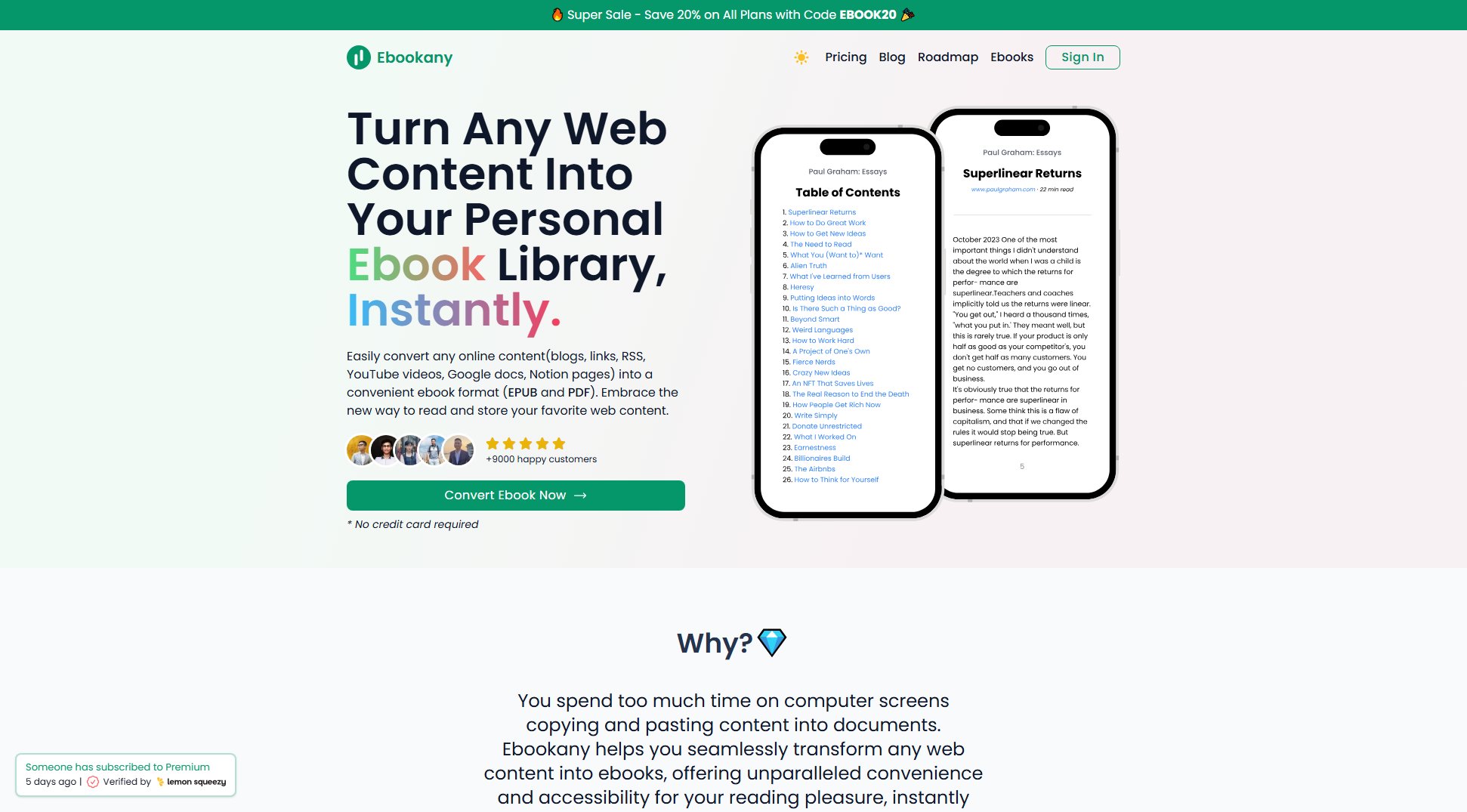
Ebookany Official screenshot of the tool interface
What Can Ebookany Do? Key Features
Instant Transformation
Ebookany allows users to convert web pages, blogs, or RSS feeds into ebooks quickly and easily. This feature eliminates the need for manual copying and pasting, saving time and effort while ensuring content is preserved in a readable format.
Send to Kindle
Users can seamlessly send converted ebooks directly to their Kindle devices or email addresses. This feature enhances accessibility, making it easy to read content on preferred devices without additional steps.
Fully Customizable
Ebookany offers extensive customization options, allowing users to adapt the format, style, cover, and layout of their ebooks. This ensures a personalized reading experience tailored to individual preferences.
Offline Accessibility
With Ebookany, users can enjoy their favorite web content anytime, anywhere, without needing an internet connection. This is particularly useful for travelers or those with limited connectivity.
User-Friendly Interface
The tool boasts a simple and efficient design, making the conversion process hassle-free. Even users with minimal technical skills can navigate and utilize Ebookany with ease.
Multiple Formats
Ebookany supports converting content into various formats, including EPUB and PDF, providing flexibility for different reading devices and preferences.
Best Ebookany Use Cases & Applications
Travel Reading
Frequent travelers can convert their favorite blogs and articles into ebooks for offline reading during flights or trips. This ensures access to content without relying on internet connectivity.
Research Compilation
Researchers can compile online articles and papers into organized ebooks, making it easier to review and reference materials. This saves time and improves comprehension.
Learning Materials
Students and lifelong learners can transform online learning resources into portable ebooks, creating a personalized library for study and revision.
Content Preservation
Content creators and bloggers can preserve their favorite online resources in ebook format, ensuring they remain accessible even if the original content is removed or altered.
How to Use Ebookany: Step-by-Step Guide
Input Your Source: Enter a list of URLs, blogs, or an RSS feed that you wish to transform into an ebook. Ebookany supports a wide range of content sources, making it versatile for different needs.
Personalize: Customize the information, layout, and design of your ebook. Adjust the format, style, and cover to create an ideal reading experience that matches your preferences.
Download or Send: Once satisfied with the customization, hit the 'Download' or 'Send' button to save your ebook or send it directly to your Kindle or email address. Enjoy your content across all devices.
Ebookany Pros and Cons: Honest Review
Pros
Considerations
Is Ebookany Worth It? FAQ & Reviews
Simply enter the URL of the website you want to convert into Ebookany, customize the layout and design, and then download or send the ebook to your preferred device or email.
Yes, Ebookany supports converting most websites, blogs, RSS feeds, Google Docs, Notion pages, and YouTube videos into ebooks. However, some heavily restricted or paywalled content may not be convertible.
Absolutely! Ebookany supports multiple formats like EPUB and PDF, which are compatible with most e-readers, tablets, and smartphones.
Ebookany primarily supports EPUB and PDF formats, which are widely compatible. There are no significant restrictions, but complex web layouts may require minor adjustments during conversion.
Ebookany handles most standard web content without issues. Extremely large documents or websites with excessive media may require optimization for best results.
Ebookany stands out with its user-friendly interface, extensive customization options, and support for multiple content sources and formats. It also offers seamless Kindle integration and offline accessibility.
Yes, you can share your ebooks with others, provided you have the rights to the original content. Ebookany does not impose restrictions on sharing converted ebooks.
Ebookany supports EPUB and PDF formats, catering to a wide range of reading devices and preferences.
The free trial allows users to experience basic conversion features. For unlimited access and advanced features, upgrading to a paid plan is recommended.
After conversion, you can preview the ebook directly in Ebookany before downloading or sending it to your device or email.