BoTab
Transform bookmarks into beautiful new tab pages with one click
What is BoTab? Complete Overview
BoTab is a powerful browser extension that transforms your bookmarks into elegant and organized new tab pages with just one click. It helps users reduce browser load by converting open tabs into bookmarks and creating visually appealing navigation pages. Designed for both general users and professionals who manage multiple tabs, BoTab enhances productivity by streamlining tab management and improving browsing efficiency. With features like multi-column layouts, smart tab organization, and automatic tab recovery, BoTab ensures a seamless and clutter-free browsing experience. The tool prioritizes privacy by generating new tab pages locally and supports browser cloud sync for data security across devices.
BoTab Interface & Screenshots
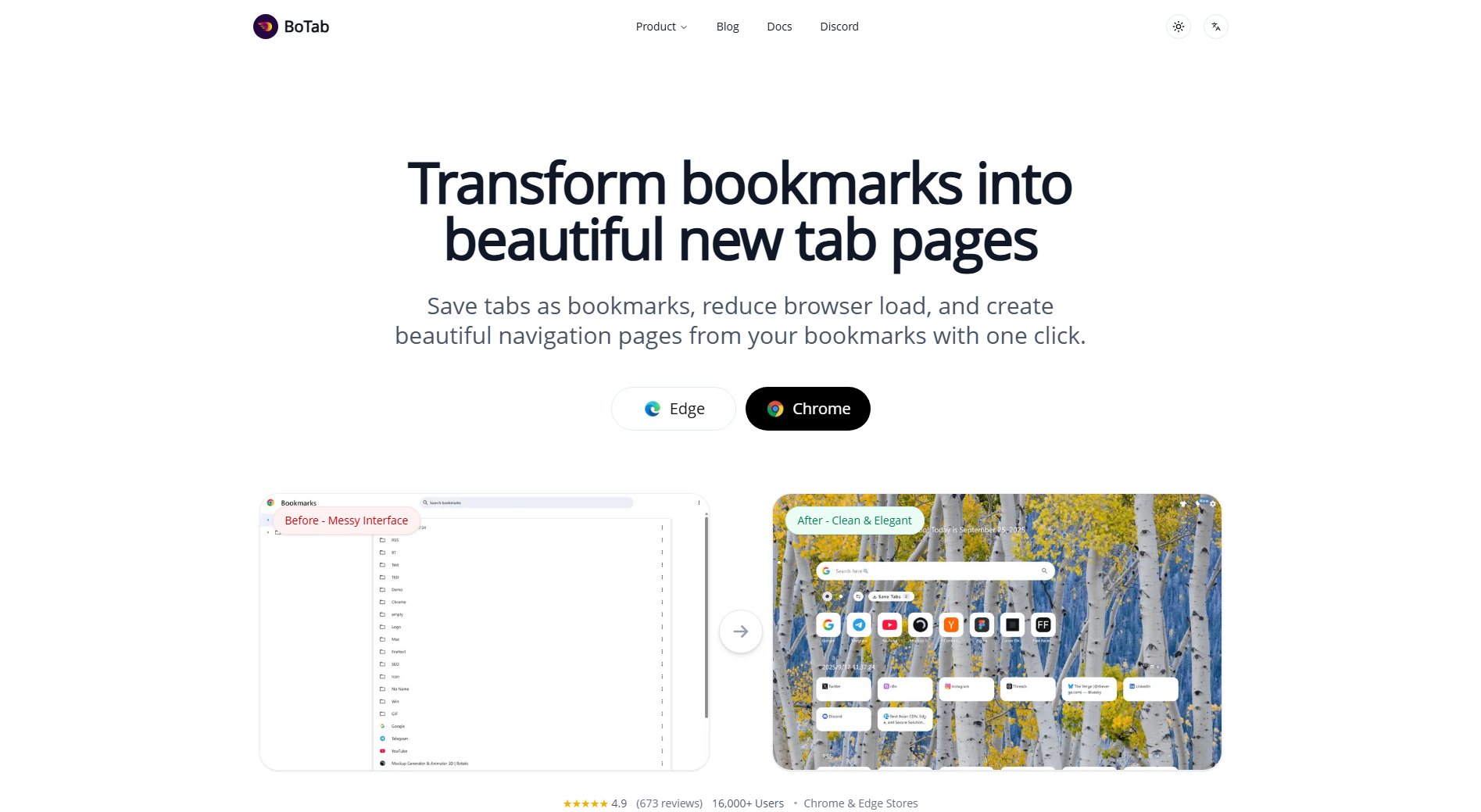
BoTab Official screenshot of the tool interface
What Can BoTab Do? Key Features
One-click generation
Convert all your open tabs into organized bookmarks with just one click, making it easy to find and restore them later. This feature simplifies tab management and reduces browser clutter.
Multi-column layout
Automatically generate multi-column board-style new tab pages from your bookmark content, providing a clean and intuitive interface for quick navigation.
Smart tab management
Organize tabs with powerful sorting and filtering features. Save tabs you don't need right now and restore them individually or all at once when ready, ensuring efficient workflow management.
Card operation menu
Each website card comes with a complete operation menu, allowing you to edit, move, or delete cards effortlessly, enhancing customization and control over your new tab pages.
Quick navigation
Jump quickly from bookmark-generated new tab pages to your desired websites, improving browsing efficiency and reducing time spent searching for links.
Automatic tab recovery
Automatically recover open tabs after a browser or computer crash, ensuring you never lose important research or work sessions.
Personalization
Customize new tab pages with wallpapers, themes, colors, layouts, and even custom CSS, creating unique and visually appealing navigation pages tailored to your preferences.
Privacy and security
BoTab generates new tab pages locally without uploading your bookmark data to any server. It strictly controls permissions and doesn't load remote code, ensuring your data remains private and secure.
Best BoTab Use Cases & Applications
Research and Study
Students and researchers can save multiple tabs related to their projects as bookmarks and organize them into a clean new tab page, making it easy to access references and resources without browser overload.
Work Productivity
Professionals can manage work-related tabs efficiently by converting them into bookmarks and restoring them as needed, ensuring a focused and organized workspace.
Personal Browsing
General users can declutter their browsers by saving frequently visited sites as bookmarks and accessing them through a visually appealing new tab page, enhancing their browsing experience.
How to Use BoTab: Step-by-Step Guide
Install BoTab from the Chrome Web Store or Edge Add-ons store by searching for 'BoTab' and clicking 'Add to Chrome' or 'Get'.
Open your browser and click the BoTab icon in the toolbar to access the extension's interface.
Use the one-click feature to convert all your open tabs into organized bookmarks, reducing browser load and clutter.
Customize your new tab page by selecting themes, layouts, and colors, or add custom CSS for a personalized look.
Navigate efficiently by using the multi-column layout and quick search features to find and access your bookmarks instantly.
Restore saved tabs individually or all at once when needed, ensuring seamless workflow continuity.
BoTab Pros and Cons: Honest Review
Pros
Considerations
Is BoTab Worth It? FAQ & Reviews
BoTab supports Chrome, Edge, and other Chromium-based browsers with version 88 or higher.
Extensions installed from Edge and Chrome stores update automatically. Offline package installations require manual updates.
Yes, BoTab generates new tab pages locally and doesn't upload your bookmark data to any server, ensuring privacy and security.
Yes, BoTab automatically saves your tab sessions and can recover them after crashes or restarts.
By converting open tabs into bookmarks, BoTab reduces CPU load and RAM usage, improving browser performance.
Yes, BoTab offers themes, layouts, and custom CSS for personalized new tab pages.