AudioPod AI
All-in-one AI audio workstation for voiceovers, music, dubbing & more
What is AudioPod AI? Complete Overview
AudioPod AI is a comprehensive AI-powered audio workstation that combines multiple professional audio tools into one seamless platform. It solves key pain points for content creators, podcasters, musicians, and businesses by providing studio-quality audio processing without requiring technical expertise. The platform offers ultra-realistic AI voices, music generation, stem splitting, noise reduction, speaker separation, media conversion, and dubbing capabilities. Target users include individual creators, podcasters, video producers, eLearning developers, game modders, and enterprises needing scalable audio solutions. With support for 87+ languages and simple API integration, AudioPod AI democratizes professional audio production.
AudioPod AI Interface & Screenshots
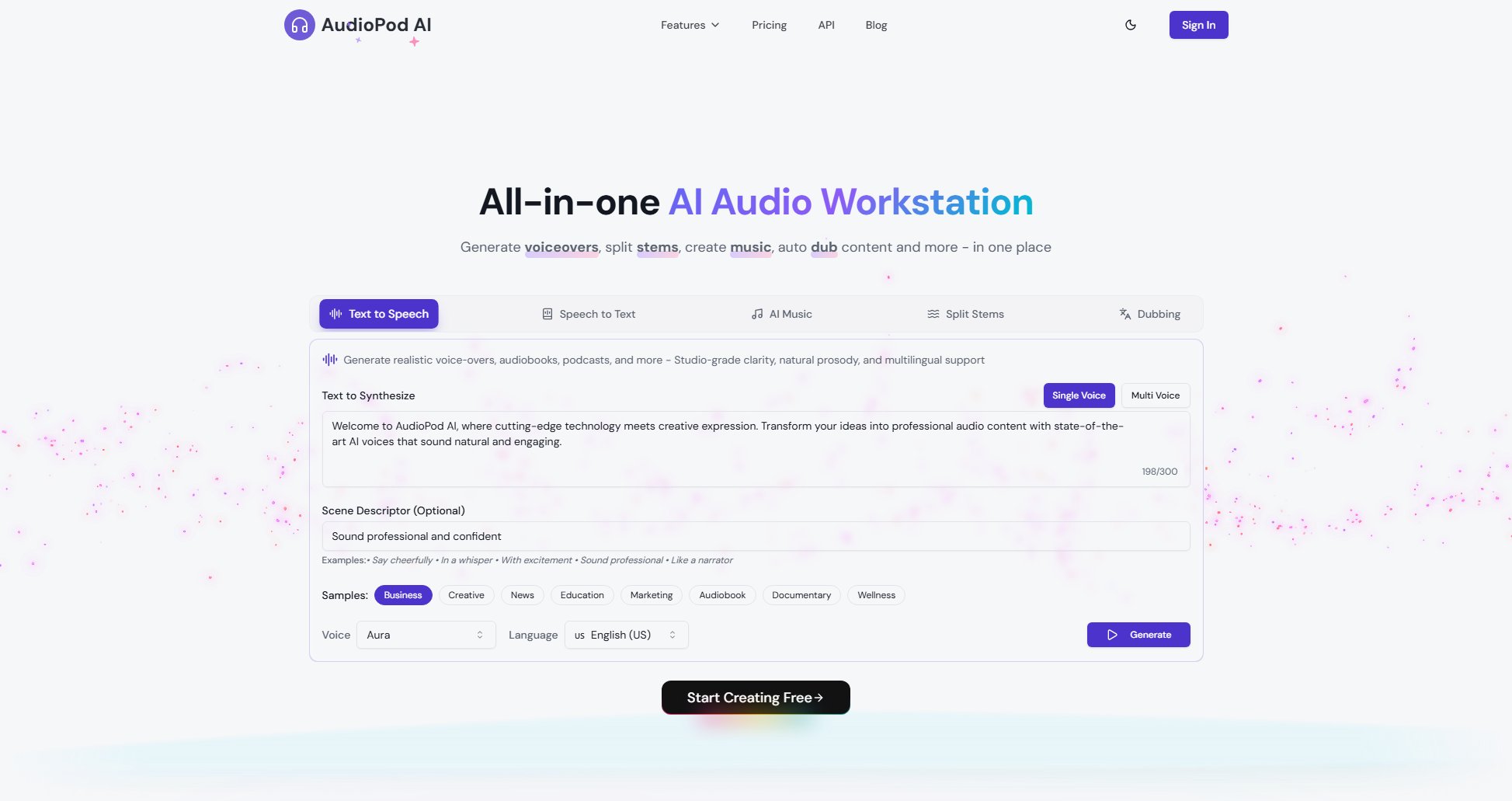
AudioPod AI Official screenshot of the tool interface
What Can AudioPod AI Do? Key Features
Ultra-Realistic AI Voices
AudioPod offers 12+ production-ready AI voices with distinct personalities (Aura, Jester, Sage, etc.) that can be instantly used or cloned from just 10 seconds of sample audio. Voices support multi-language output with natural intonation and emotion preservation. The voice studio allows custom voice creation and fine-tuning for brand-specific vocal identities.
AI Music Generation
Generate complete songs, instrumentals, rap vocals, and samples from text prompts. The system produces radio-ready tracks across genres (pop, hip-hop, ambient) with configurable BPM, mood, and instrumentation. Users can remix styles or extract clean vocal stems from generated music.
Professional Stem Splitting
Advanced AI separates audio tracks into isolated stems (vocals, drums, bass, etc.) with studio-quality precision. Supports up to 6 stem separation modes with 98% accuracy. Ideal for remixing, sampling, or extracting acapellas from existing tracks.
Smart Speaker Separation
Automatically identifies and separates different speakers in recordings with 99% accuracy (supports up to 10 speakers). Includes auto-diarization and speaker embedding extraction - perfect for transcribing meetings, interviews, or multi-speaker podcasts.
AI-Powered Noise Reduction
Removes background noise, echo, and distortions while preserving voice quality. Processes street noise, chatter, and room reverb with adjustable strength levels. Outputs studio-quality audio from imperfect recordings.
Multilingual AI Dubbing
Translates and dubs audio/video into 30+ languages while preserving original vocal characteristics and timing. Supports lip-sync adjustment and emotion preservation for natural-looking localized content.
Media Processing Tools
Extract audio from videos (YouTube, TikTok, etc.) with format/quality options. Convert between 20+ media formats with bitrate control and trimming. Includes batch processing and API access for automation.
Best AudioPod AI Use Cases & Applications
Podcast Production
Record interviews, automatically separate speakers, reduce background noise, and add professional voiceovers - creating studio-quality episodes without expensive equipment.
Video Localization
Dub explainer videos or tutorials into multiple languages while preserving the original speaker's vocal characteristics and emotional tone for global audiences.
Music Remixing
Split existing songs into stems (vocals, instruments), then rearrange elements or combine with AI-generated music tracks for creative remixes and samples.
Accessible Content
Automatically transcribe audio to text and generate natural-sounding voiceovers for visually impaired users, supporting 87+ languages for inclusive content.
Game Development
Generate placeholder voice lines for characters, create dynamic soundtracks, and clean up field recordings - accelerating audio production for indie developers.
How to Use AudioPod AI: Step-by-Step Guide
Upload your audio source - drag & drop files, paste YouTube URLs, or record directly. Supported formats include MP3, WAV, MP4, MOV, and more.
Select your processing tool - choose from voice generation, music creation, stem splitting, noise reduction, dubbing, or speaker separation.
Configure settings - customize voice parameters, music styles, language outputs, or processing intensity based on your needs.
Process and preview - the AI handles complex audio processing in seconds. Listen to samples before finalizing.
Download or share - export in your preferred format (MP3, WAV, FLAC etc.) or integrate directly via API for automated workflows.
AudioPod AI Pros and Cons: Honest Review
Pros
Considerations
Is AudioPod AI Worth It? FAQ & Reviews
We support WAV, MP3, FLAC, OGG, OPUS, AAC, M4A for audio and MP4, WEBM, MOV, AVI for video inputs. Outputs available in all major formats with quality controls.
Our AI achieves 99% accuracy in identifying and separating speakers, even in challenging recordings with overlapping speech or background noise.
Yes! Provide just 10 seconds of sample audio to create a personalized voice model that can speak any text while preserving your unique vocal characteristics.
Absolutely. Our production-ready SDKs (Python, JavaScript) enable streaming TTS, batch audio processing, and webhook integrations with comprehensive documentation.
Credits never expire and can be purchased separately ($1=7,500 credits). They're consumed after subscription allowances, ideal for variable workloads.