15 Minute Timer
Simple online countdown timer with sound alert
What is 15 Minute Timer? Complete Overview
The 15 Minute Timer is a free, easy-to-use online countdown timer designed for anyone needing a quick and simple way to track 15-minute intervals. Whether you're working, studying, cooking, or engaging in any task that requires precise timing, this tool provides a straightforward solution. The timer features a clean interface with start and reset buttons, along with an optional sound alert to notify you when time is up. It's perfect for general users, students, professionals, and home cooks who need a reliable way to manage short time spans without complicated setups or downloads.
15 Minute Timer Interface & Screenshots
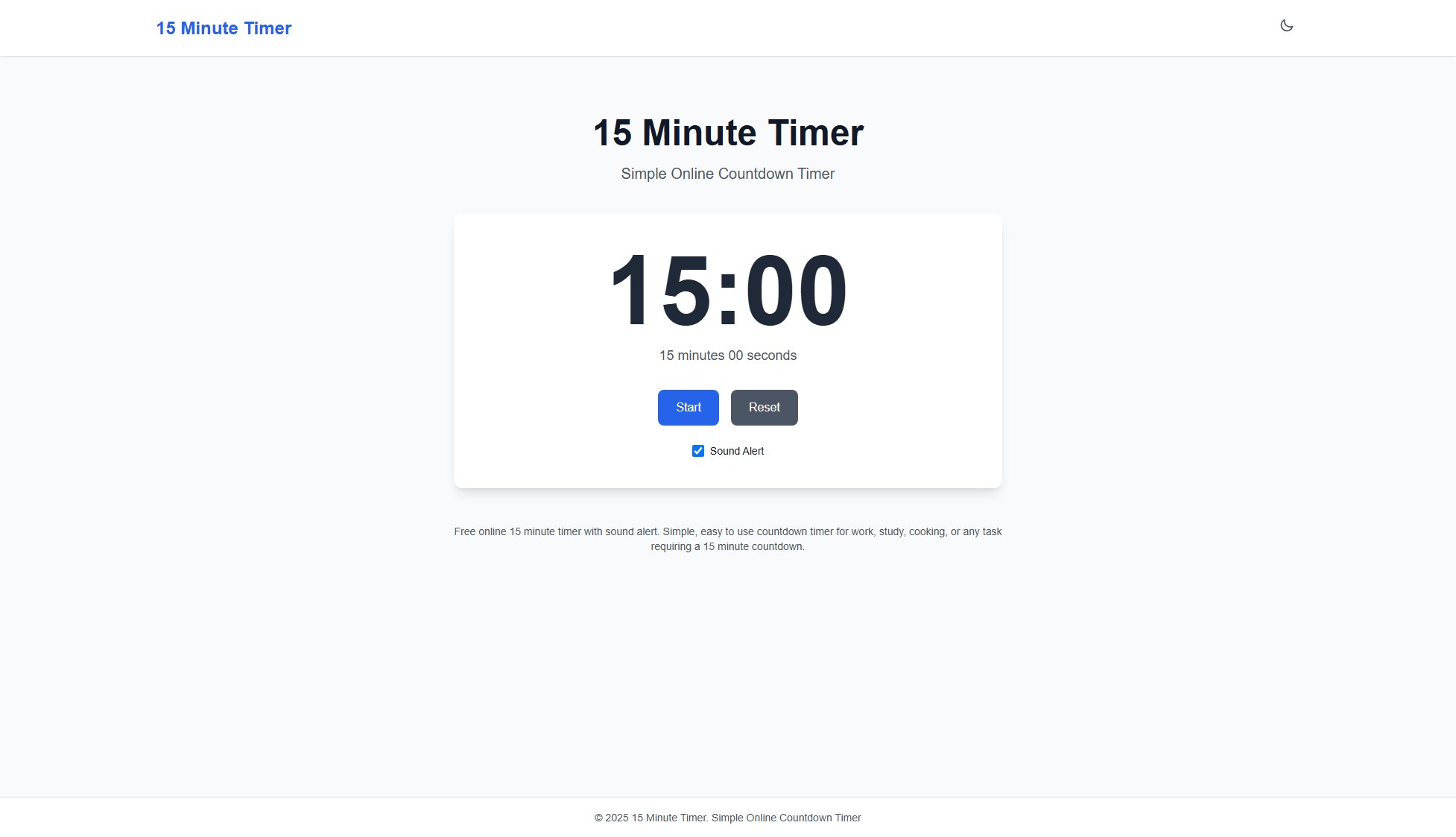
15 Minute Timer Official screenshot of the tool interface
What Can 15 Minute Timer Do? Key Features
Simple Interface
The timer boasts a minimalist design with clear, large digits displaying the countdown from 15:00 to 00:00. Users can easily start or reset the timer with one click, making it accessible for all age groups and tech-skill levels.
Sound Alert
When the 15-minute countdown completes, an audible alert sounds to notify users. This feature ensures you won't miss the timer's completion even if you're not looking at the screen, perfect for multitasking scenarios.
No Installation Required
As a web-based tool, the 15 Minute Timer requires no software downloads or installations. Users can access it instantly from any modern web browser on desktop or mobile devices, saving storage space and setup time.
Cross-Device Compatibility
The responsive design works seamlessly across smartphones, tablets, and computers. Whether you're using iOS, Android, Windows, or macOS, the timer maintains consistent functionality and display quality.
Zero Configuration
Unlike complex timer apps with multiple settings, this tool launches ready-to-use with its preset 15-minute duration. Users can start timing immediately without adjusting any parameters, ideal for quick, repetitive timing needs.
Best 15 Minute Timer Use Cases & Applications
Pomodoro Technique
Productivity enthusiasts can use the timer for the work intervals in the Pomodoro method, helping maintain focus for 15-minute bursts followed by short breaks.
Cooking & Baking
Perfect for timing short cooking tasks like boiling eggs, steeping tea, or baking cookies where precise 15-minute intervals are crucial for optimal results.
Exercise Intervals
Fitness practitioners can time 15-minute workout segments or rest periods between sets, with the sound alert signaling when to switch activities.
Classroom Activities
Teachers can project the timer for timed tests, group work sessions, or transition periods between lessons, helping students manage time effectively.
Meditation Sessions
Individuals practicing mindfulness can use the timer for consistent 15-minute meditation periods without needing to check a clock, supported by the gentle alert.
How to Use 15 Minute Timer: Step-by-Step Guide
Open the website (15minutetimer.net) in your preferred web browser on any device. No account creation or login is required.
View the default 15:00 countdown display. Optionally toggle the 'Sound Alert' button if you want an audible notification when time expires.
Click the 'Start' button to begin the countdown. The timer will immediately begin counting down from 15 minutes in minute:second format.
Continue with your task while the timer runs. If enabled, the sound alert will play when 15 minutes elapse.
Press 'Reset' at any time to stop the current countdown and return to the 15:00 starting point for your next timing session.
15 Minute Timer Pros and Cons: Honest Review
Pros
Considerations
Is 15 Minute Timer Worth It? FAQ & Reviews
No dedicated mobile app exists, but the website is fully responsive and works like an app when added to your home screen on mobile devices.
This specific timer is fixed at 15 minutes. For adjustable durations, you would need to use a different timer tool with customization options.
After initially loading the page, the timer will continue functioning if you lose internet connection, though you won't be able to reload the page without connectivity.
The timer works on all modern browsers including Chrome, Firefox, Safari, Edge, and Opera across desktop and mobile platforms.
The alert volume depends on your device's system volume settings rather than having a separate control within the timer interface.